9-24 Installing and connecting the batteries
AccessNode 323-3001-210 Issue 1.0
Procedure 9-2 (continued)
Installing 6 V batteries in a cabinet
Step Action
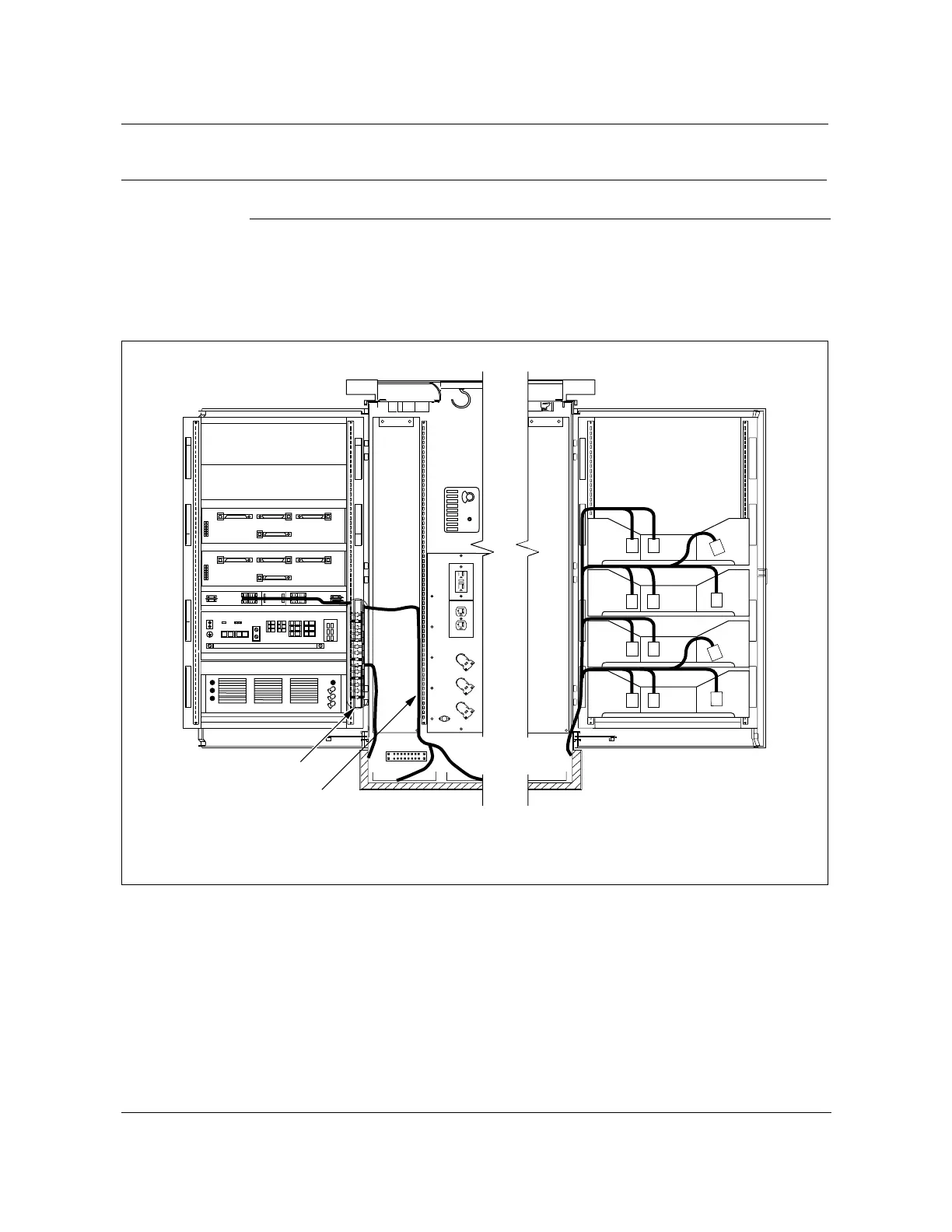
11 Route, but do not connect, the BBP ends of the battery cables to the battery
interface connector field on the rear left swing frame. Secure the cables to the
swing frame with tie wraps (see Figure 9-12).
Figure 9-12
6 V battery cable routing
FW-16036
—continued—
Batteries on floor
of cabinet
TB4
HENDRY
RPTR 2
RPTR 1
DSX-1
77
56
6
7
7
5
5
6
6
5
Battery interface
connector field
Rear left
swing frame
open
Rear right
swing frame
open
FW-16036
View facing AC compartment
Note:
Connections use the P0749332 battery harness adapter.
View facing termination compartment
NT1W64AA



 To Next Page