Installing and connecting the batteries 9-29
AccessNode Series 800A Outside Plant Cabinet Installation 323-3001-210 Issue 1.0
Procedure 9-3 (continued)
Wiring the cabinet when the batteries are installed in the battery vault
Step Action
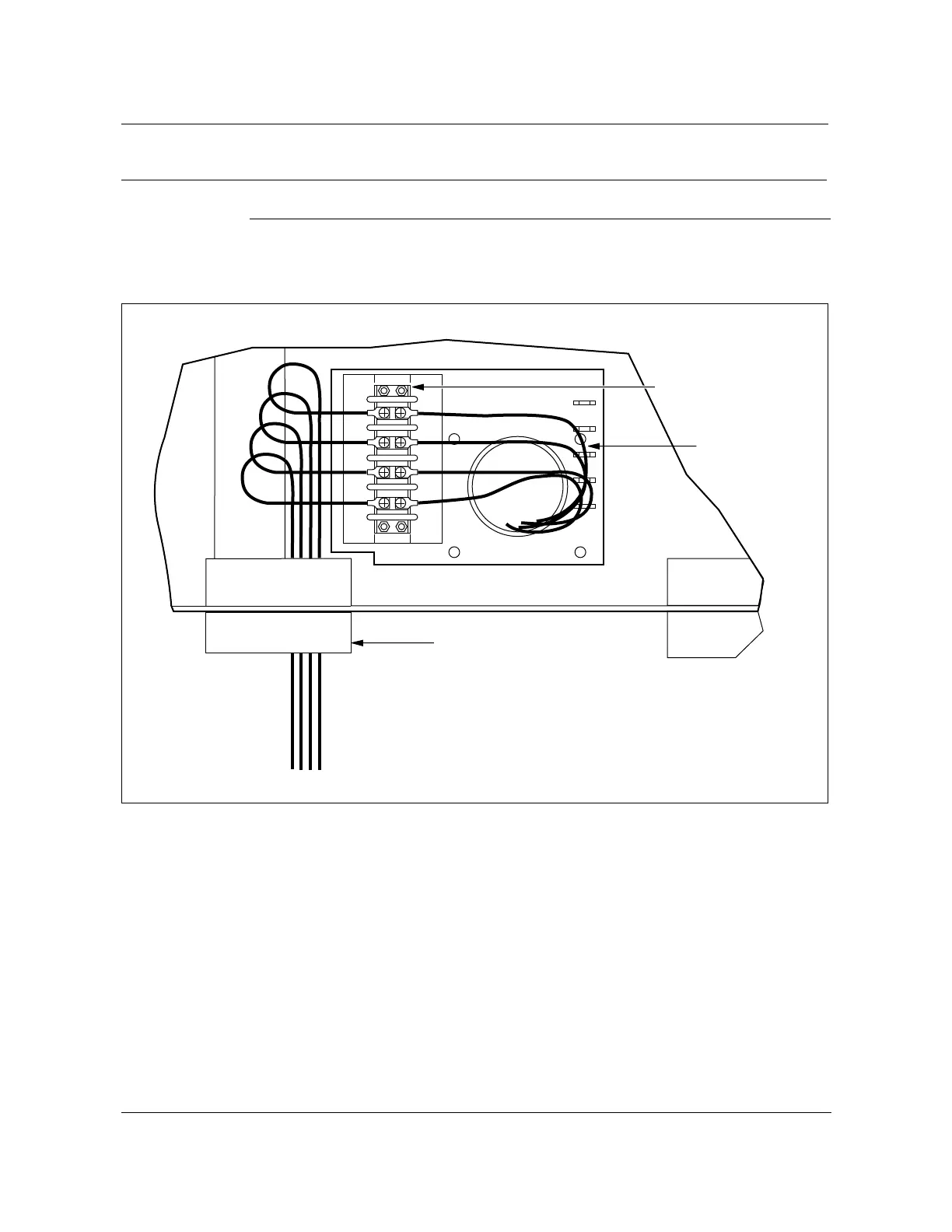
5 Dress the battery cabling as shown in Figure 9-15.
Figure 9-15
TB13 battery cable wiring connections
FW-15158
—end—
Conduit
TB13
These cables
provided with
cabinet.
Batt 1
-48v
RED
Batt 2
-48v
RED
Batt 1
BR
BLK
Batt 2
BR
BLK
DC shf
-48V
Batt 3
RED
DC shf
-48V
Batt4
RED
DC shf
BR
Batt 3
BLK
DC shf
BR
Batt 4
BLK
FW-15158



 To Next Page