EasyManua.ls Logo

Numatics G3 Series - User Manual

Numatics G3 Series
164 pages
Print Icon
To Next Page IconTo Next Page
Loading...
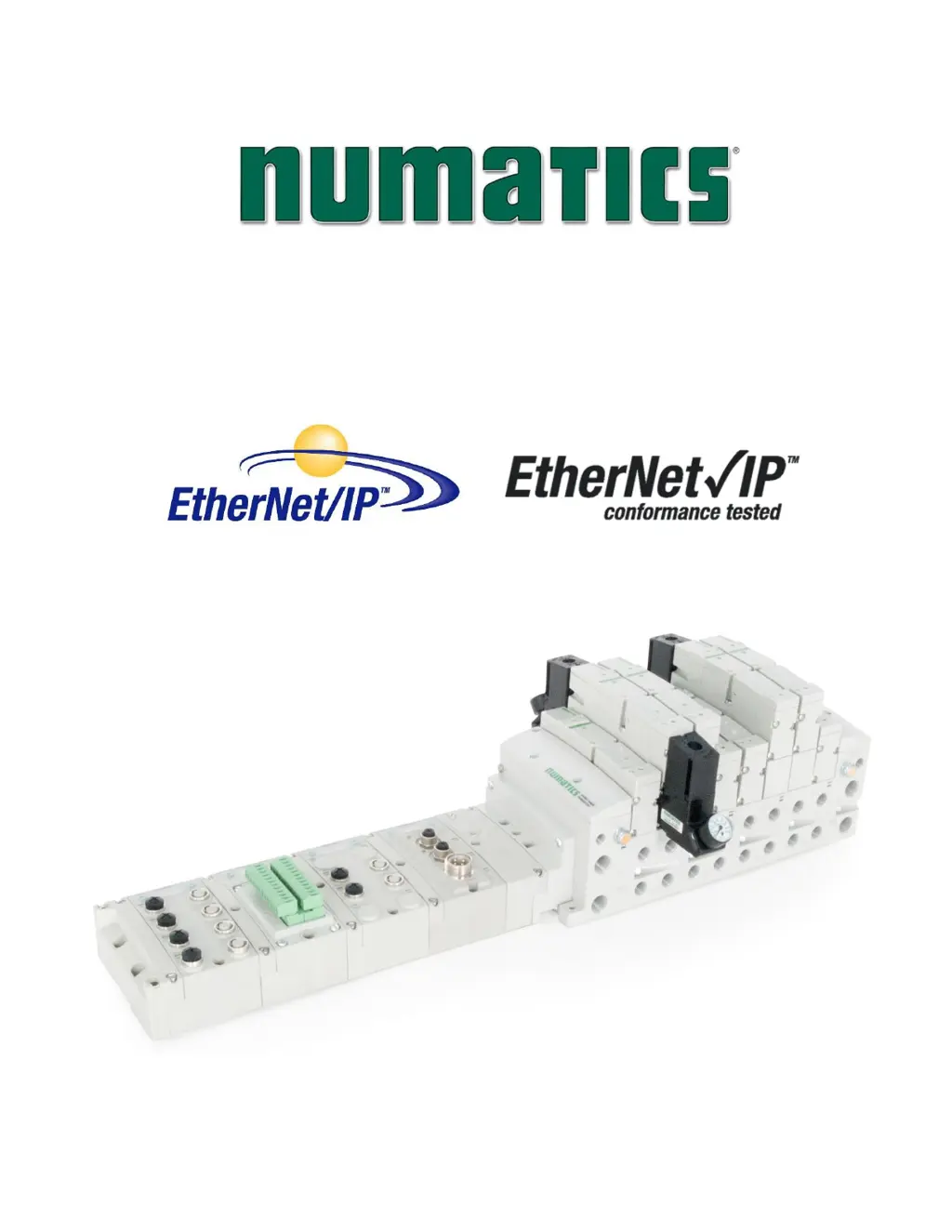
G3 Series
EtherNet/IP
TM
DLR
Technical Manual

Table of Contents

Questions and Answers

Summary

Conditions for Use and Safety

Conditions for Use of this Product

Specifies the conditions under which the Numatics G3 Manifold shall be used.

Safety Precautions

Highlights safety symbols and emphasizes reading manuals for safe operation.

EtherNet;IP Introduction and Features

About EtherNet;IP

Provides an overview of EtherNet/IP as a communication protocol.

G3 EtherNet;IP Features

Lists the key features supported by the G3 EtherNet/IP module.

G3 EtherNet;IP Performance Data

Details the performance metrics of the G3 EtherNet/IP module.

G3 Series Introduction and Components

G3 Introduction

Introduces the G3 Series as an electronic product platform.

G3 Electronics Modularity

Explains the modular and scalable nature of the G3 Series.

500 Series Pneumatic Valve Manifolds

Details the 500 Series Pneumatic Valve Manifold and its features.

500 Series Z-Board Connectors

Describes the standard Z-Board connectors for the 500 Series.

2000 Series Pneumatic Valve Manifolds

Details the 2000 Series Pneumatic Valve Manifold and its features.

2000 Series Z-Board Connectors

Describes the Z-Board connectors for the 2000 Series.

Zoned Power Applications

503 Series Zoned Power Application

Explains the application of Zoned Power Manifold blocks in a 503 assembly.

503 Series Zoned Power Example

Provides an example illustrating the use of Zoned Power Manifold blocks.

Communication Module Details

EtherNet;IP DLR Communication Module (Node)

Introduces the EtherNet/IP DLR Communication Module (Node).

Communication Module Description

Details the components and features of the communication module.

Connector Pin-Outs

Provides pin-out information for communication and power connectors.

Electrical Connections

Illustrates the wiring diagrams for power supply connections.

Ground Wiring

Provides guidelines for proper grounding of communication nodes.

Power Consumption

Details the power consumption characteristics of various modules.

Diagnostics

Explains the LED functions for module status and diagnostics.

G3 Graphic Display Configuration

G3 Graphic Display Overview

Introduces the integrated graphic display for configuration and diagnostics.

Main Menu Structure

Illustrates the main menu navigation structure of the graphic display.

IP Address Configuration

Provides step-by-step instructions for setting the IP address.

Subnet Mask Configuration

Provides step-by-step instructions for setting the subnet mask.

Gateway IP Configuration

Provides step-by-step instructions for setting the gateway IP address.

DHCP-BOOTP Configuration

Explains how to enable/disable DHCP/BOOTP for IP address assignment.

Config Mode Settings

Details the configuration mode settings for the module.

Web Server Settings

Explains how to enable or disable the G3 Web Server.

MAC Address

Displays the fixed MAC Address of the module.

Advanced Settings: Communication Fault

Configures the fault action parameter for communication faults.

Advanced Settings: Brightness

Allows adjustment of the graphic display brightness.

Advanced Settings: Flip Display

Allows flipping the display orientation of the graphic interface.

Advanced Settings: Communication Format

Sets the specific data format for I/O data exchange.

Advanced Settings: Parameter Lock

Enables or disables the settability of parameters via the graphic display.

Advanced Settings: Configuration Lock

Locks or unlocks manifold configurations to prevent unintended changes.

Advanced Settings: Quick Connect

Enables or disables the Quick Connect feature for faster startup.

Advanced Settings: Compatibility Mode

Sets the module to operate as a standard Ethernet IP (non DLR) node.

Factory Defaults

Resets all module parameters to their factory default values.

Diagnostics

Provides access to module diagnostics information.

Diagnostics: Self Test Mode

Enables an internal diagnostic tool to test module functionality.

Error Messages

Lists automatic error messages displayed during operation.

Auto Recovery Module (ARM)

ARM Process Flowchart

Illustrates the process flow for the Auto Recovery Module.

Distribution System and Components

Distribution of I;O Capability

Explains how I/O capability is distributed using Sub-Bus modules.

Sub-Bus Distribution Modules

Details the SUB-BUS OUT and AUX. POWER OUT modules.

Sub-Bus Cables

Lists and describes various Sub-Bus cable options.

Digital I;O Modules

Digital I;O Module Usage

Describes the usage and limitations of Digital I/O modules.

I;O Module Technical Data

Provides technical specifications for various I/O modules.

I;O Module Descriptions and Menus

Details the I/O module components and their menu navigation.

Digital Input Modules

Details digital input modules, including M12 and terminal strip types.

Digital Output Modules

Details digital output modules, including M12 and terminal strip types.

Digital Input;Output Modules

Describes modules that provide both digital inputs and outputs.

Valve Interface Modules

2000 Series & 500 Series Valve Driver

Details the valve driver modules for 2000 and 500 Series valves.

Sub-bus Valve Module

Explains the Sub-bus Valve Module for distributed valve control.

Sub-bus Valve Module without Distribution and I;O

Describes the Sub-bus Valve Module without distribution or I/O capabilities.

500 Series Extended Coil Capability

Details the requirements for extended coil capability in 500 Series manifolds.

Extended Coil Configuration

Explains how to configure extended coil valve driver assemblies.

Extended Coil Valve Driver IO Mapping

Provides IO mapping for extended coil valve drivers.

501 Series: Up to 64 Solenoid Coils

Describes the 501 Series manifold with up to 64 solenoid coils.

501 Series: Up to 128 Solenoid Coils

Describes the 501 Series manifold with up to 128 solenoid coils.

502 and 503 Series: Up to 80 Coils

Describes the 502 and 503 Series manifold with up to 80 solenoid coils.

Analog I;O Modules

Analog I;O Module Rules

Outlines the rules and specifications for analog I/O modules.

Analog Graphic Display

Explains the graphic display functions for Analog I/O modules.

Analog Module Self Test Mode

Describes the self-test mode for analog I/O modules.

Analog Module Factory Defaults

Details how to reset analog module parameters to factory defaults.

Specialty Modules

RTD Module

Details the G3 RTD Temperature module and its capabilities.

Sub-Bus Hub Module

Explains the Sub-Bus Hub module for branch distribution.

I;O Module Wiring Diagrams

NPN;PNP Definitions

Defines NPN and PNP sensor types and connections.

EtherNet;IP G3 Web Server Functionality

Integrated Web Page Configuration

Describes how to access the G3 node's integrated web server.

Connecting to a G3 Series EtherNet;IP Node

Provides steps for connecting a computer to a G3 EtherNet/IP node.

EtherNet;IP Web Server Functionality

Explains the features and navigation of the built-in Ethernet server.

IP Address Configuration Methods

Details methods for configuring the IP address of the G3 node.

User Configurable Device Parameters

Describes user-configurable parameters defining manifold behavior.

Communication Fault;Idle Mode Parameter

Configures output behavior during communication faults or idle modes.

EtherNet;IP Commissioning Procedures

G3 Configuration for RSLogix 5000 (Generic Ethernet Module)

Guides G3 configuration within RSLogix 5000 using a generic module.

G3 Configuration for RSLogix 5000 (Numatics G3 EDS File)

Details using the Numatics G3 EDS file for RSLogix 5000 configuration.

EtherNet;IP Mapping and Sizing

I;O Sizes Explanation

Explains how to determine I/O data sizes for manifolds.

Manifold and I;O Data Sizing Worksheet

Provides a worksheet for calculating I/O data requirements.

Bit Mapping Rules

Details the bit mapping rules for Numatics valve manifolds.

I;O Mapping Examples

Provides examples of I/O mapping configurations.

Diagnostic Word Details

Explains the format and bits of the diagnostic word.

Appendix: Specifications, Defaults, and Troubleshooting

System Specifications

Lists electrical and operating specifications for the system.

Factory Default Settings

Lists the default settings for various module parameters.

Troubleshooting Guide

Provides solutions for common communication and I/O module issues.

Glossary of Terms

Defines common terms and symbols used in the document.

Technical Support Information

Provides contact information for technical support and Numatics resources.

Numatics G3 Series Specifications

General IconGeneral
Product CategoryDigital Manifolds
Operating Voltage24 VDC
Number of SolenoidsSingle or Double
Protection ClassIP65
Communication ProtocolsEtherNet/IP, PROFINET
Voltage Options24 VDC
Maximum Flow Rate1000 l/min
Operating Temperature-10°C to +50°C (14°F to 122°F)
Operating Temperature Range-10°C to +50°C
ConfigurationWeb-based configuration tool
WeightVaries with configuration
MaterialsAluminum
SeriesG3 Series

Related product manuals