5.9.2.2 Installing the developer station
160 A29246-X20-X-4-7680 / fa509.fm
Final tasks for installing the developer station
11. Final tasks for installing the developer station >>> page 160
Proceed as follows:
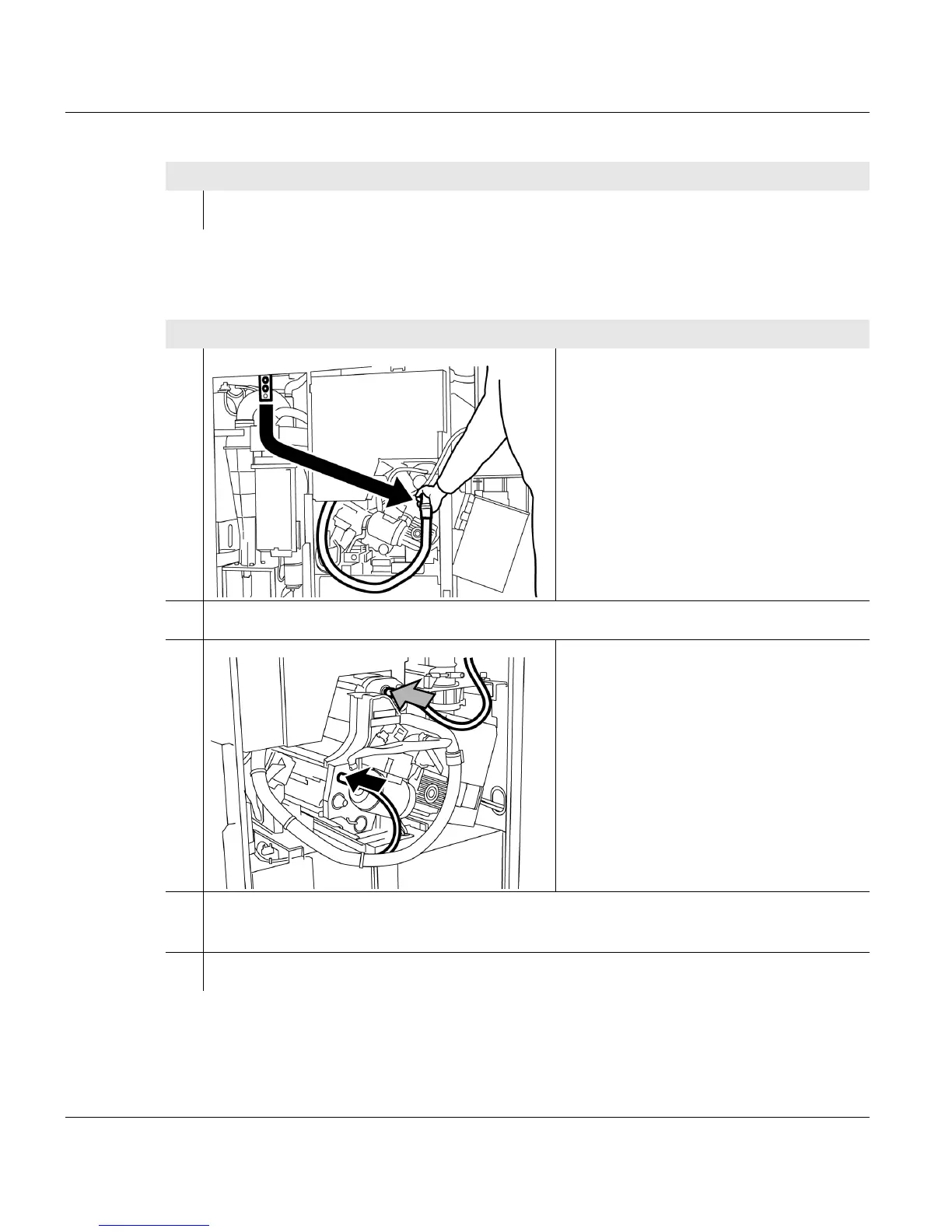
1. Remove the toner suction hose and
vacuum hose from the rubber
mounting.
2. Insert the toner suction hose to the stop point in the developer station.
3. Push vacuum hose to the stop point on
the developer station connecting pipe.
4. Take the toner hose from the mounting on the toner feed unit and push to the stop
point on the developer station connecting pipe.
5. Check whether all hoses are pushed onto the connecting pipes up to the stop point.
1 of 3
Proceed as follows:
5 of 5



 To Next Page