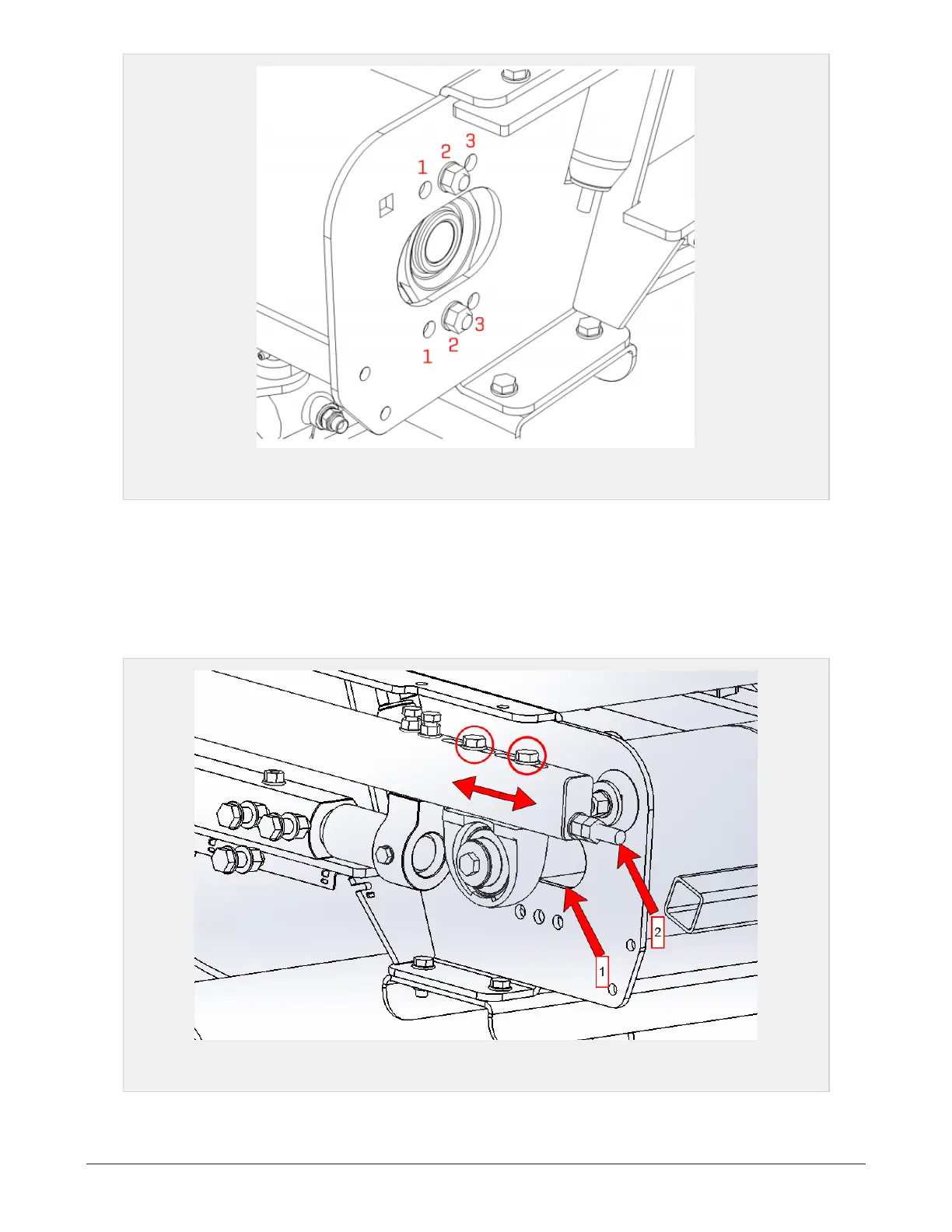
Figure 7.28 :
Holes for roller support
Loosen the upper bolt to allow some movement on the bearing housing. Dismount the lower bolt and pull
the roller to a suitable position. Insert the bolt in a suitable hole. Both sides must be equally mounted.
If the belt tracking is incorrect, try to change location (side) of the belts.
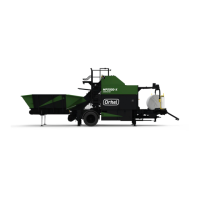
For wrapping tables with a weighing cell the front belt tension can be adjusted within the slot (arrow 1) by
turning the adjustment bolt (arrow 2), see Figure 7.29. Because of this the mounting holes are not in use.
Adjust belt tension by loosening the bearing (red circles) and adjust the screw to achieve optimal tension.
Re-tighten the bearing afterwards.
Figure 7.29 :
Adjusting belt tension on wrapping table with weighing cell
7 MAINTENANCE AND MECHANICAL ADJUSTMENTS 83


 To Next Page