L
--
740
--
28
--
E
0
(2) To change the style of view variables
・Display/hide of individual items and their priority can be changed.
(For details, see 9.11 Variables view screen setup.)
・Display font size can be changed.
In default setting, alphanumeric is displayed in large fonts; two items appear in one screen. By
selecting the standard font, it is possible to indicate 3 items in one screen.
(For details, see 9.2.2 Transition chart (1) [No. 1-3-3].)
Click "ENT".
(※1 with ↓)
Click "ENT".
(※1 with ↑)
Click "ENT".
(※1 with ↓)
Click "ENT".
(※1 with ↑)
Click "ENT".
(※1 with ↓)
Click "ENT".
(※1 with ↑)
Click "ENT".
(※1 with ↓)
Click "ENT".
(※1 with ↑)
※1: Scroll direction can be changed by reversing the arrow direction at lower left with "SEL1".
(See "SEL1" operation in 9.1.2 Switch operation (2).)
●
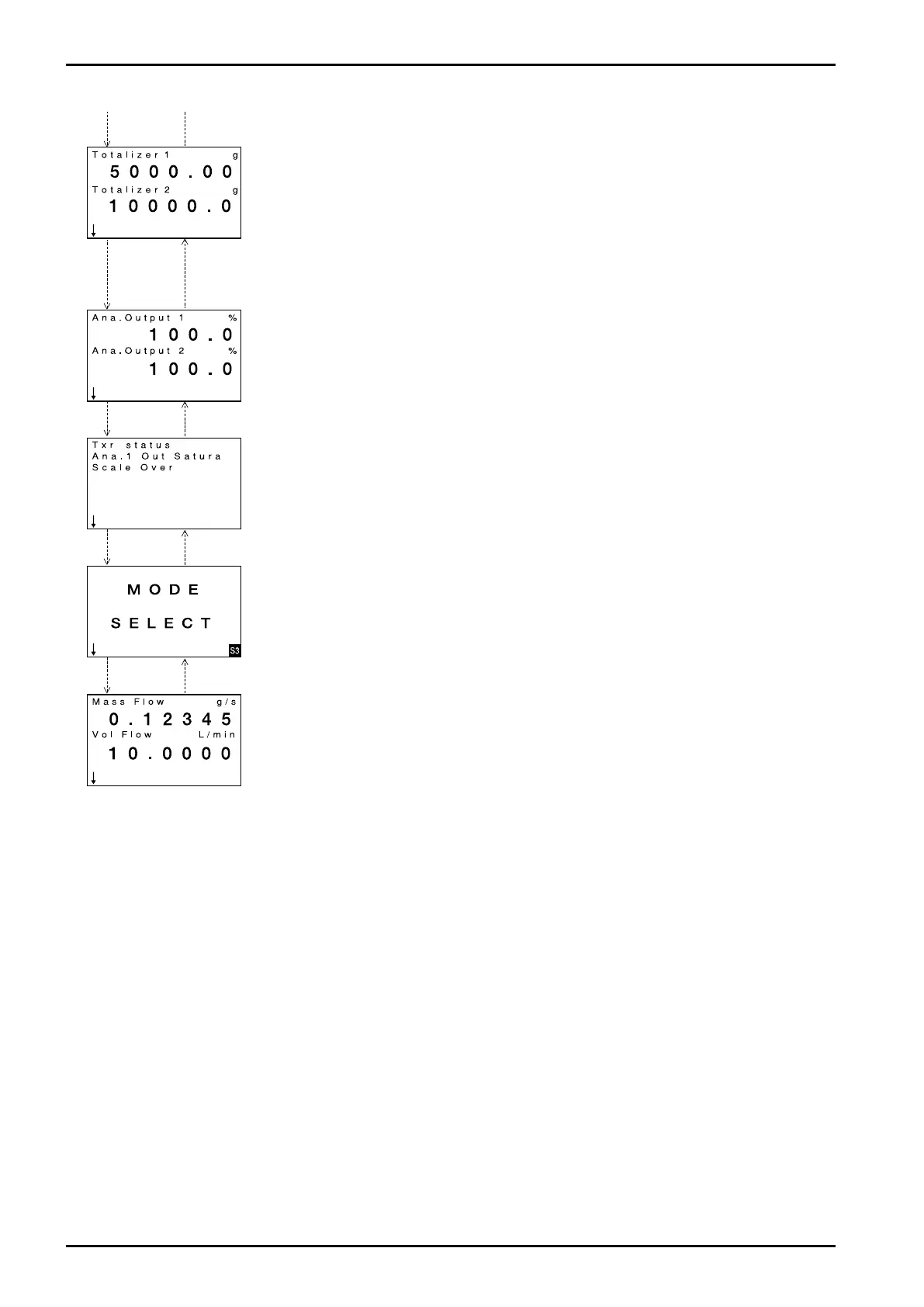
Totalizer 1: Total flow of pulse output 1
When reading exceeds the max. value, the counter resets to 0 with the next count.
Unit of measure keeps track of the flow unit assigned to pulse output 1.
Decimal point pos. is alterable by configuration (See 9.2.2 Transition chart (1) [No. 1-3-4-4].)
This reading is retained irrespective of power cycling.
Can be reset to 0 with Count/Total 1 reset function. (See 9.2.7 Transition chart (6) [No. 3-5-1].).
●
Shows Totalizer 2: Total flow of pulse output 2
When reading exceeds the maximum reading, it returns to 0 at the next count.
Unit of measure keeps track of the flow unit assigned to pulse output 2.
Decimal point pos. is alterable by configuration. (See 9.2.2 Transition chart (1) [No. 1-3-4-5].)
This reading is retained irrespective of power cycling.
Can be reset to 0 with Count/Total 2 reset function. (See 9.2.7 Transition chart (6) [No. 3-5-2].).
When pulse output 2 related parameter is modified, the counter is reset to "0".
●
Ana. Output 1: % analog output 1
Measurement range: -10 to 110%
●
Ana. Output 2: % analog output 2
Measurement range: -10 to 110%
●
Status / error information
Not shown unless there are errors or status information.
For errors and status information, see 10.1 Error Messages and 10.2 Status Messages.
●
MODE SELECT screen: A screen to enter the setup screen.
Parameter configuration and utilizing various functions starts from this screen.
Back to the initial screen.







 To Next Page