L
--
740
--
28
--
E
7.11
How to Change Cable Entry Orientation of Terminal Box (Separately Mounted Type)
Of the sensor unit, the orientation of the terminal box’s cable entry can be changed.
◆Procedure◆
① Turn OFF flowmeter power.
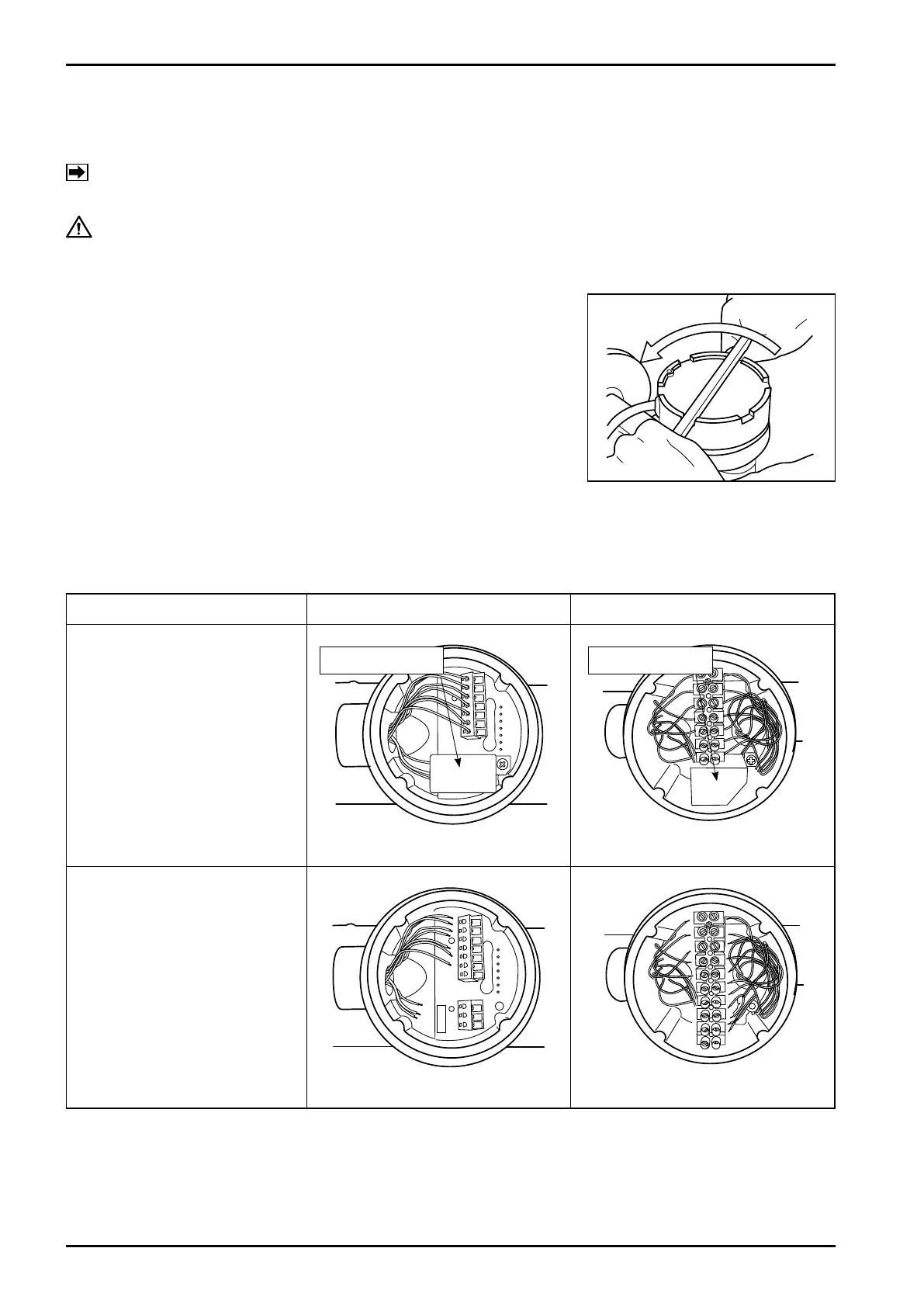
② Using a flat tool, slowly loosen the terminal box lid by turning
counterclockwise, and loosen further by hand.
(Be careful not to damage the finish.)(Fig.7.10)
Inside, the structure of terminal block can be either A or B shown below. Follow procedure ③~⑤
according to the type of your terminal block.
Fig.7.10
Terminal block A Terminal block B
③ Remove the isolation
cover.
(Fig.7.11, Fig.7.12)
④ Disconnect the cables
from the terminal block.
(Fig.7.13, Fig.7.14)
Fig.7.11 Fig.7.12
Fig.7.13 Fig.7.14
CAUTION: Rotating the terminal box without following the procedure will cause sensor
damage.
NOTE:
Although the terminal box can be rotated by loosening four hex-socket head screws at the
adapter, the following procedure must be followed.
Isolation cover Isolation cover







 To Next Page