L
--
740
--
28
--
E
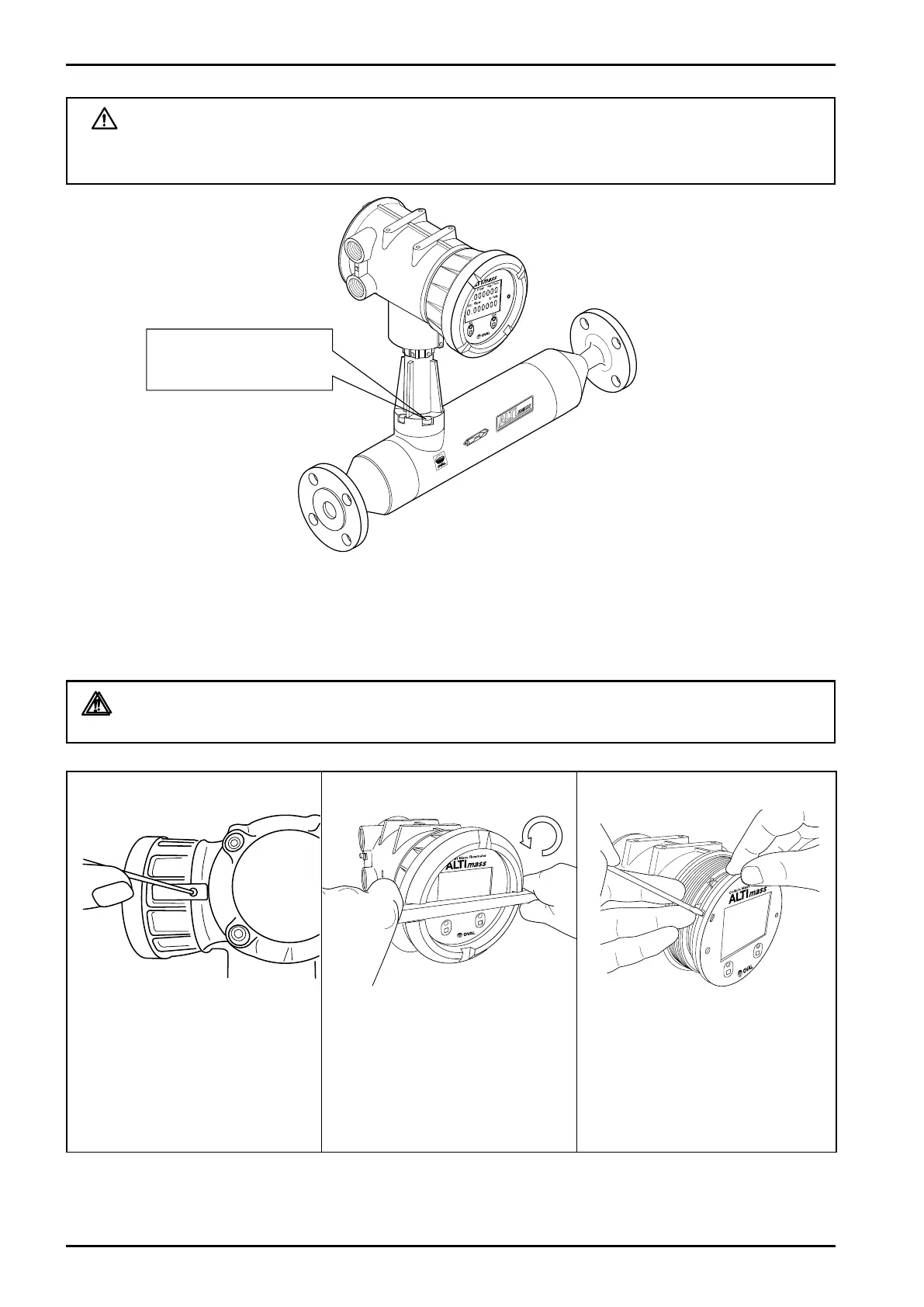
Fig.6.32
WARNING: With CS sensor unit, do not attempt to adjust orientation with hex
socket head bolts shown in the figure below, or its functions as a
flowmeter will be lost.
Do not remove socket
head bolts.
6.11 How to Change Transmitter Display Orientation
The transmitter display may be rotated through 360 in steps of 90°within the housing.
WARNING: Be sure to turn off power and discharge your static electricity before you
work.
② Using a flat tool 10mm wide
approx., turn the display lid
counterclockwise to loosen,
and loosen further by hand. (Be
careful so as not to damage the
finish.)
③ Disengage the hooks (3 places).
(Recommended tool: Precision
flathead screw-driver)
Fig.6.29
Fig.6.31Fig.6.30
① Remove the locking part.







 To Next Page