L
--
740
--
28
--
E
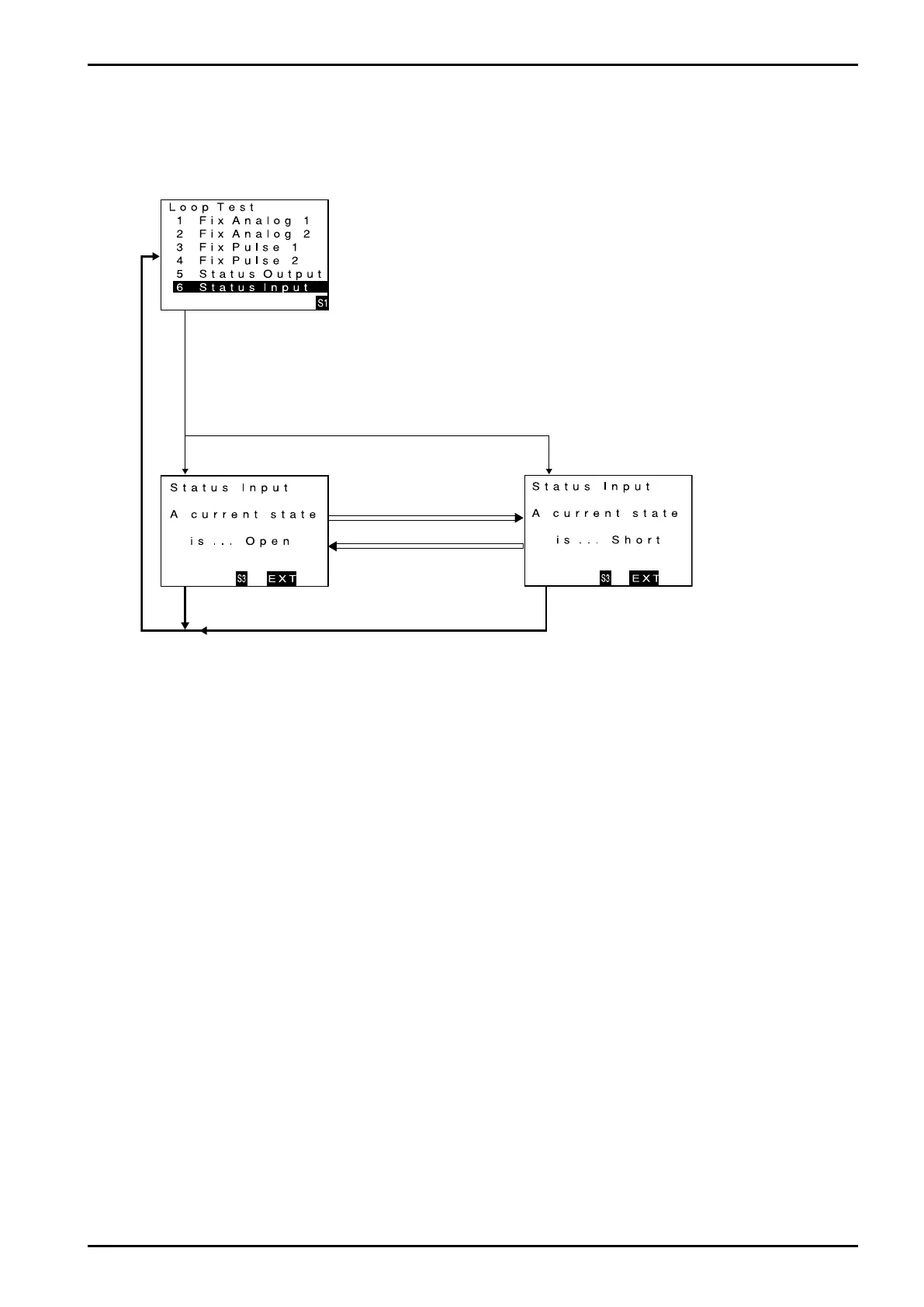
9.7.4 Status input
You can monitor the status of status input signal.
(1) Bring up the item of function you want to use "ENT".
Firstly, proceed key operation to show a screen for Status Input monitor.
When the cursor is placed over status input monitor (Status Input), click "SEL1"
to bring up status input monitor screen.
Click "SEL1".
(2) Status input monitor active now.
The screen changes in the status input monitor mode.
If you want to cancel the input monitor mode, click "SEL3".
Input monitor mode is canceled and the window returns to menu select screen.
Click "SEL3". Click "SEL3".
★
Status signal is in the open.
★
Status signal is in the short.
★
Status signal is in the short.
★
Status signal is in the open.







 To Next Page