L
--
740
--
28
--
E
Fig.6.34
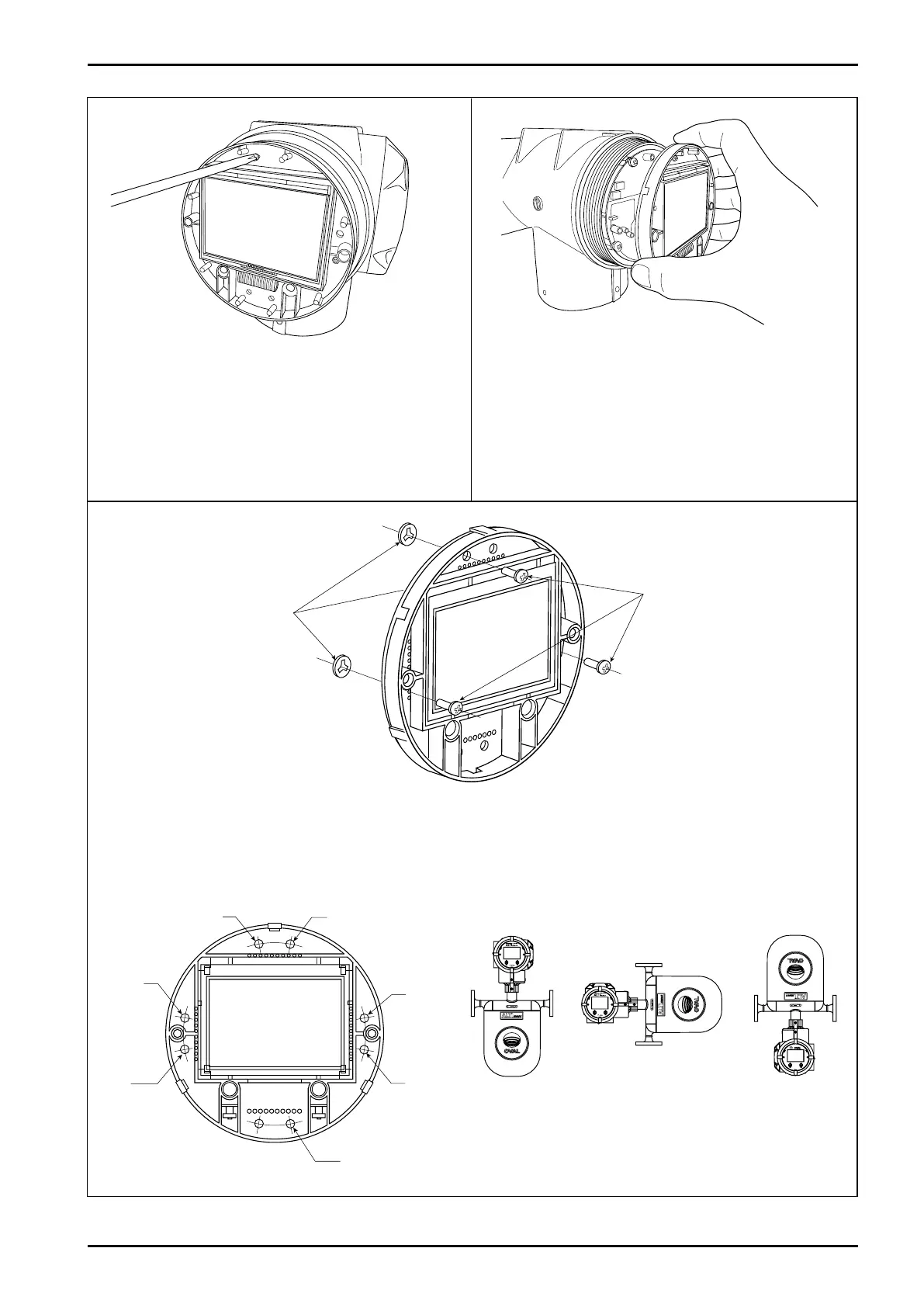
④ Loosen display unit fitting screws (3 places) with
precision flathead screwdriver. "Set washers" to
prevent screws from falling out are attached on the
back of display; do not completely remove screws.
⑤ Separate the display unit.
⑥ For the display unit that has just been removed, it is necessary to take off fitting screws once, adjust the
orientation and re-install them. Shown below are the location of screw holes for different orientations.
A
Liquid service,
horizontal run
B
Vertical run
C
Gas service,
horizontal run
Set washers (3 places)
LCD fitting screws
(M2.6, 3 places)
Fig.6.33
Fig.6.36
Fig.6.35







 To Next Page