20A FUEL SYSTEM
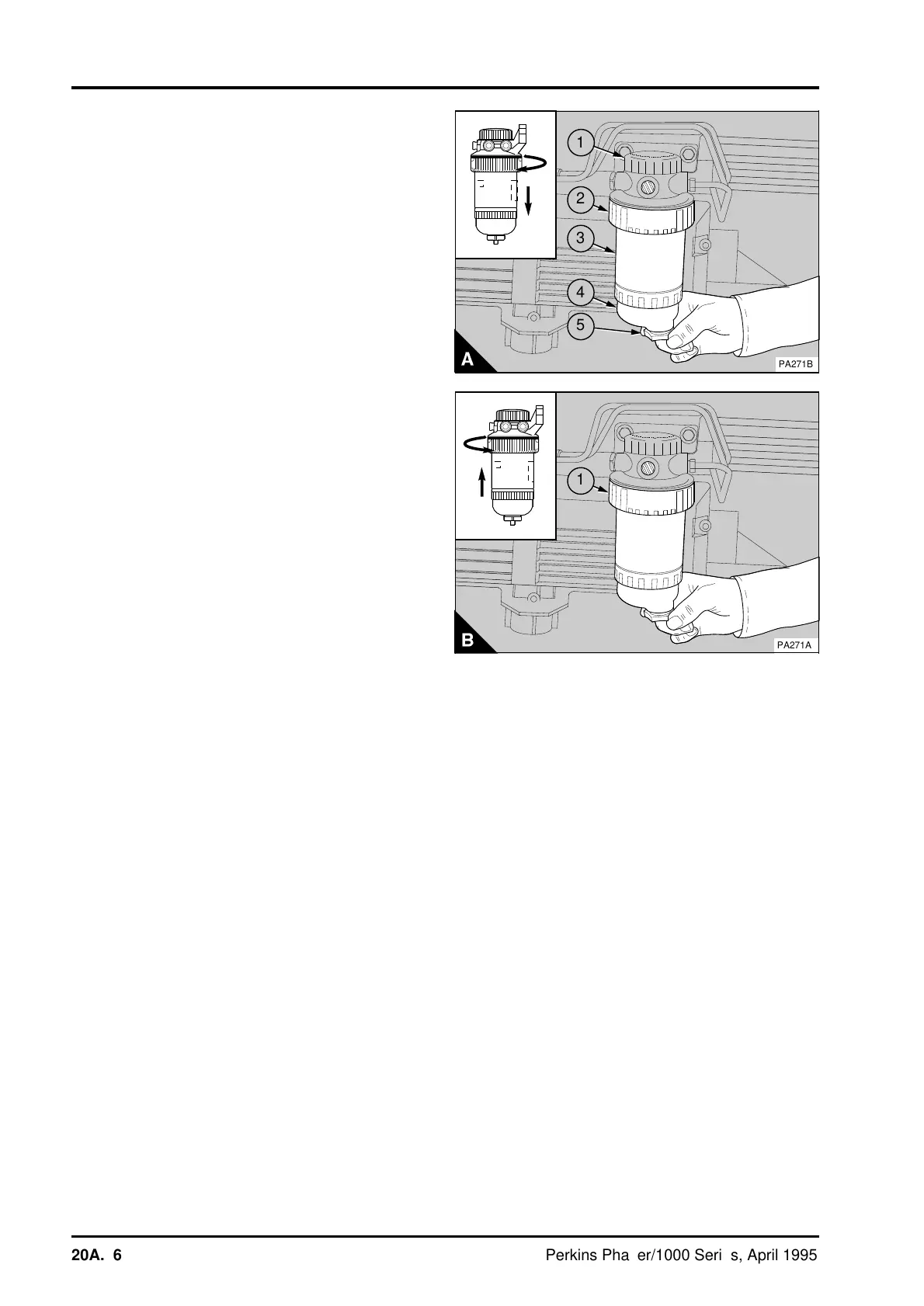
To renew the filter element of the quick release
canister type:
1 Thoroughly clean the outside surfaces of the
filter assembly (A).
2 Loosen the drain device (A5) at the bottom of the
canister and allow the water/fuel to drain into a
suitable container.
Note: If the filter does not have a drain device
fitted, release the cap (A1) on top of the filter head.
Remove the nylon insert to lower the level of the
fuel in the filter canister. This will prevent fuel spill
when the clamp ring is released.
3 Support the filter canister and rotate the clamp
ring (A2) counter-clockwise and remove the clamp
ring.
4 Remove the canister from the filter head by a
direct pull downwards, and discard the old canister
(A3).
5 If a sediment bowl is fitted, remove the bowl and
thoroughly clean the cover of the bowl.
6 Check the two 'O' ring seals of the sediment
bowl for damage and renew them if necessary.
7 Clean the threads of the sediment bowl and fit
the bowl to the canister and tighten by hand only.
8 Ensure the filter head is clean. Push the new
canister fully into the filter head.
9 Support the canister, fit the clamp ring (B1) and
rotate it clockwise to fasten the canister (B) to the
filter head.
10 If it was removed, fit the nylon insert used to
lower the level of the fuel in the filter canister and
fasten the cap.
11Eliminate the air from the fuel filter, operations
20A-08.
a
a
1
a
a
2
a
a
3
a
a
a
4
a
a
5
PA271B
a
a
1
PA271A
20A.06 Perkins Phaser/1000 Series, April 1995




 To Next Page