COOLING SYSTEM 21
To remove and to fit -
canister type21A-07C
To remove
1 Remove the canister of the lubricating oil filter.
2 Drain the cooling system.
3 Release the hose clips of the coolant pipes at
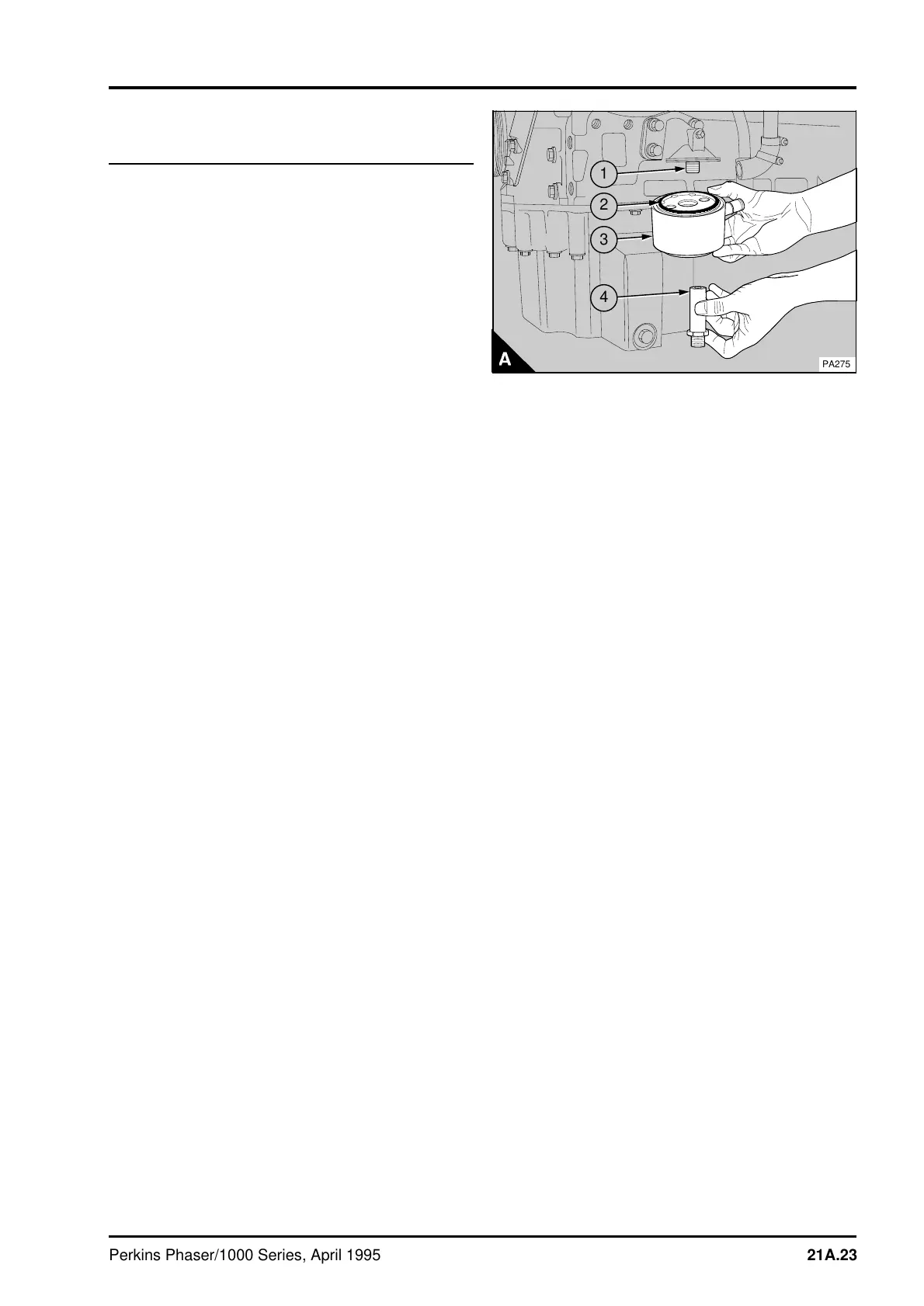
the oil cooler. Release the threaded adaptor (A4)
from the lubricating oil cooler and pull the oil cooler
(A3) from the hose connections.
To fit
1 Clean the filter head.
2 Ensure that the adaptor (A1) is secure in the
filter head.
3 Check the seal (A2) on top of the oil cooler for
damage and renew the seal if necessary. Lightly
lubricate the seal with clean lubricating oil.
4 Push the hose connections for the coolant pipes
onto the lubricating oil cooler. Hold the oil cooler
(A3) in position against the filter head and fit the
threaded adaptor (A4). Tighten the threaded
adaptor to 37 Nm (27 lbf ft) 3,8 kgf m. Ensure that
the hose connections are fitted correctly and
tighten the hose clips.
5 Clean the bottom face of the oil cooler. Fit a new
oil filter canister, operation 19A-01.
6 Fill the cooling system.
a
a
a
a
a
a
a
a
a
a
a
a
a
a
a
a
a
a
a
a
a
a
a
a
a
a
a
a
a
a
a
a
a
a
a
a
a
a
a
a
a
a
a
a
a
a
a
a
a
a
a
a
a
a
a
a
a
4
a
a
3
a
a
2
a
a
1
PA275
Perkins Phaser/1000 Series, April 1995 21A.23




 To Next Page