This unit uses the following on-screen displays and menus to guide you to the easy operations.
The on-screen displays give you the information on the loaded disc, the disc/file in playback, or the HDMI status, etc.
The menus allow you to change the various kinds of settings for playing back, recording, or editing to suite your preference.
The on-screen display changes in the following order
as you press [INFO].
OFF
f
Disc Information/Menu
t
Title Name Information
(only when DVD+RW/DVD+R/DVD-RW/DVD-R
is in playback)
or
File Name Information
(only when a CD with MP3/Windows Media TMAudio/
JPEG/DivX _°files is in playback)
f
Windows Media TM Audio Tag Information
(only when a Windows Media TMAudio file is in playback)
f
HDMI Information
(only for the irnages output through the HDMI output)
I
| • o • *
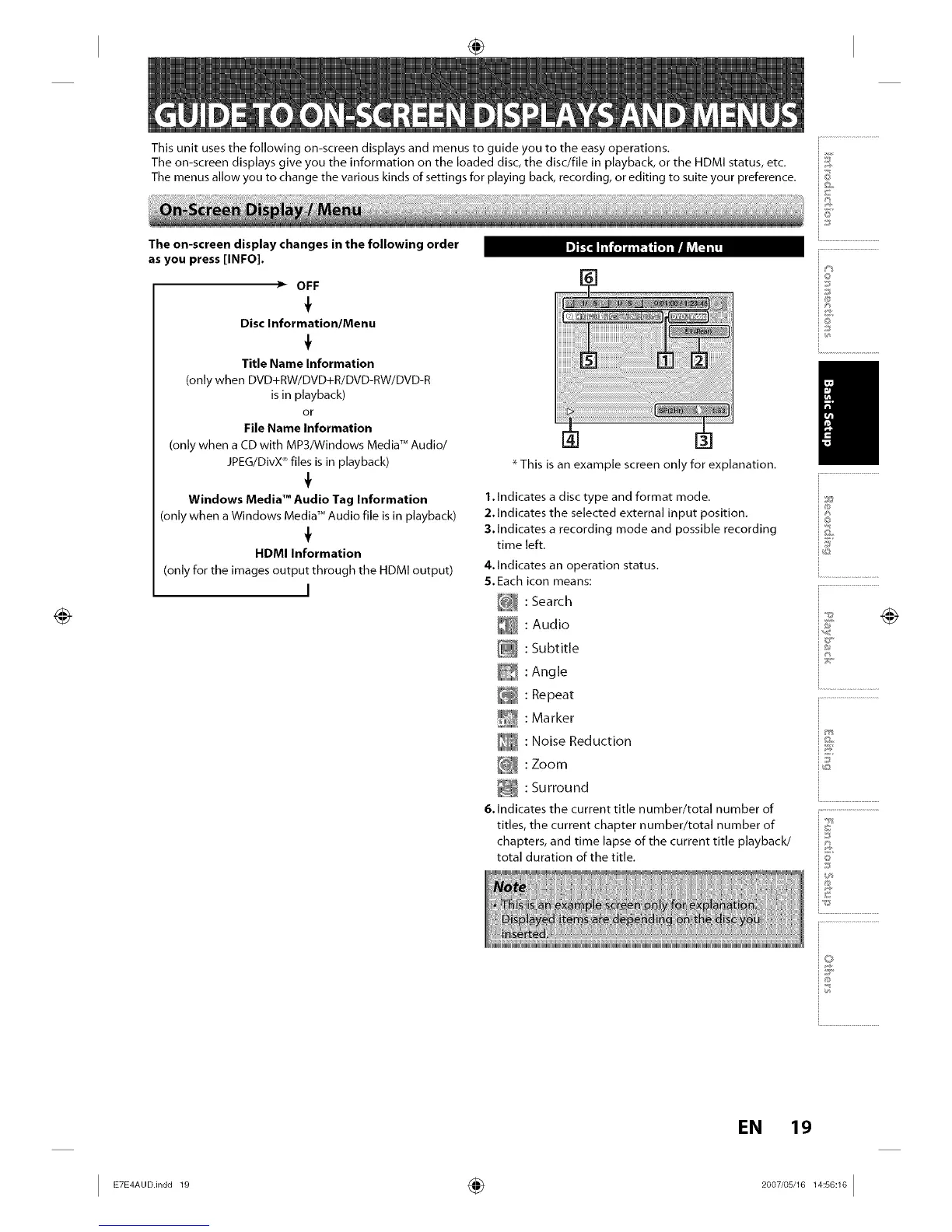
* This is an example screen only for explanation.
1.Indicates a disc type and format mode.
2.Indicates the selected external input position.
3.Indicates a recording mode and possible recording
time left.
4.Indicates an operation status.
5.Each icon means:
[_ : Search
: Audio
[_ : Subtitle
: Angle
E_ : Repeat
_ : Marker
: Noise Reduction
[@_ : Zoom
_ : Surround
6. Indicates the current title number/total number of
titles, the current chapter number/total number of
chapters, and time lapse of the current title playback/
total duration of the title.
io
!
i®
io
i&
ie
i...........................
EN 19
I E E AUO.in00 ÷ 1














 To Next Page