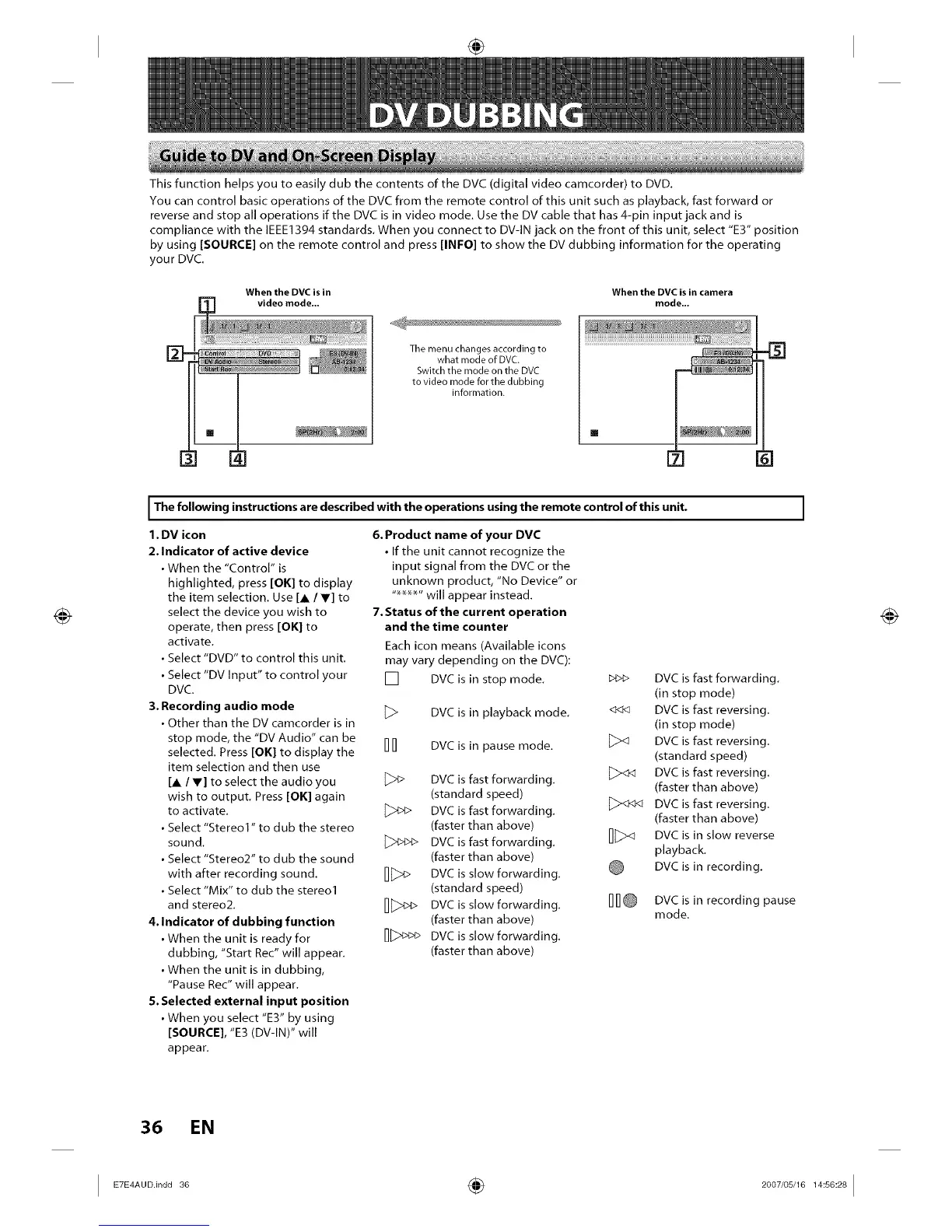
This function helps you to easily dub the contents of the DVC (digital video camcorder) to DVD.
You can control basic operations of the DVC from the remote control of this unit such as playback, fast forward or
reverse and stop all operations if the DVC is in video mode. Use the DV cable that has 4-pin input jack and is
compliance with the IEEE1394 standards. When you connect to DV-IN jack on the front of this unit, select "E3" position
by using [SOURCE] on the remote control and press [INFO] to show the DV dubbing information for the operating
your DVC.
[]
When the DVC is in
video mode...
The menu changes according to
what mode of DVC.
Switch the mode on the DVC
to video mode for the dubbing
information.
When the DVC is in camera
mode...
I The following instructions are described with the operations using the remote control of this unit. I
1. DV icon
2. Indicator of active device
• When the "Control" is
highlighted, press [OK] to display
the item selection. Use [A IV] to
select the device you wish to
operate, then press [OK] to
activate.
• Select "DVD" to control this unit.
• Select "DV Input" to control your
DVC.
3, Recording audio mode
• Other than the DV camcorder is in
stop mode, the "DV Audio" can be
selected. Press [OK] to display the
item selection and then use
[A / V] to select the audio you
wish to output. Press [OK] again
to activate.
• Select "Stereo1" to dub the stereo
sound,
• Select "Stereo2" to dub the sound
with after recording sound,
• Select "Mix" to dub the stereol
and stereo2,
4. Indicator of dubbing function
• When tile unit is ready for
dubbing, "Start Rec" will appear,
• When the unit is in dubbing,
"Pause Rec" will appear,
5. Selected external input position
• When you select "E3" by using
[SOURCE], "E3 (DV-IN)" will
appear.
6. Product name of your DVC
• If the unit cannot recognize the
input signal from the DVC or the
unknown product, "No Device" or
"_" will appear instead.
7. Status of the current operation
and the time counter
Each icon means (Available icons
may vary depending on the DVC):
[] DVC is in stop mode.
_> DVC is in playback mode.
1717 DVC is in pause mode.
DVC is fast forwarding,
(standard speed)
DVC is fast forwarding,
(faster than above)
DVC is fast forwarding,
(faster than above)
D[_> DVC is slow forwarding,
(standard speed)
D[_> DVC is slow forwarding.
(faster than above)
_>_> DVC is slow forwarding.
(faster than above)
b_€> DVC is fast forwarding,
(in stop mode)
DVC is fast reversing,
(in stop mode)
[_><_ DVC is fast reversing,
(standard speed)
DVC is fast reversing,
(faster than above)
[_><:h_ DVC is fast reversing.
(faster than above)
_><_ DVC is in slow reverse
playback,
DVC is in recording,
DVC is in recording pause
mode.
36 EN
I ÷ I














 To Next Page