INFORMATION ON PLAYBACR
i!!!£iiiiiiiliii!ii if !!! ii!!iii!
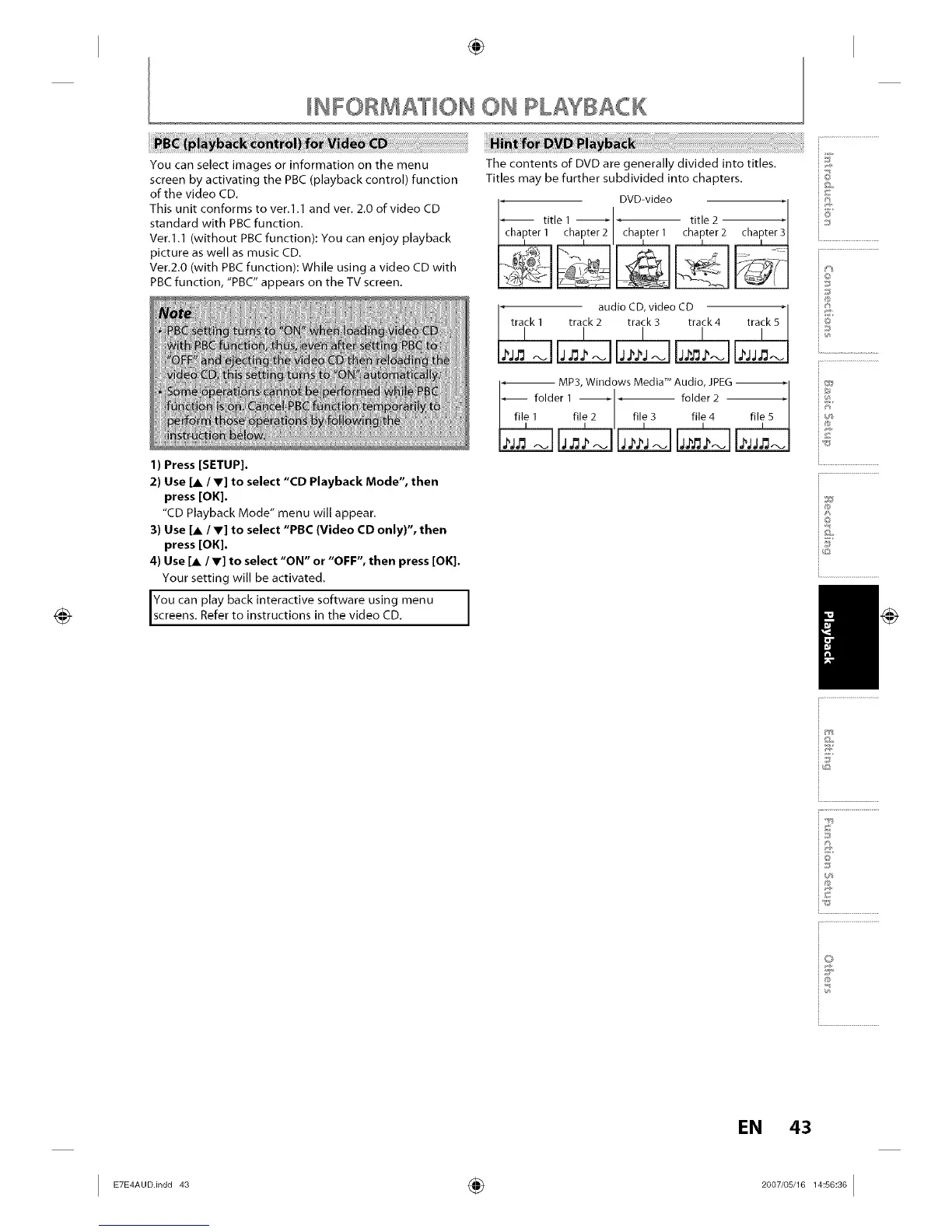
You can select images or information on the menu
screen by activating the PBC (playback control) function
of the video CD.
This unit conforms to ver.l.1 and vet. 2.0 of video CD
standard with PBC function.
Ver.l.1 (without PBC function): You can enjoy playback
picture as well as music CD.
Ver.2.0 (with PBC function): While using a video CD with
PBC function, "PBC" appears on the TV screen.
@
e_
)n
uc
1) Press [SETUP].
2) Use [A / V] to select "CD Playback Mode", then
press [OK].
"CD Playback Mode" menu will appear.
3) Use [A / V] to select "PBC (Video CD only)", then
press [OK].
4) Use [A /V] to select "ON" or "OFF", then press [OK].
Your setting will be activated.
You can play back interactive software using menu
screens. Refer to nstruct ons n the v deo CD.
I
-- MP3, Windows MedW MAudio, JPEG_1
folder 1 , , folder 2 - _
, file_ fff2 , fi,e_ file_
©
@
4]
i®
io
i@
I
i i 'I'+_
i.............................................
i ;
Q
'%;i
4)
EN 43
I E_E_AUO.inO0_ ÷ _00_'0_'__:=:_01














 To Next Page