©V DUBB H6
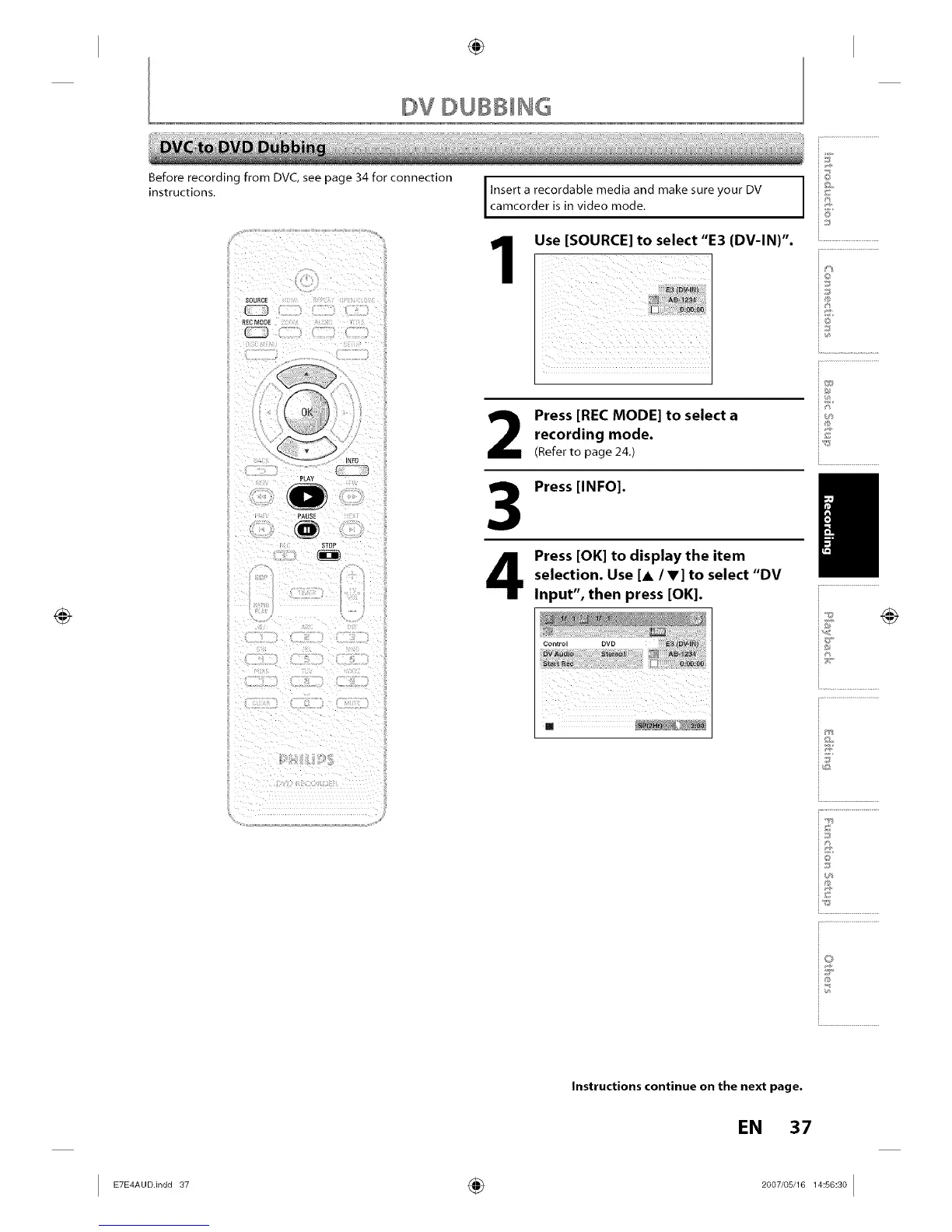
Before recording from DVC,see page 34 for connection
instructions.
SOURCE
PLAY
PAUSE
STOe
Insert a recordable media and make sure your DV
camcorder is in video mode,
Use [SOURCE] to select "E3 (DV-IN)".
Press [REC MODE] to select a
recording mode.
(Refer to page 24.)
Press [INFO].
Press [OK] to display the item
selection. Use [A /V] to select "DV
Input", then press [OK].
@
6_
io
_J
iR
I
i.............................................
Q
@
Instructions continue on the next page.
EN 37














 To Next Page