Follow the steps to record TV programs from an external
tuner,
This unit has no tuner system so cannot receive TV
broadcasts without external tuner or such devices.
....
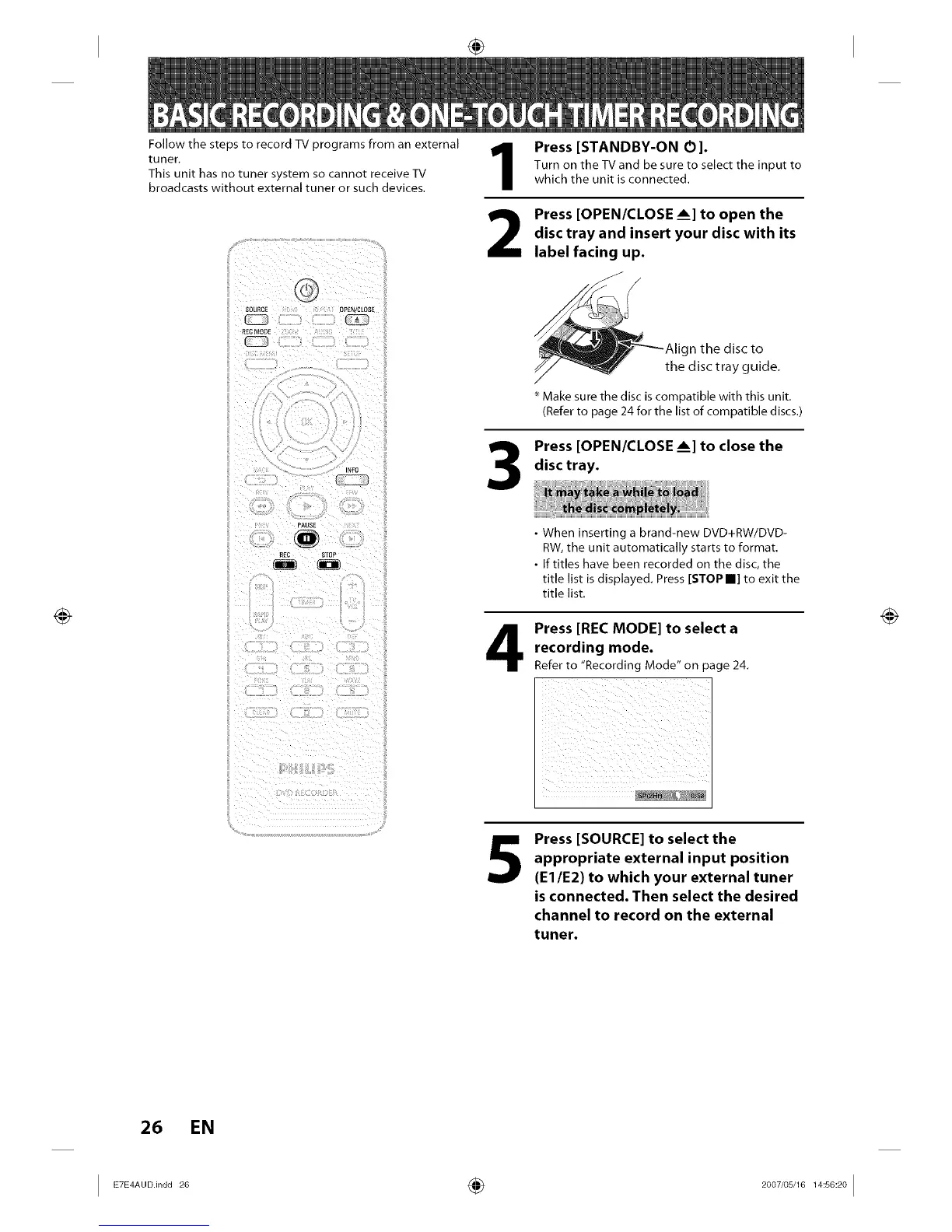
SOURCE OPEN/CLOSE
PAUSE
_£C STOP
1
2
3
Press [STANDBY-ON O].
Turn on the TV and be sure to select the input to
which the unit is connected.
Press [OPEN/CLOSE ___]to open the
disc tray and insert your disc with its
label facing up.
Make sure the disc is compatible with this unit.
(Refer to page 24 for the list of compatible discs.)
Press [OPEN/CLOSE ___]to close the
disc tray.
• When inserting a brand-new DVD+RW/DVD-
RW, the unit automatically starts to format.
• If titles have been recorded on the disc, the
title list is displayed. Press [STOP II] to exit the
title list.
Press [REC MODE] to select a
recording mode.
Refer to "Recording Mode" on page 24.
5
Press [SOURCE] to select the
appropriate external input position
(El/E2) to which your external tuner
is connected. Then select the desired
channel to record on the external
tuner.
26 EN
I ETE'A°°n°°2° ÷ 2°°7'°s'161's°2°I














 To Next Page