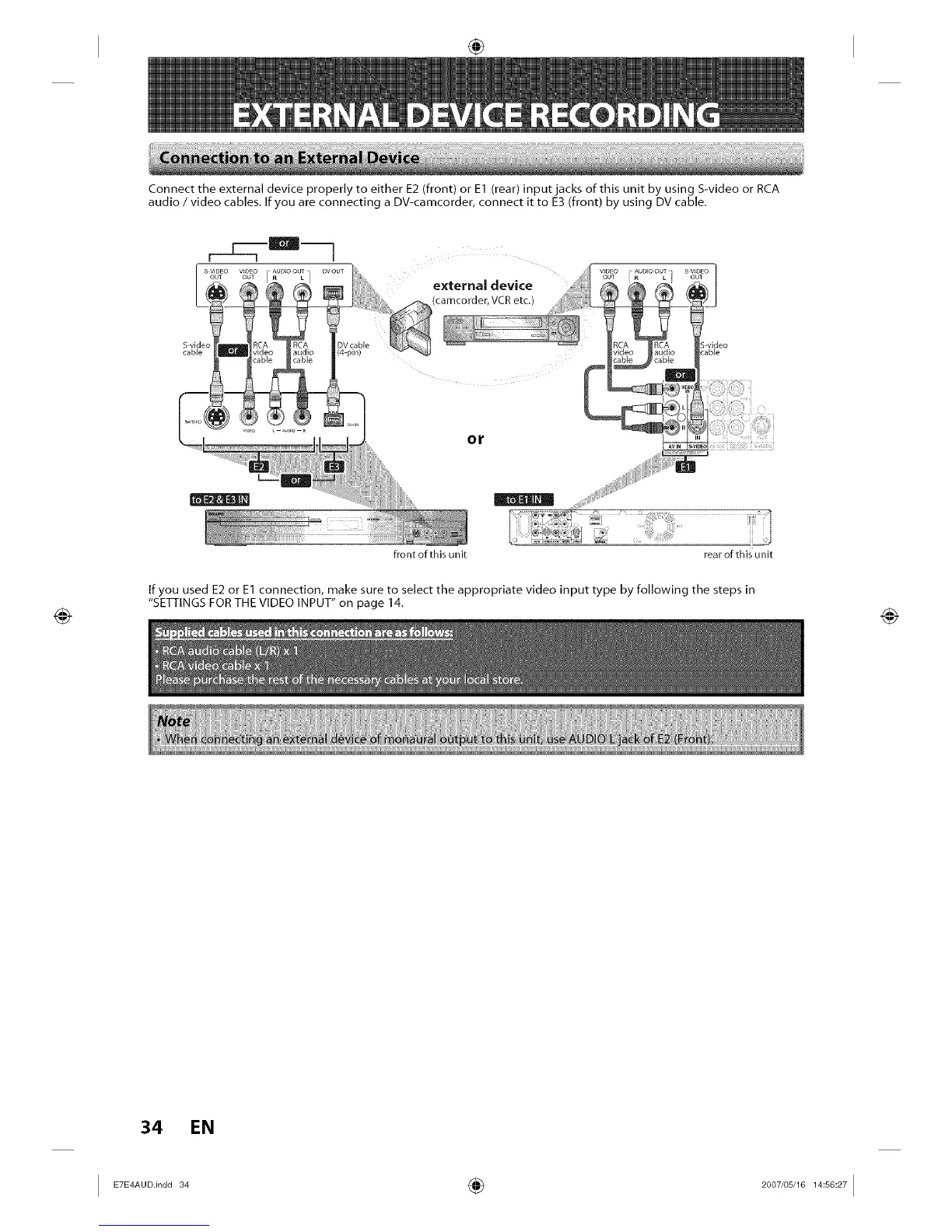
Connect the external device properly to either E2 (front) or E1 (rear) input jacks of this unit by using S-video or RCA
audio / video cables. If you are connecting a DV-camcorder, connect it to E3 (front) by using DV cable.
external device
(camcorder, VCR etc.)
S-videc
cable
or
front ofthis unit rear of this unit
If you used E2 or E1 connection, make sure to select the appropriate video input type by following the steps in
"SETI-INGS FOR THE VIDEO INPUT" on page 14.
34 EN
I _°°.'n°°_ ÷ _°°_'°__:_°:_I














 To Next Page