You can delete titles which you do not need anymore.
Please be advised that the titles once deleted cannot be
brought back to the disc.
For DVD+RW/DVD-RW when the last recorded title in the
title list is deleted the available disc space to record on
will be increased. For DVD+R/DVD-R the disc space to
record on will not be changed.
TIIL_
3
o
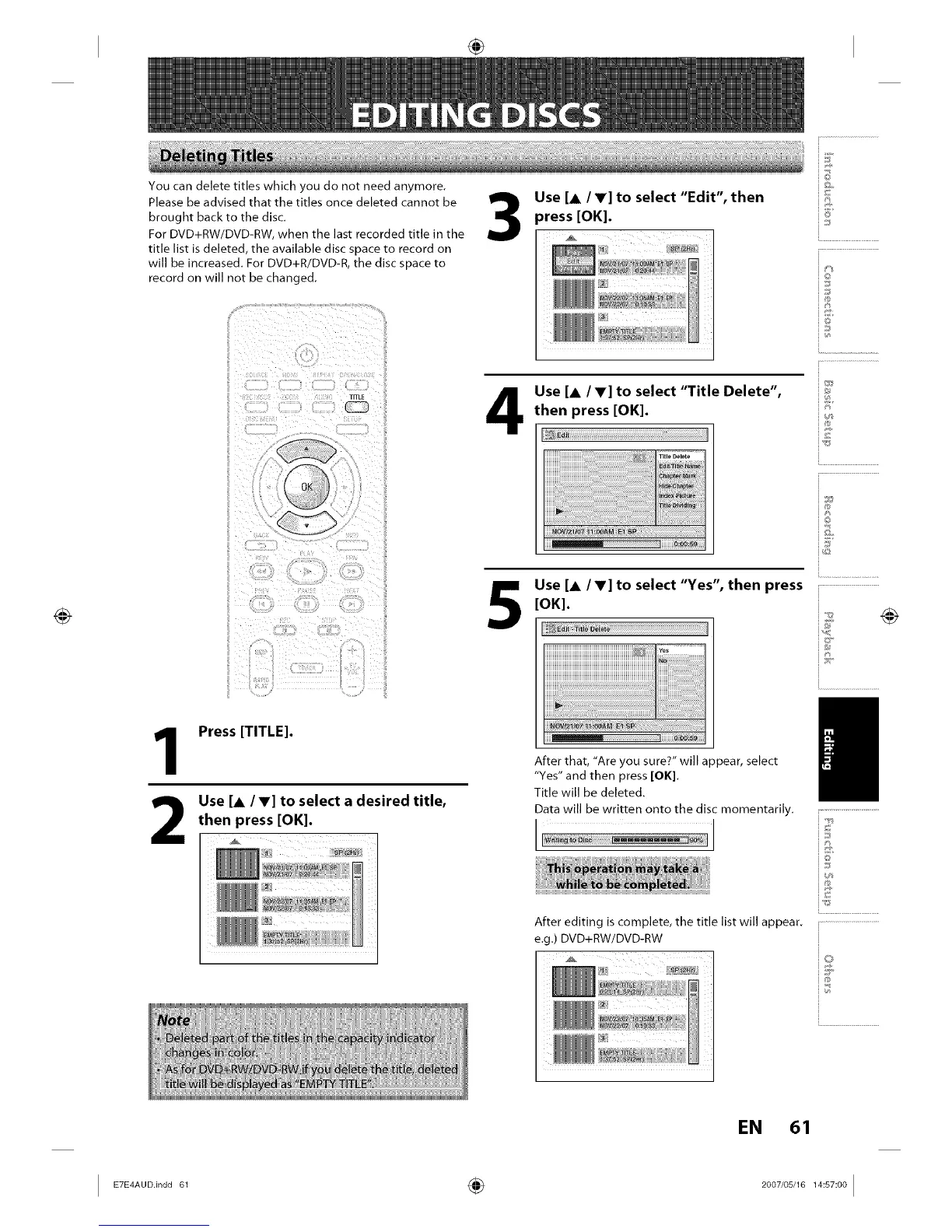
Use [A/V] to select "Edit", then
}ress [OK]. i!_
Use [A IV] to select "Title Delete",
then press [OK].
Use [A IV] to select "Yes", then press
[OK].
iJ
i®
io
IE
1
2
Press [TITLE].
Use [A IV] to select a desired title,
then press [OK].
After that, "Are you sure?" will appear, select
"Yes" and then press [OK].
Title will be deleted.
Data will be written onto the disc momentarily.
]
After editing is complete, the title list will appear.
e.g.) DVD+RW/DVD-RW
i.............................................
i...........................
EN 61














 To Next Page