EXTERNAL ©EVICE R£C©R©IN6
Before recording from an external device, refer to the
instructions for the connection on page 34.
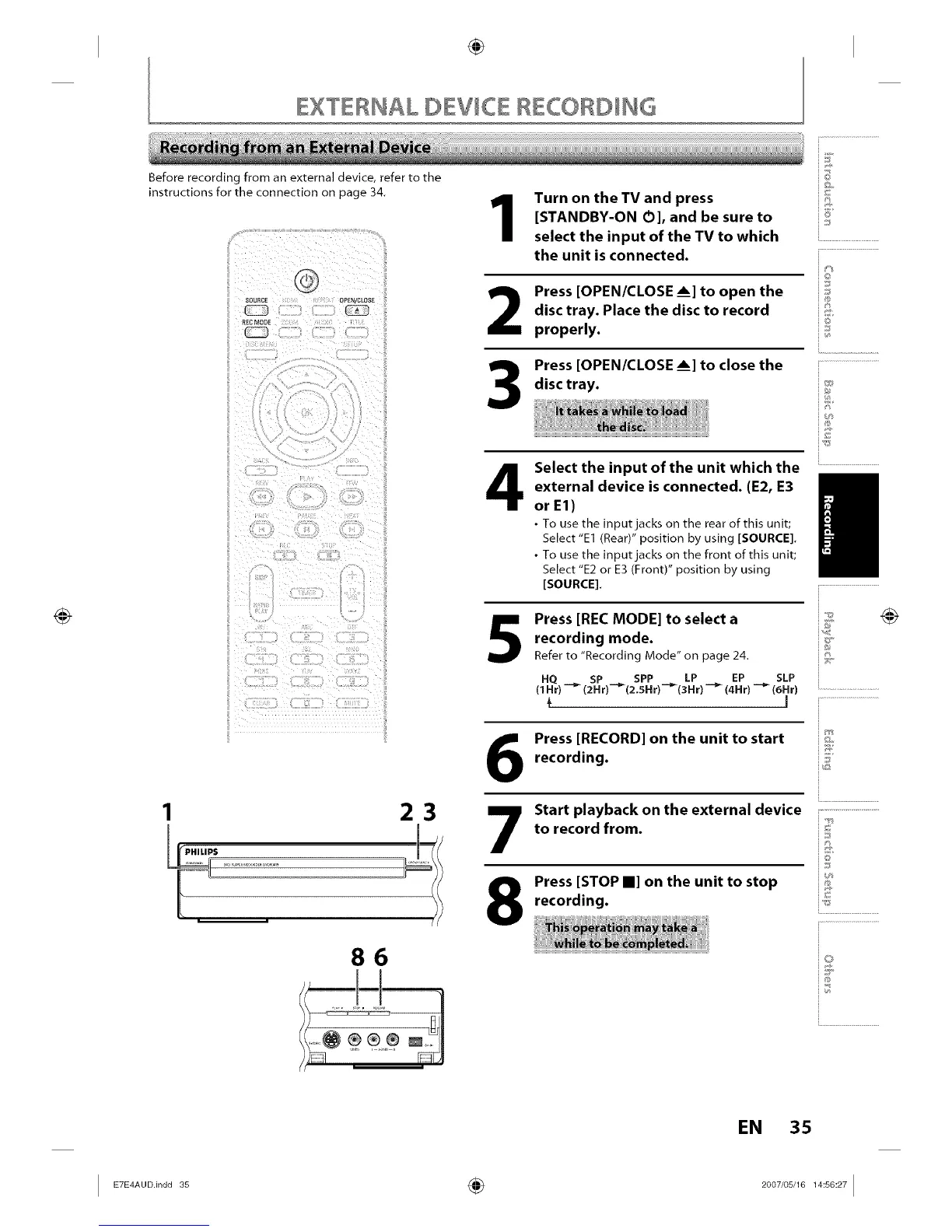
23
86
Turn on the TV and press
[STANDBY-ON O], and be sure to
select the input of the TV to which
the unit is connected.
2
3
Press [OPEN/CLOSE Am]to open the
disc tray. Place the disc to record
properly.
Press [OPEN/CLOSE Am]to close the
disc tray.
Select the input of the unit which the
external device is connected. (E2, E3
or E1)
• To use the input jacks on the rear of this unit;
Select "El (Rear)" position by using [SOURCE].
• To use the input jacks on the front of this unit;
Select "E2 or E3 (Front)" position by using
[SOURCE].
5
Press [REC MODE] to select a
recording mode.
Refer to "Recording Mode" on page 24.
HQ _ SP _ SPP LP EP SLP
(1 Hr) -- (2 H r)--(2.SH r) "_(3 Hr) _ (4Hr) _ (6Hr)
÷ I
Press [RECORD] on the unit to start
recording.
Start playback on the external device
to record from.
Press [STOP II] on the unit to stop
recording.
@
i6'
©
J
@
/
i.............................................
io
i...........................
EN 35
I _u°in°°_ ÷ _°°_,°s,__s°_I














 To Next Page