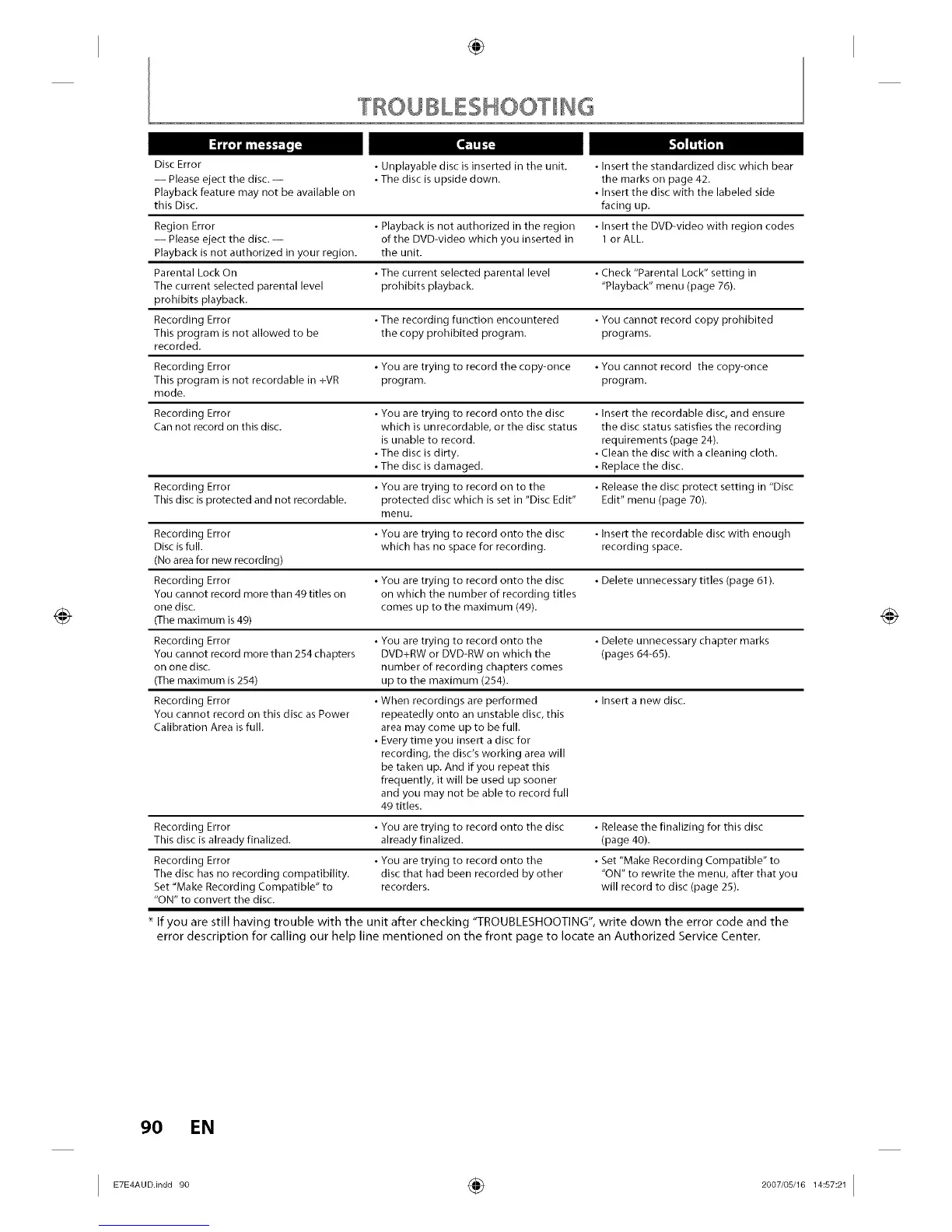
Disc Error • Unplayable disc is inserted in the unit. • Insert the standardized disc which bear
-- Please eject the disc. -- • The disc is upside down. the marks on page 42.
Playback feature may not be available on • Insert the disc with the labeled side
this Disc. facing up.
Region Error • Playback is not authorized in the region • Insert the DVD-video with region codes
-- Please eject the disc. -- of the DVD-video which you inserted in 1 or ALL.
Playback is not authorized in your region, the unit.
Parental Lock On • The current selected parental level • Check "Parental Lock" setting in
The current selected parental level prohibits playback. "Playback" menu (page 76).
prohibits playback.
Recording Error • The recording function encountered • You cannot record copy prohibited
This program is not allowed to be the copy prohibited program, programs.
recorded.
Recording Error • You are trying to record the copy-once • You cannot record the copy-once
This program is not recordable in +VR program, program.
mode.
Recording Error • You are trying to record onto the disc • Insert the recordable disc, and ensure
Can not record on this disc. which is unrecordable, or the disc status the disc status satisfies the recording
is unable to record, requirements (page 24).
• The disc is dirty. • Clean the disc with a cleaning cloth.
• The disc is damaged. • Replace the disc.
Recording Error • You are trying to record on to the • Release the disc protect setting in "Disc
This disc is protected and not recordable, protected disc which is set in "Disc Edit" Edit" menu (page 70).
menu.
Recording Error • You are trying to record onto the disc • Insert the recordable disc with enough
Disc is full. which has no space for recording, recording space.
(No area for new recording)
Recording Error • You are trying to record onto the disc • Delete unnecessary titles (page 61).
You cannot record more than 49 titles on on which the number of recording titles
one disc. comes up to the maximum (49).
(The maximum is 49)
Recording Error • You are trying to record onto the • Delete unnecessary chapter marks
You cannot record more than 254 chapters DVD+RW or DVD-RW on which the (pages 64-65).
on one disc. number of recording chapters comes
(The maximum is 254) up to the maximum (254).
Recording Error • When recordings are performed • Insert a new disc.
You cannot record on this disc as Power repeatedly onto an unstable disc, this
Calibration Area is full. area may come up to be full.
• Every time you insert a disc for
recording, the disc's working area will
be taken up. And if you repeat this
frequently, it will be used up sooner
and you may not be able to record full
49 titles.
Recording Error • You are trying to record onto the disc • Release the finalizing for this disc
This disc isalready finalized, already finalized. (page 40).
Recording Error
The disc has no recording compatibility.
Set "Make Recording Compatible" to
"ON" to convert the disc.
• You are trying to record onto the
disc that had been recorded by other
recorders.
• Set "Make Recording Compatible" to
"ON" to rewrite the menu, after that you
will record to disc (page 25).
If you are still having trouble with the unit after checking "TROUBLESHOOTING", write down the error code and the
error description for calling our help line mentioned on the front page to locate an Authorized Service Center.
90 EN














 To Next Page