1) Press [STANDBY-ON 0].
T MER REC©R© NG
2) Press [TIMER].
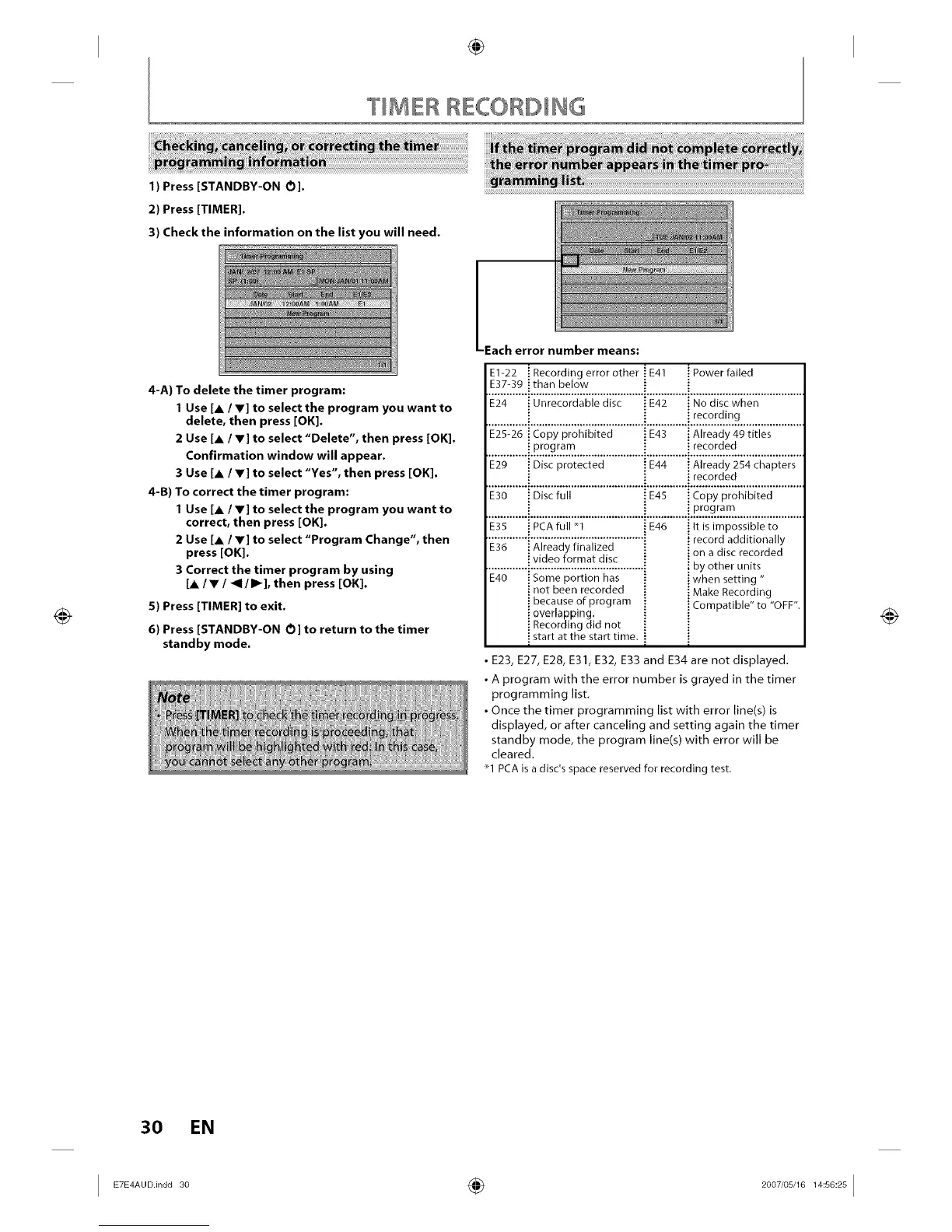
3) Check the information on the list you will need.
4-A) To delete the timer program:
1 Use [A / Y] to select the program you want to
delete, then press [OK].
2 Use [JL/ V] to select "Delete", then press [OK].
Confirmation window will appear.
3 Use [A / V] to select "Yes", then press [OK].
4-B) To correct the timer program:
1 Use [A / V] to select the program you want to
correct, then press [OK].
2 Use [A / V] to select "Program Change", then
press [OK].
3 Correct the timer program by using
[A/V / _1 / I1_], then press [OK].
5) Press [TIMER] to exit.
6) Press [STANDBY-ON O] to return to the timer
standby mode.
-Each error number means:
E1-22 " Recording error other ! E41 "Power failed
E37-3g than below
E24 Unrecordable disc .:E42 No disc when
i recording
E25-26 Copy prohibited .:E43 ] Already 49 titles
program recorded
E29 Disc protected : E44 .;Already 254 chapters
recorded
.........i 'i;c'i; ii......................... ...........
....................................................................i..P.._.?_!_........................
E35 PCAfull _1 _E46
E36 Already finalized
video format disc
E40 Some portion has
not been recorded
because of program
overlapping.
Recording did not
start at the start time.
! It is impossible to
i record additionally
i on a disc recorded
! by other units
i when setting "
i Make Recording
i Compatible" to "OFF",
• E23, E27, E28, E31, E32, E33 and E34 are not displayed.
• A program with the error number is grayed in the timer
programming list.
• Once the timer programming list with error line(s) is
displayed, or after canceling and setting again the timer
standby mode, the program line(s) with error will be
cleared.
21 PCAis a disc's space reserved for recording test.
30 EN
I ETE AUOin0030 ÷ 2007'0 0I














 To Next Page