EasyManua.ls Logo

Pima Hunter-Pro Series - Page 109

Pima Hunter-Pro Series
116 pages
To Next Page IconTo Next Page
To Previous Page IconTo Previous Page
Loading...
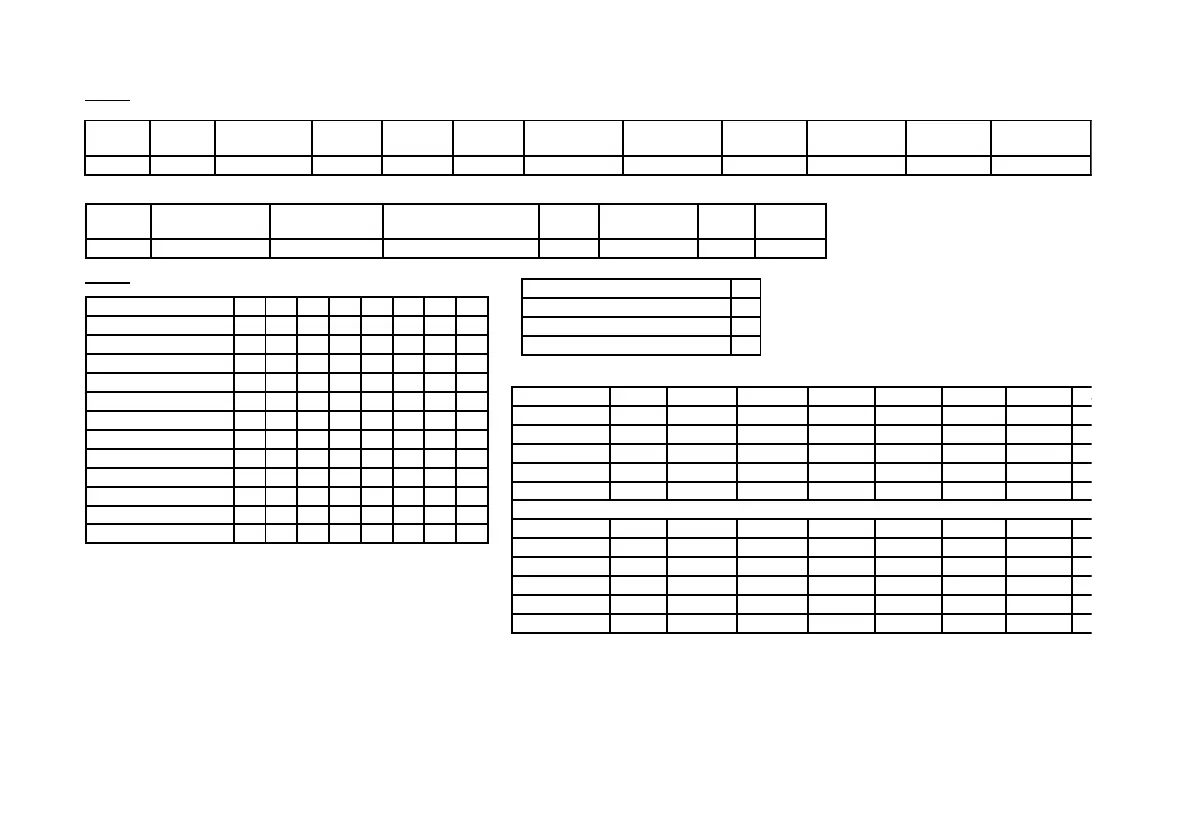
Appendix C: HUNTER-PRO Series Factory Defaults
109
Hunter-Pro Series & Captain 8 Installation Guide
Users
User
Code
Name
Disarm.
Start
Disarm.
End
Codes
Telephones
Date & Time
View Log
Zone
Bypassing
Any
Keypad
Aut. Arm.
Menu
1 - X
User 1 - X
00:00
23:59
+
+
+
+
+
-
+
User
SMS
Open/Close
Remote
Control User
Disarm RFID & Code
(Ver.6.09 and up)
RFID
Part. / User
1
2-144
1 - X
-
-
-
-
1-16
+
+
Video
Operation\Camera
1
2
3
4
5
6
7
8
Send in Disarm
-
-
-
-
-
-
-
-
Send in Full Arm
+
+
+
+
+
+
+
+
Send in Home 1
-
-
-
-
-
-
-
-
Send in Home 2
-
-
-
-
-
-
-
-
Record in Disarm
-
-
-
-
-
-
-
-
Record in Full Arm
-
-
-
-
-
-
-
-
Record in Home 1
-
-
-
-
-
-
-
-
Record in Home2
-
-
-
-
-
-
-
-
View in Disarm
-
-
-
-
-
-
-
-
View in Full Arm
+
+
+
+
+
+
+
+
View in Home 1
-
-
-
-
-
-
-
-
View in Home 2
-
-
-
-
-
-
-
-
Number of Video Units (1-2)
0
MMS per Day
5
Entry Delay Recording
-
Not in Use
-
Part.\Camera
Cam. 1
Cam. 2
Cam. 3
Cam. 4
Cam. 5
Cam. 6
Cam. 7
Cam. 8
Part. 1
+
-
-
-
+
-
-
-
Part. 2
-
+
-
-
-
+
-
-
Part. 3
-
-
+
-
-
-
+
-
Part. 4
-
-
-
+
-
-
-
+
Part. 5-16
-
-
-
-
-
-
-
-
Part.\Camera
Cam. 9
Cam. 10
Cam. 11
Cam. 12
Cam. 13
Cam. 14
Cam. 15
Cam. 16
Part. 1
+
-
-
-
+
-
-
-
Part. 2
-
+
-
-
-
+
-
-
Part. 3
-
-
+
-
-
-
+
-
Part. 4
-
-
-
+
-
-
-
+
Part. 5-16
-
-
-
-
-
-
-
-

Table of Contents

Other manuals for Pima Hunter-Pro Series

Related product manuals