Using Webster with a Projector 33
TS and Webster
®
To reveal the entire projected screen and continue your presentation, do
one of the following:
• Tap the Reveal button in the projection toolbar again.
• Press the ESC key on your keyboard.
• Drag the strip down to the bottom of the screen.
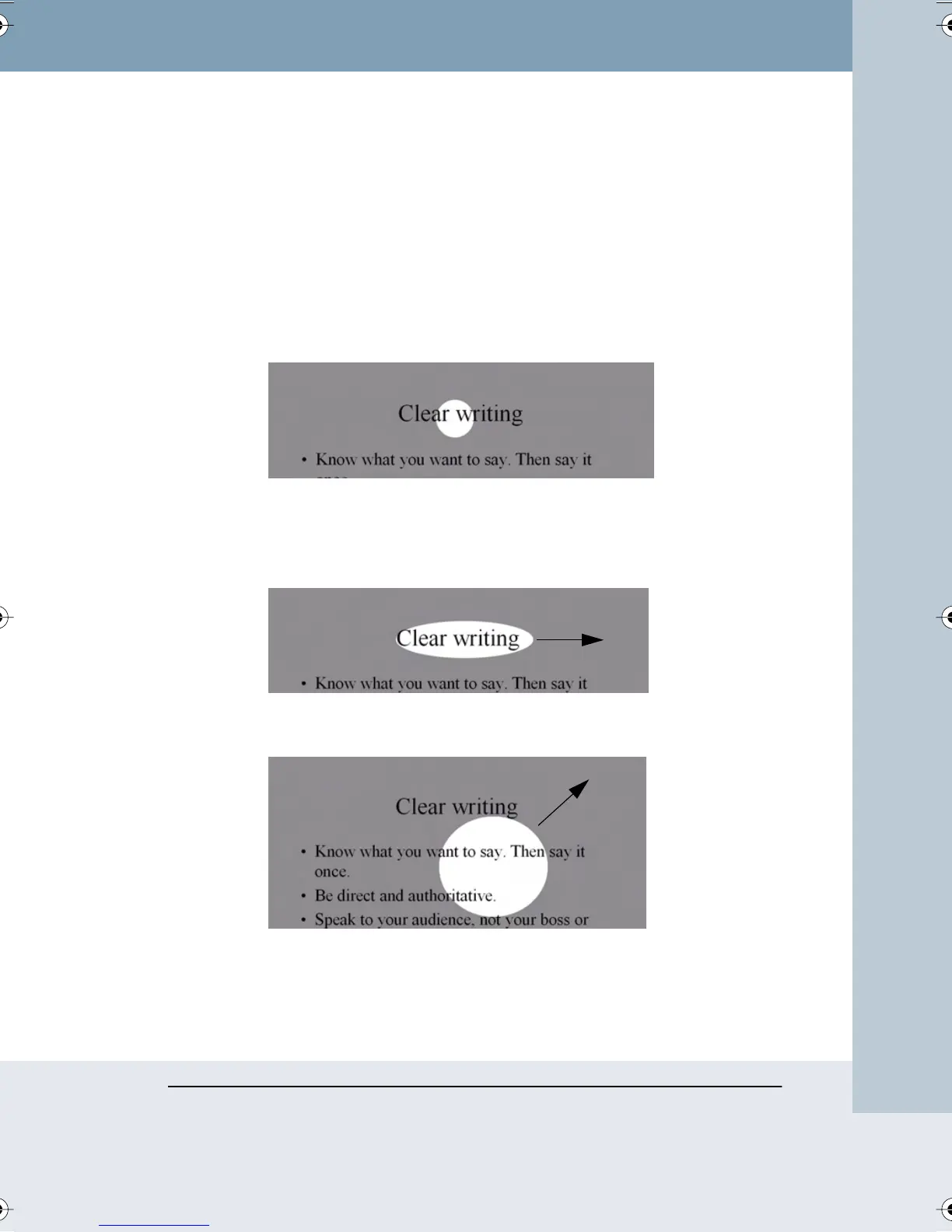
To spotlight a portion of the projected screen:
1 Tap the Spotlight button in the projection toolbar. The projected screen
becomes grayed except one circle of light,.
2 Drag the spotlight around the screen to focus attention on that portion
of the screen.
3 To re-shape the spotlight into an ellipse, drag the circle from any of the
four cardinal points around the edge of the circle.
4 To enlarge or shrink the circle, drag it from any point around the edge
except the four cardinal points.
To remove the spotlight, do one of the following:
• Tap the Spotlight button in the projection toolbar again.
• Press the ESC key on your keyboard.
Webster_draft2.book Page 33 Friday, November 3, 2006 2:24 PM



 To Next Page