Webster Options 73
TS and Webster
®
CUSTOMIZING BACKDROPS ON A MACINTOSH
When you create a backdrop on a Macintosh, you can specify to preserve
the aspect ratio and to display a backdrop indicator. Refer to “Adding a
Backdrop to a Snapshot” on page 51.
To specify backdrop options (on a Macintosh):
1 Choose “Preferences” from the application menu.
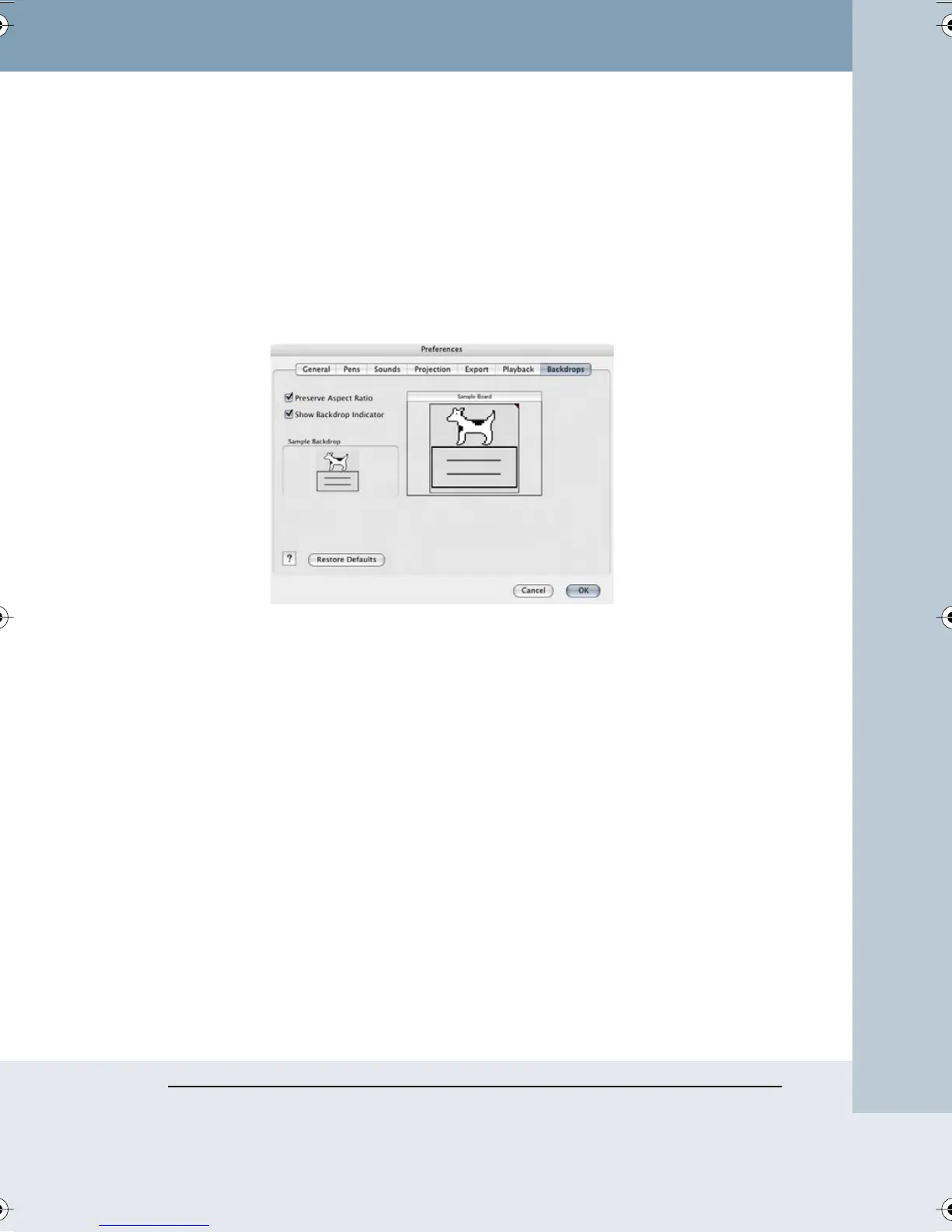
2 Choose the “Backdrops” tab. The following dialog appears.
“Preserve Aspect Ratio”: Check to maintain the aspect ratio of the original
backdrop art. Uncheck to cause the backdrop to stretch to fit your board
shape.
“Show Backdrop Indicator”: (Macintosh only) Check to display a solid-
colored tip at the upper right corner of snapshots to indicate that a
backdrop is included.
To restore factory default options:
• Click “Restore Defaults.”
CHANGING PEN COLORS IN WINDOWS
In Windows, you can change the four default pen colors from red, black,
green, and blue, to any of 16 colors. You can also change the background
color from white to any of 16 colors.
The default colors are:
• Pens: Red, Black, Green, Blue
Webster_draft2.book Page 73 Friday, November 3, 2006 2:24 PM



 To Next Page