46 Working with Snapshots
TS and Webster
®
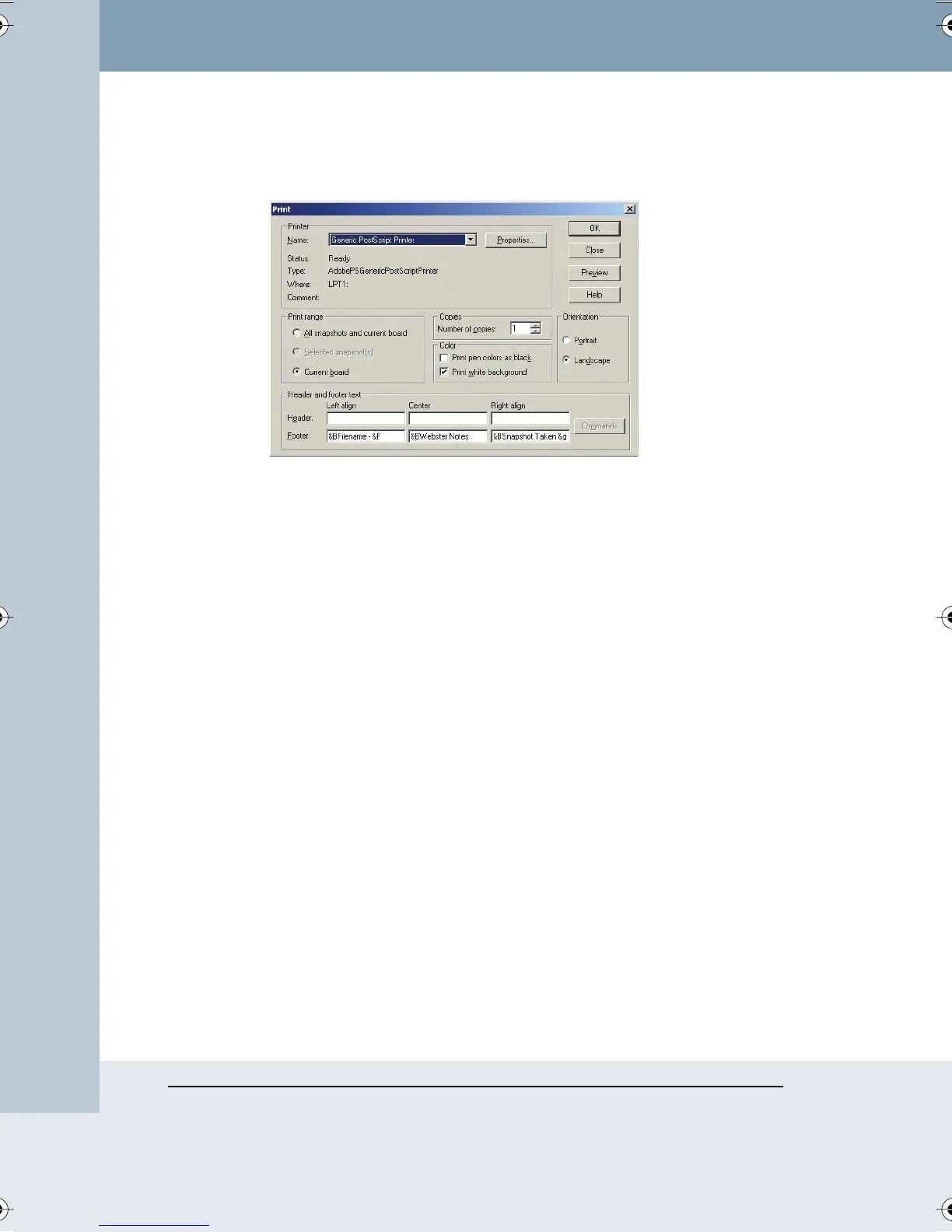
2 Choose “Print” from the File menu or click the Print button in the
Webster command toolbar. The following dialog appears:
3 Specify the following print options:
• Printer name and printer properties
• Which items to print (snapshots and/or current board pane)
• Number of copies
• How to print colors
• Orientation
• Header and/or footer formats
Printing Colors in Windows
The Print dialog enables you to specify the colors used for the printed copy.
• Print pen colors as black: Select this option when printing to a black
and white printer to print pen colors in solid black. On black and white
printers, colors are normally differentiated using shades of gray.
• Print white background: Use this option to print a white background
regardless of the background color specified using “Colors” in the Edit
menu. If this option is unchecked, your non-white background prints in
color.
Webster_draft2.book Page 46 Friday, November 3, 2006 2:24 PM



 To Next Page