90 Installing the TS and TSL Series Whiteboards
TS and Webster
®
note:NOTE:
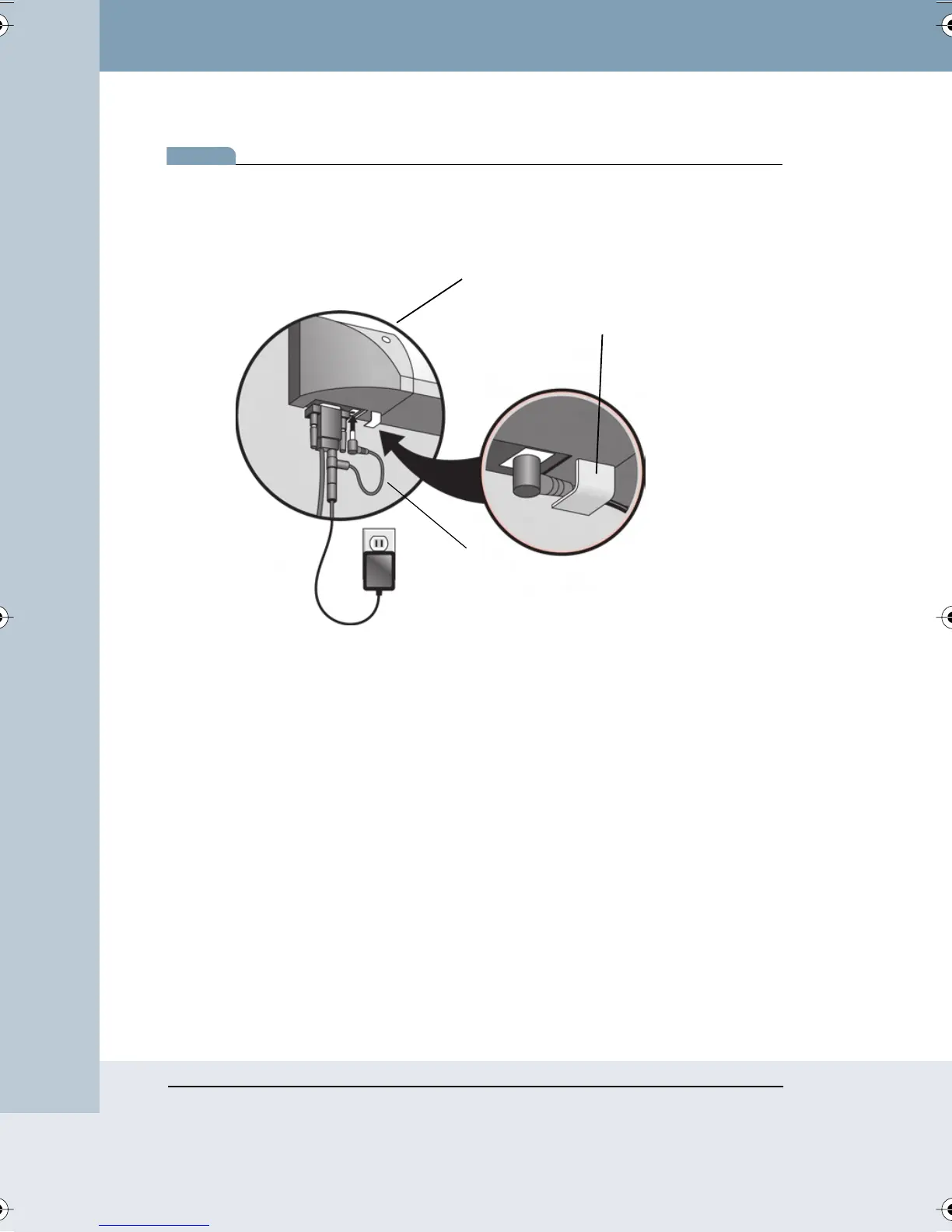
The right angle barrel plug was designed to plug into the board with the
cable passing through the plastic hook on the bottom of the whiteboard.
However, the power sharing cable can be connected with either barrel plug
in the board.
2 Connect the power supply cable to the barrel socket on the power
sharing cable.
When your transceiver is properly connected to power, the light in the
center of the transceiver comes on.
Connecting to Your Computer
The transceiver with the short cord connects to the 9-pin serial port of your
computer. If necessary, you can connect the transceiver using a USB to 9-
pin serial adapter available from your PolyVision dealer.
Connect the barrel plug from the power supply to the back of the
transceiver’s 9-pin serial connector and plug the power supply into the wall.
Plastic Hook
TS Board
Power Sharing
Cable
Webster_draft2.book Page 90 Friday, November 3, 2006 2:24 PM



 To Next Page