Installing the TS and TSL Series Whiteboards 83
TS and Webster
®
MOUNTING YOUR WHITEBOARD ON A WALL
You will need a tape measure, Phillips screwdriver, and drill.
To mount any TS or TSL whiteboard on a wall:
1 Choose a location with convenient access to your computer, an AC
power outlet, and any network connections or projectors you are
using.
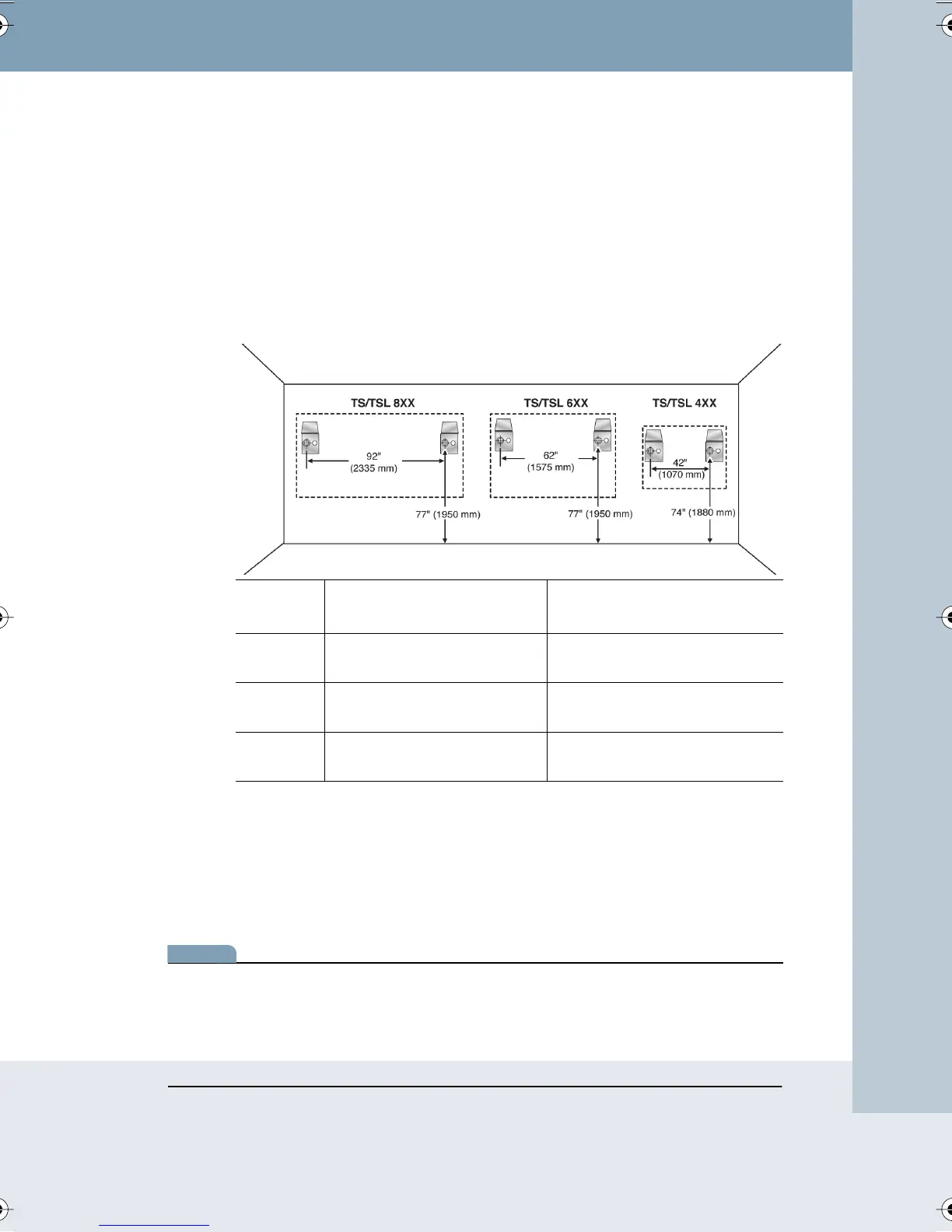
2 Carefully mark two drill hole locations as indicated below, based on
your TS whiteboard model:
3 Using the mounting plates as a template, mark two additional drill hole
locations that are 3/4
" (19 mm) from the original hole.
4 For sheet rock walls, screw the self-tapping sheet rock anchors into
the wall using a power driver, if available. Wall anchors for the TS or
TSL 400/410 are plastic. Wall anchors for TS or TSL 600/610 and TS
800/810 are metal.
note:NOTE:
If you are not installing on a sheet rock wall, you must provide your own
fasteners.
MODEL DISTANCE FROM THE
FLOOR TO THE HOLES
DISTANCE BETWEEN HOLE
LOCATIONS
TS or TSL
400/410
74"
(1880 mm)
42"
(1070 mm)
TS or TSL
600/610
77"
(1950 mm)
62"
(1575 mm)
TS or TSL
800/810
77"
(1950 mm)
92"
(2335 mm)
Webster_draft2.book Page 83 Friday, November 3, 2006 2:24 PM



 To Next Page