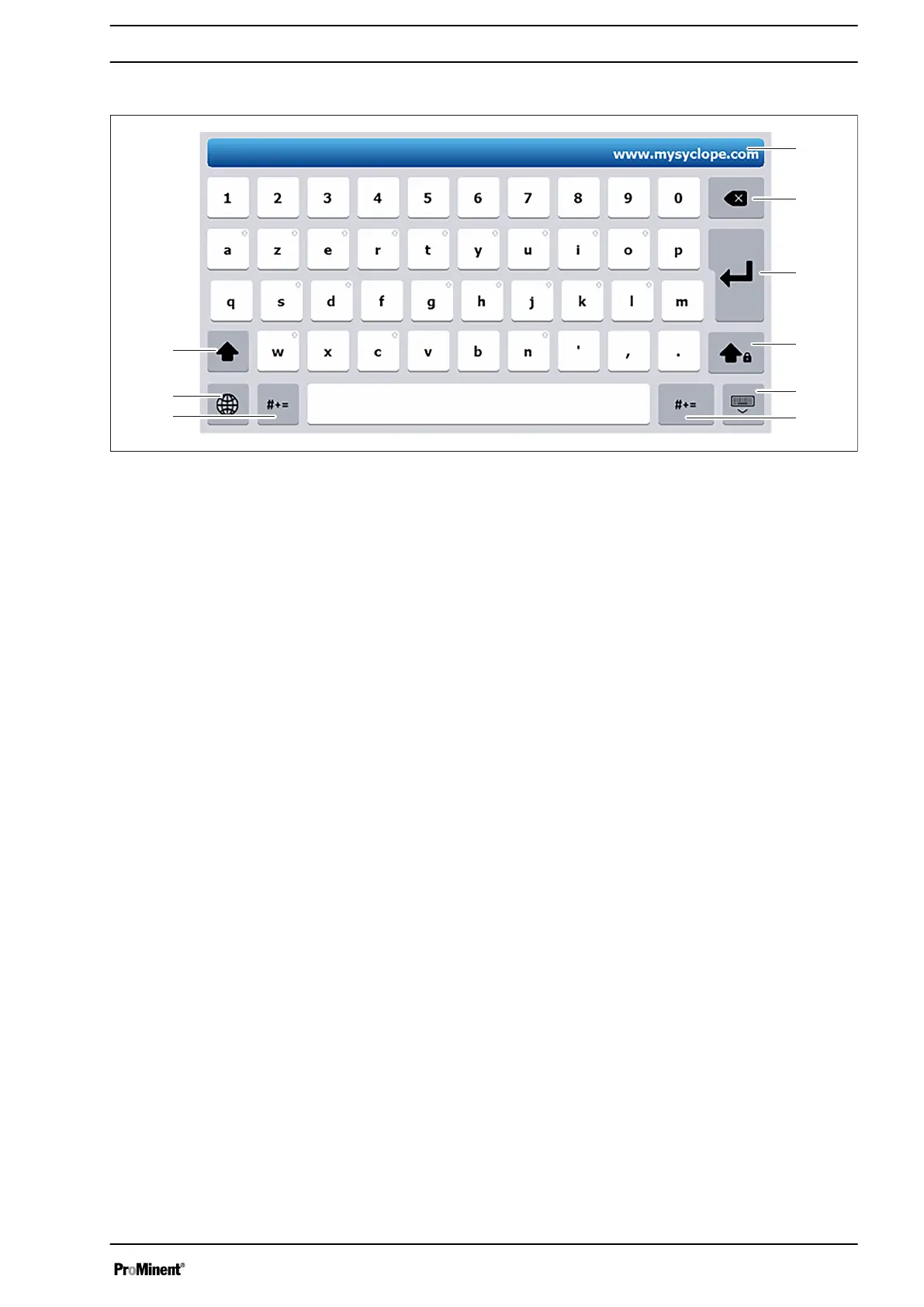
Fig. 49: Alphanumeric keyboard
1 Input field in which the text entered appears.
2 Clear/Back key
3 Key: Save input (Enter)
4 Caps Lock
5 Cancel key (ESC)
6 Key for special characters
7 Key for special characters
8 Keyboard type key (AZERTY, QWERTY,
QUERTZ...).
9 Shift key
All keys with the arrow symbol in the top right have additional char‐
acters that can be accessed by pressing them for 2 seconds.
To access characters with accents, press and hold the corre‐
sponding unaccented character for more than 2 seconds to display
the list of available characters. This list is automatically closed as
soon as any character is pressed.
Alphanumeric keyboard
Operating concept and operation
53














 To Next Page