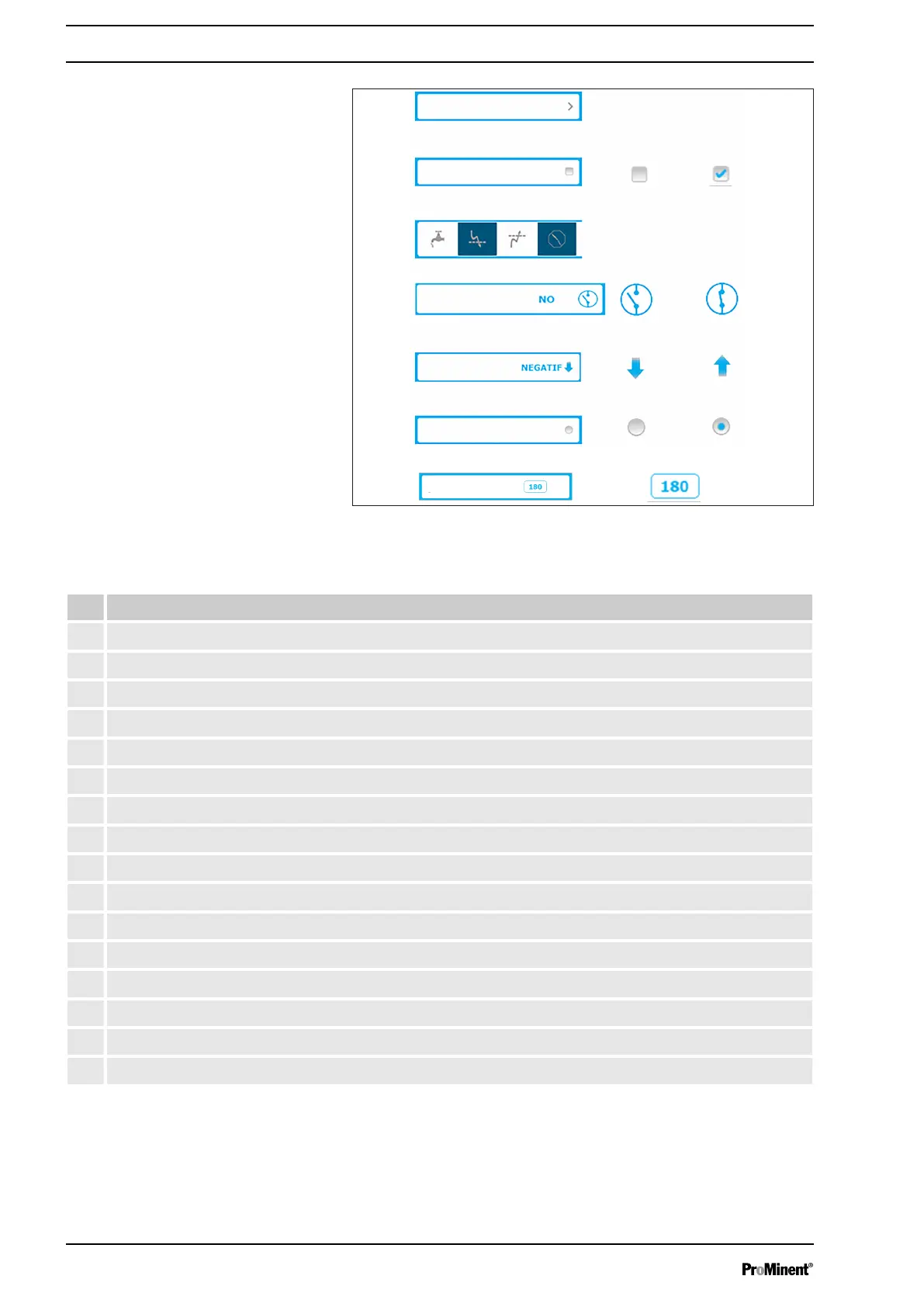
Fig. 50: Important input elements
Tab. 9: Important input elements
# Function
1 Open a list. Press this key to open a list.
2 Key with checkbox to enable or disable functions.
3 Disabled.
4 Enabled.
5 Multiple selection version: press the required element to select the element.
6 Status box. The statuses of functions or elements can be defined in a status box.
7 Contact opened.
8 Contact closed.
9 Direction box. The active directions of functions or elements can be defined in a direction box.
10 Down.
11 Up.
12 Selection box. You can select or deselect functions or elements in a selection box.
13 Disabled
14 Enabled
15 Numerical box. A fixed numerical value can be defined in this numerical box
16 Press to open the numeric keyboard.
Important input elements
Operating concept and operation
54














 To Next Page