A3117
Timer settings
Timer inputs
Do not use timer
Not used
Not used Not used
Not used Not used
Not used
Not used
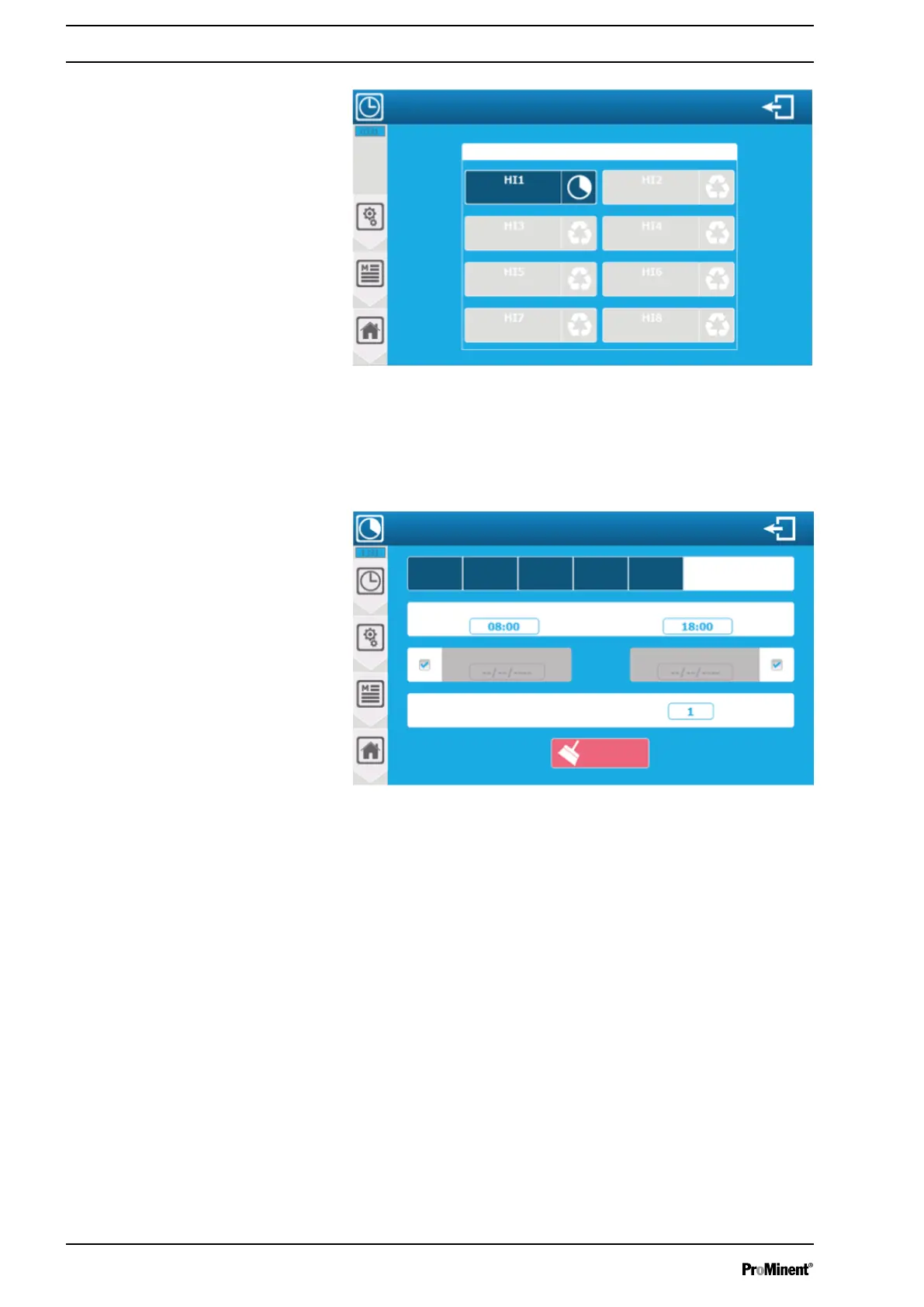
Fig. 73: Menu: ‘TIMERS’ configuration and installation
The screen displays the configured and unused timers. Configure
your installation by pressing a timer already configured, changing
its configuration or pressing a timer not used.
HI1 ... HI8 timer identification: The timers are identified by their HIx
“code” (e.g. HI8) in the control screens.
Timer settings
A3118
Repetition of the programme
Start time
End time
Monday SaturdayFriday
Thursday
WednesdayTuesday
Clear
Weeks
Fig. 74: Timer settings
Repetition of the programme: 1 week(s). Here, the entered value is
(1); the timer is active every week. Type 2 for 1 week/2, 3 for 1
week/3 etc. Setting of 1 ... 52 is possible.
The relevant checkbox needs to be disabled to enable data man‐
agement
8.1.2.5 Menu:
‘MEASUREMENTS and CALCULATIONS’
configuration and installation
The
‘MEASUREMENTS and CALCULATIONS’
menu lets you
access the configuration of the measurements administered and
displayed by the controller. This can be a simple measurement
with one sensor or a calculation with several sensors. The device
gives you a list of possible parameters based on the sensors previ‐
ously configured.
If the
‘Automatically create a parameter for each sensor’
option is
enabled when opening this screen, the list of parameters
‘simply’
already exists.
Setting measuring and control parameters
84














 To Next Page