Lower Unit
RO
3. Inspection Items
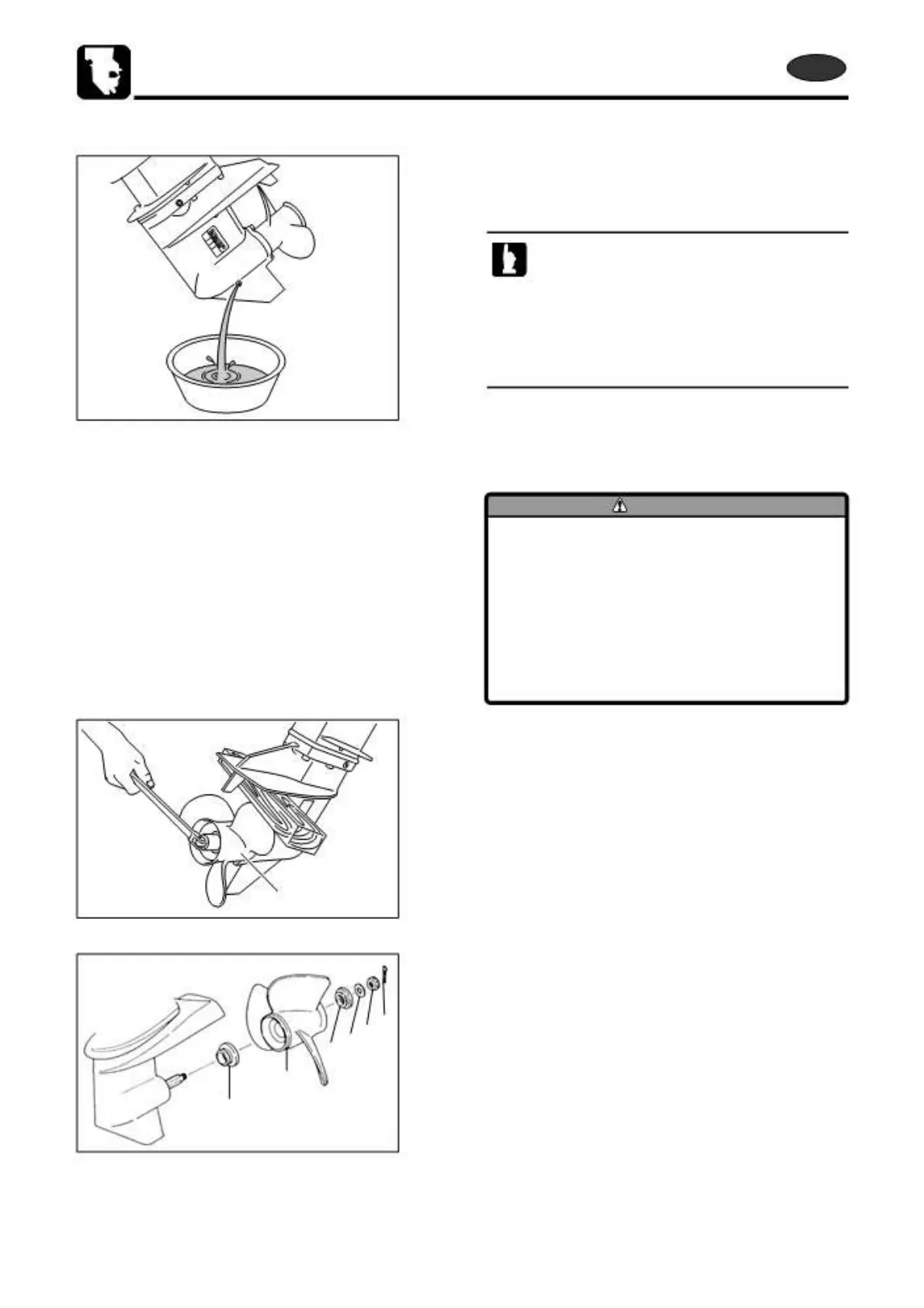
1) Draining Gear Oil
1. Drain gear oil. Refer to “Replacement of Gear Oil” in
Chapter 3.
· Drain all gear oil, and check if any metal particle is
found in the drained oil.
· Check gear oil color. White or cream color
possibly indicates that water is contained in the
gear oil.
· Note the above matters and use them as a
reference if disassemble is required.
2) Removing Propeller
WARNING
· Before removing or installing propeller, be
sure to remove stop switch lock plate.
· When removing or installing propeller, do
not handle propeller with bare hands.
· Put a piece of wooden block between
anti-cavitation plate and propeller to
prevent rotation of propeller when
removing or installing propeller.
1.
5
2.
4321
5
6
Shift gear into forward (F).
Put a piece wood between anti-cavitation plate and
propeller 5 to prevent the propeller 5 from accidental
rotation. Pull out split pin 1, loosen propeller nut 2, and
then, propeller 5.
1 Split Pin
2 Propeller Nut
3 Washer
4 Stopper
5 Propeller
6 Thrust Holder
6-22
2st 50D2 2011



 To Next Page