Lower Unit
RO
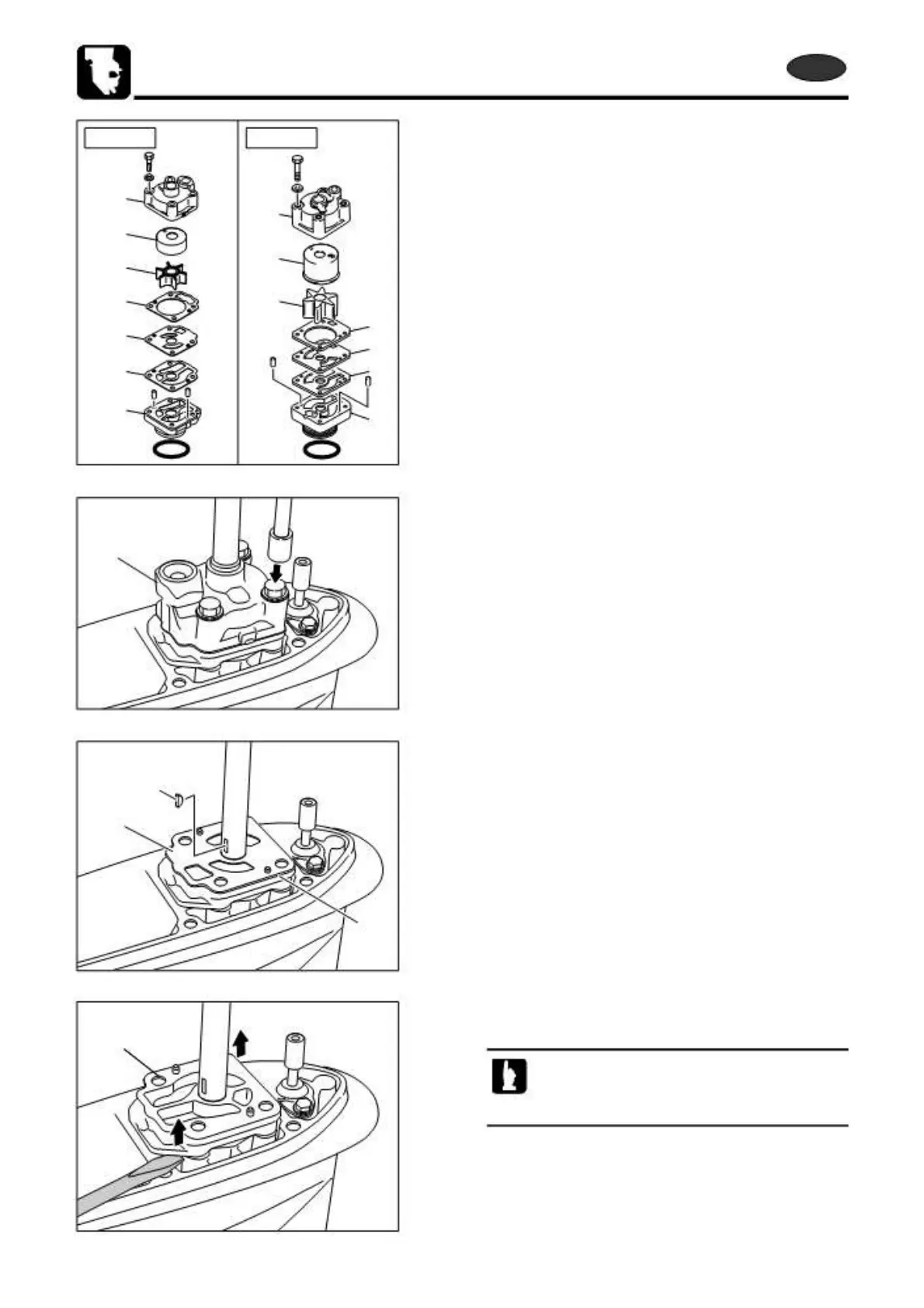
7) Removing Water Pump
1
2
3
4
6
7
8
1
2
3
4
6
7
8
1. Loosen and remove pump case (upper) bolts, and remove
pump case (upper) parts 1, 2, 3 and 4 in this order.
1
2. Remove water pump impeller key 5.
5
6
7
3. Remove guide plate 6, gasket 7 and pump case (lower)
8.
8
When removing pump case (lower), insert bladed
screw driver into the groove of the case, and pry
slowly to separate the part.
6-30
2st 50D2 2011



 To Next Page