Bracket
GB
1
2
3
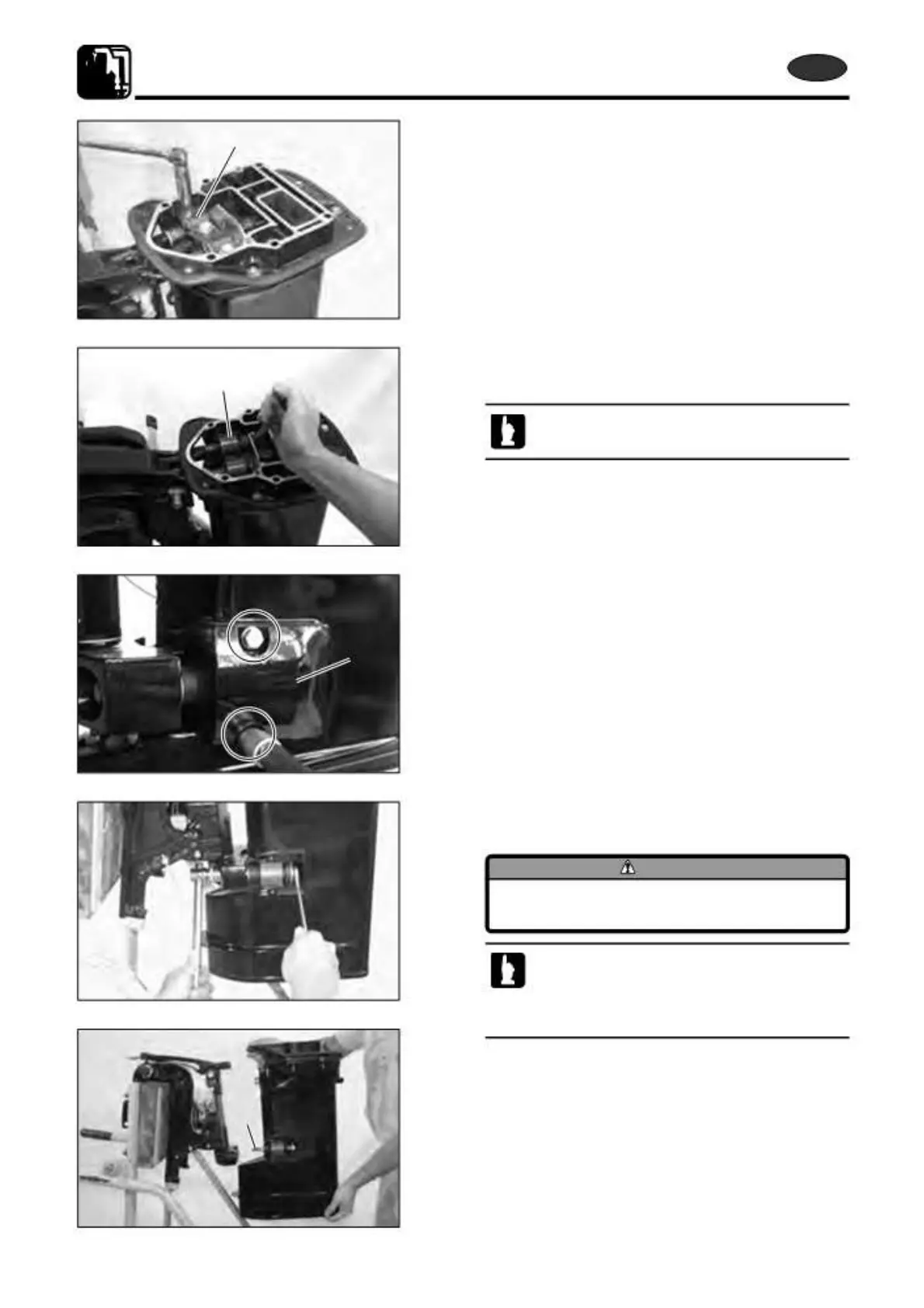
5) Removing Drive Shaft Housing
Use the following steps to remove drive shaft housing.
1. Loosen and remove upper rubber mount cap installation
bolts to remove mount cap 1.
2. Loosen and remove upper rubber mount installation bolts
to remove rubber mount 2.
Loosen right and left rubber mount installation
bolts in several steps alternately and equally.
3. Loosen and remove lower rubber mount cap installation
bolts to remove mount cap 3.
4. Loosen lower rubber mount installation bolt and remove
the nut.
CAUTION
Drive shaft housing drops if mount bolt is
removed in this step.
· Fully tilt down outboard motor when loosening
mount bolt.
· Remove only the nut and do not remove mount
bolt.
5. Pull out lower rubber mount bolt 4 while holding drive
shaft housing at its top and bottom securely, and remove
4
drive shaft housing.
7-26
2st X50D2 2011



 To Next Page