Instrument Functions
R&S
®
NRP2
111User Manual 1173.9157.02 ─ 03
The warning may be one of the following:
●
The "LIMIT FAIL" message is displayed on the screen (always).
●
A warning tone is output (optional, only when "Warning Beep" is activated, see below)
● A signal is issued on analog output "OUT1" (optional, chapter 4.7.2, "Setting the
analog outputs and the trigger input", on page 149).
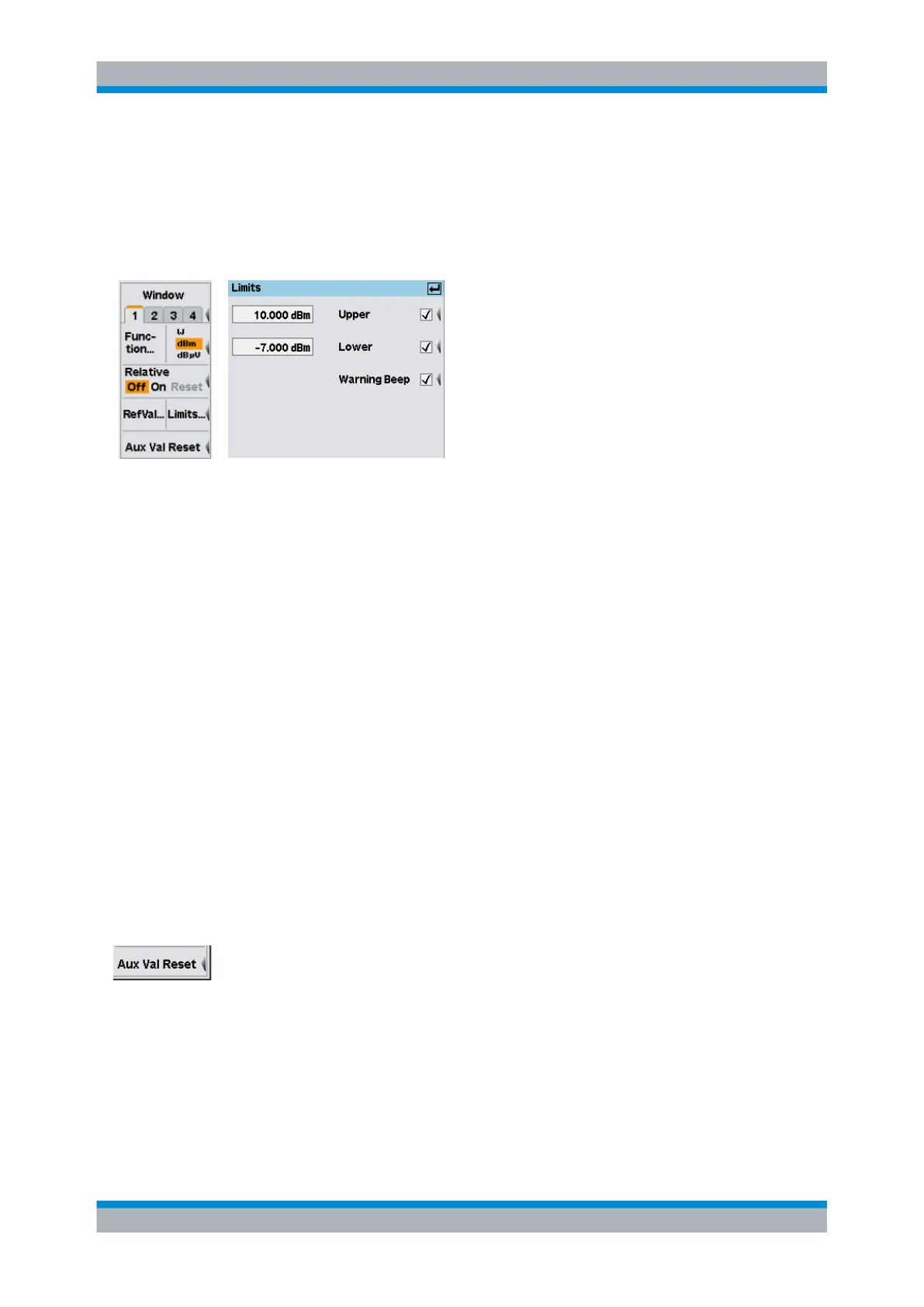
Fig. 4-43: Limits dialog box
xx.xxxx dBm / Upper
Sets the upper limit value and turns monitoring on/off.
SCPI command:
CALCulate<[1]..8>:LIMit:UPPer[:DATA] on page 227
CALCulate<[1]..8>:LIMit:UPPer:STATe on page 228
xx.xxxx dBm / Lower
Sets the lower limit value and turns monitoring on/off.
SCPI command:
CALCulate<[1]..8>:LIMit:LOWer[:DATA] on page 226
CALCulate<[1]..8>:LIMit:LOWer:STATe on page 227
Warning Beep
Activates an acoustic alarm which is output if a limit has been exceeded.
SCPI command:
CALCulate<[1]..8>:LIMit:BEEP on page 225
4.4.6 Resetting auxiliary information
For each window, the R&S NRP2 continuously saves data that is required for displaying
the extreme values and statistical values. These values can be reset any time.
To reset the auxiliary values press the lowest softkey in the "Measurement" menu.
Aux Val Reset
Restarts the search for extreme values and statistical evaluation (if activated in the
"Auxiliaries" dialog box).
SCPI command:
CALCulate<[1]..8>:EXTRemes:RESet on page 223
Configuring measurements



 To Next Page