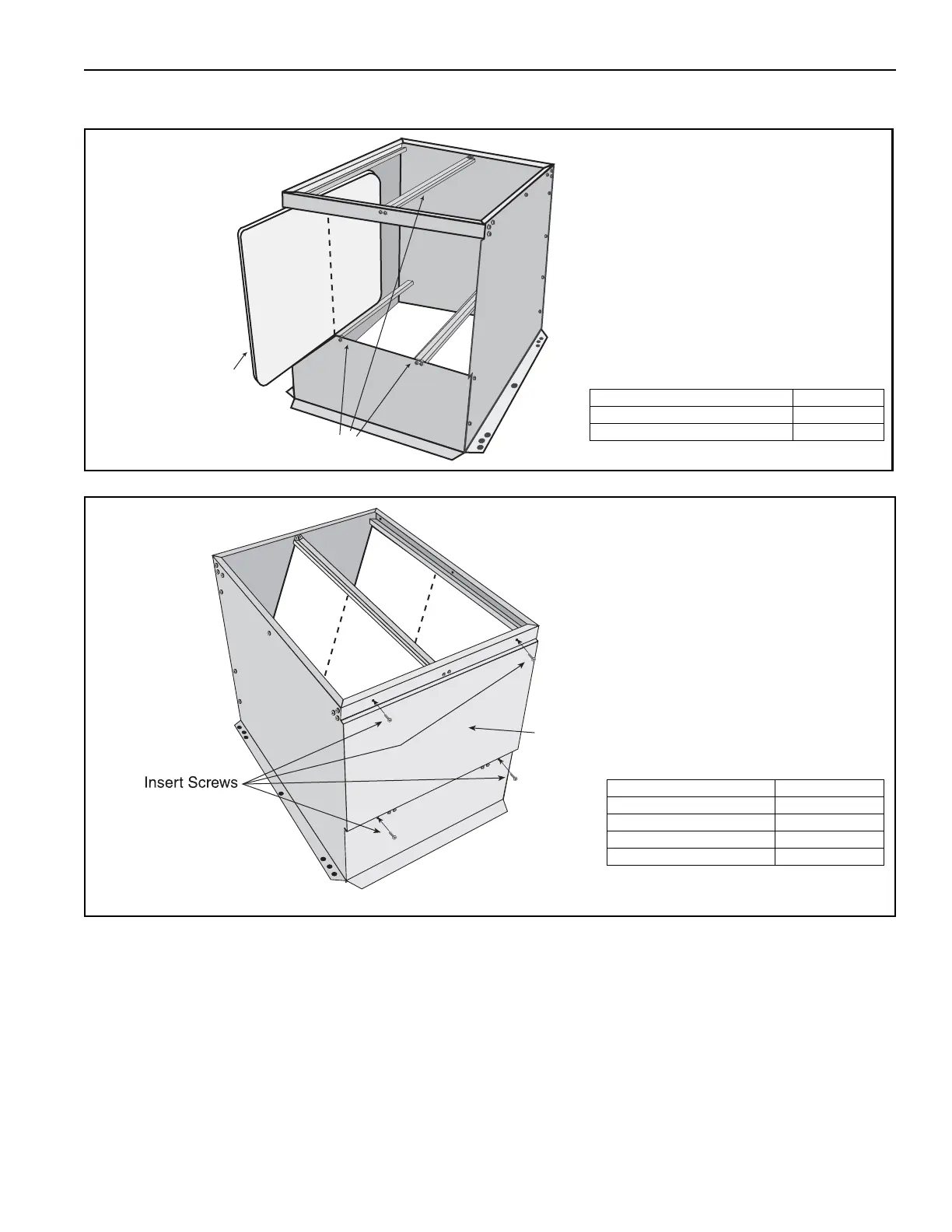
Slide filters into channels. Verify
proper filter orientation.
For permanent aluminum mesh
filters: Verify the arrow on the side
of the filter points in the direction of
the airflow.
For disposable polyester filters:
Verify the white side is facing the
inlet and the blue side is facing the
discharge end.
Description Part Number
Permanent Aluminum Mesh Filters 20628
Disposable Polyester Filters 23629
Install cage nuts into each of the
four corresponding square holes
(two in stiffener, two in header
panel) with the cages on the inside
of the filter section.
Install insulated access cover and
secure with four ¼-20 screws, ¼-20
bolts and ¼" washers.
Description Part Number
Insulated Access Cover 77401.002[W]
¼-20 Screw 20499
¼-20 Bolt 20504
¼" Washer 20503



 To Next Page