99
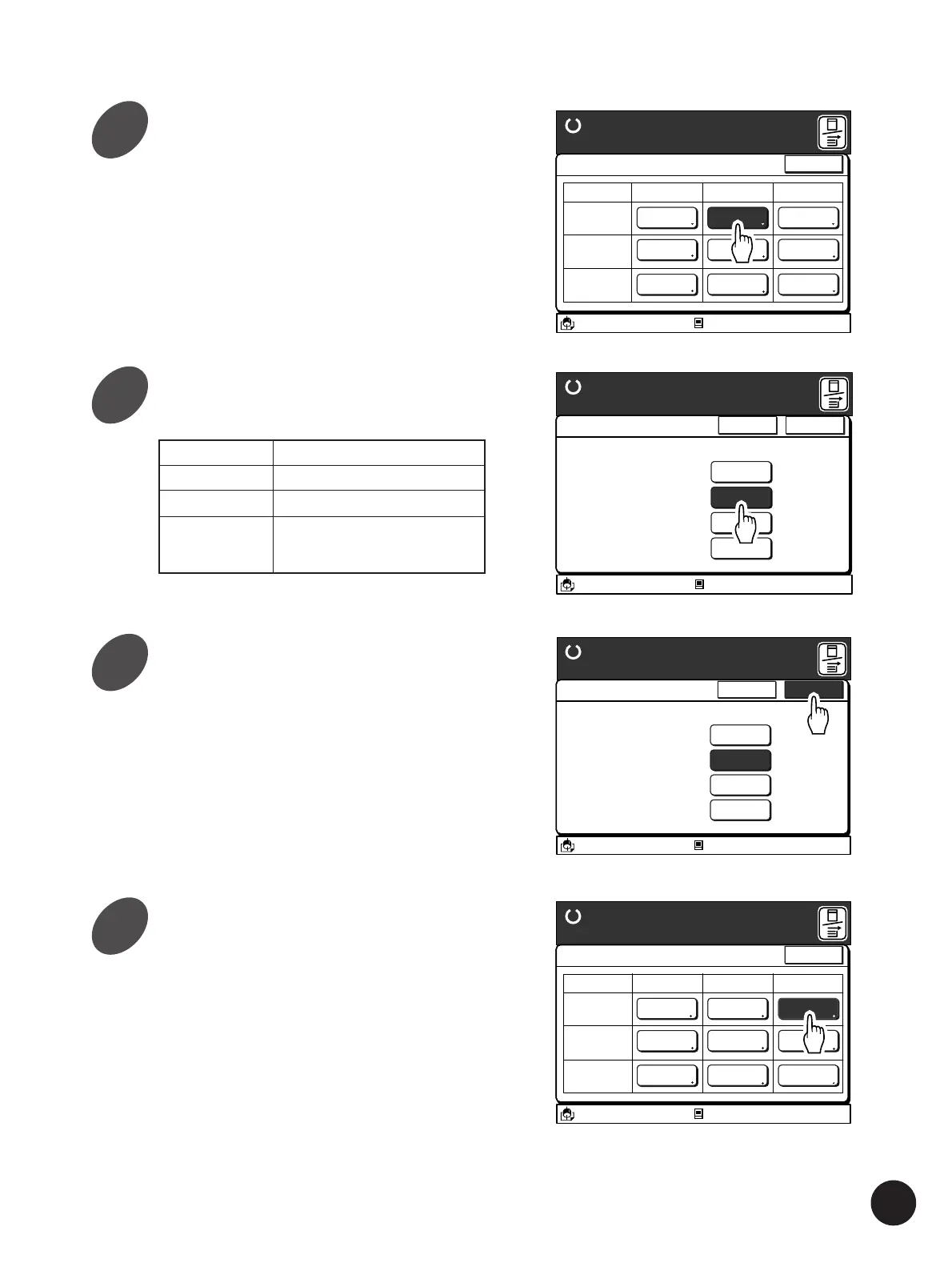
Touch the required Paper Type
button.
A 3/Black
13:59
Close
Paper Data Entry
Ready to Make Master
Size Type Finish
Standard-T
A 4 Standard Standard
Idle
M
Feed Tray1
Feed Tray2
Standard Standard
Standard Standard
A 4
B 4
A3/Black
13:59
Cancel OK
Paper Type Entry
Ready to Make Master
A different paper feed
range can be selected
according to paper type
Standard-T
Standard
Card Stock
Thin/Light
Custom
Idle
M
Changing Printing Paper Information
Standard Standard paper
Card Stock Thick paper, slippery paper
Thin/Light Thin paper, Fine paper
Custom Paper for which special
adjustment is required in
feeding
Touch the [OK] button.
The window returns to the [Paper Data Entry]
window.
Touch the [Cancel] button to return to the [Paper
Data Entry] window without changing the setting.
A3/Black
13:59
Cancel OK
Paper Type Entry
Ready to Make Master
A different paper feed
range can be selected
according to paper type
Standard-T
Standard
Card Stock
Thin/Light
Custom
Idle
M
Touch the Paper Finish button.
The [Paper Finish Entry] window appears.
A 3/Black
13:59
Close
Paper Data Entry
Ready to Make Master
Size Type Finish
Standard-T
A 4 Card Stock Standard
Idle
M
Feed Tray1
Feed Tray2
Standard Standard
Standard Standard
A 4
B 4
Touch the Paper Type button.
The [Paper Type Entry] window appears.
7
8
9
10



 To Next Page