Configuring the Access Point
Configuring Internet Settings
ZoneFlex Indoor Access Point 9.8.1 User Guide, 800-70601-001 Rev C 123
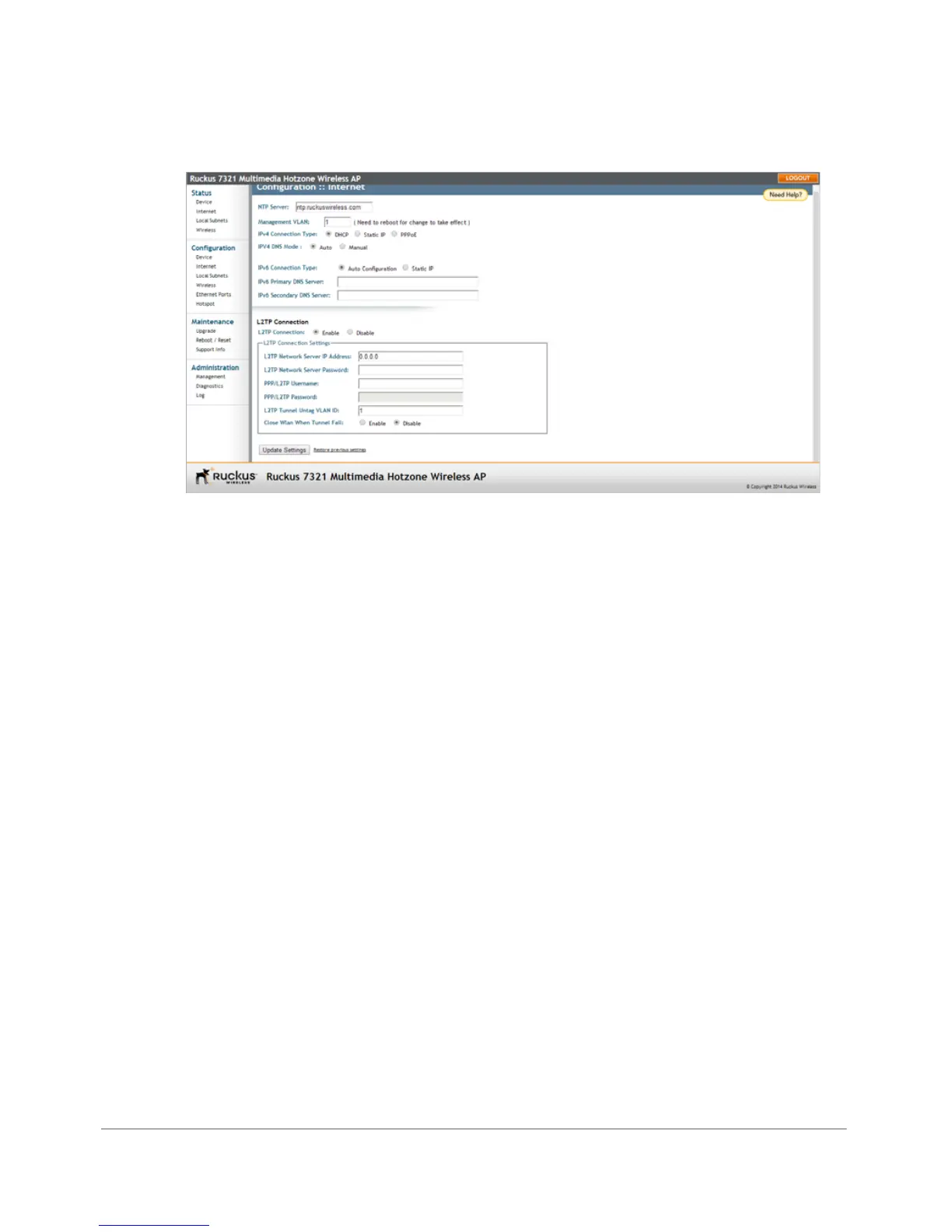
Figure 61. L2TP Connection
2 Under L2TP Connection, click Enable.
3 In L2TP Network Server IP Address, type the IP address of the L2TP network
server (LNS) to which the device connects.
4 In L2TP Network Server Password, type the L2TP server password.
5 If your network requires PPP authentication, configure the following fields under
L2TP/PPP Authentication:
• Username: Type your PPP user name.
• Password: Type the password for the account.
• L2TP Tunnel Untag VLAN ID: Enter the Untag VLAN ID for the L2TP tunnel.
6 In Close WLAN When Tunnel Fail, select Enable if you want to disable the WLAN
when the tunnel connection is lost. This prevents clients from remaining
connected to the WLAN but without Internet connectivity.
7 Click Update Settings to save your settings.










 To Next Page