Installing the Access Point
ZoneFlex 7441 Physical Installation
ZoneFlex Indoor Access Point 9.8.1 User Guide, 800-70601-001 Rev C 108
DIN Rail Mounting
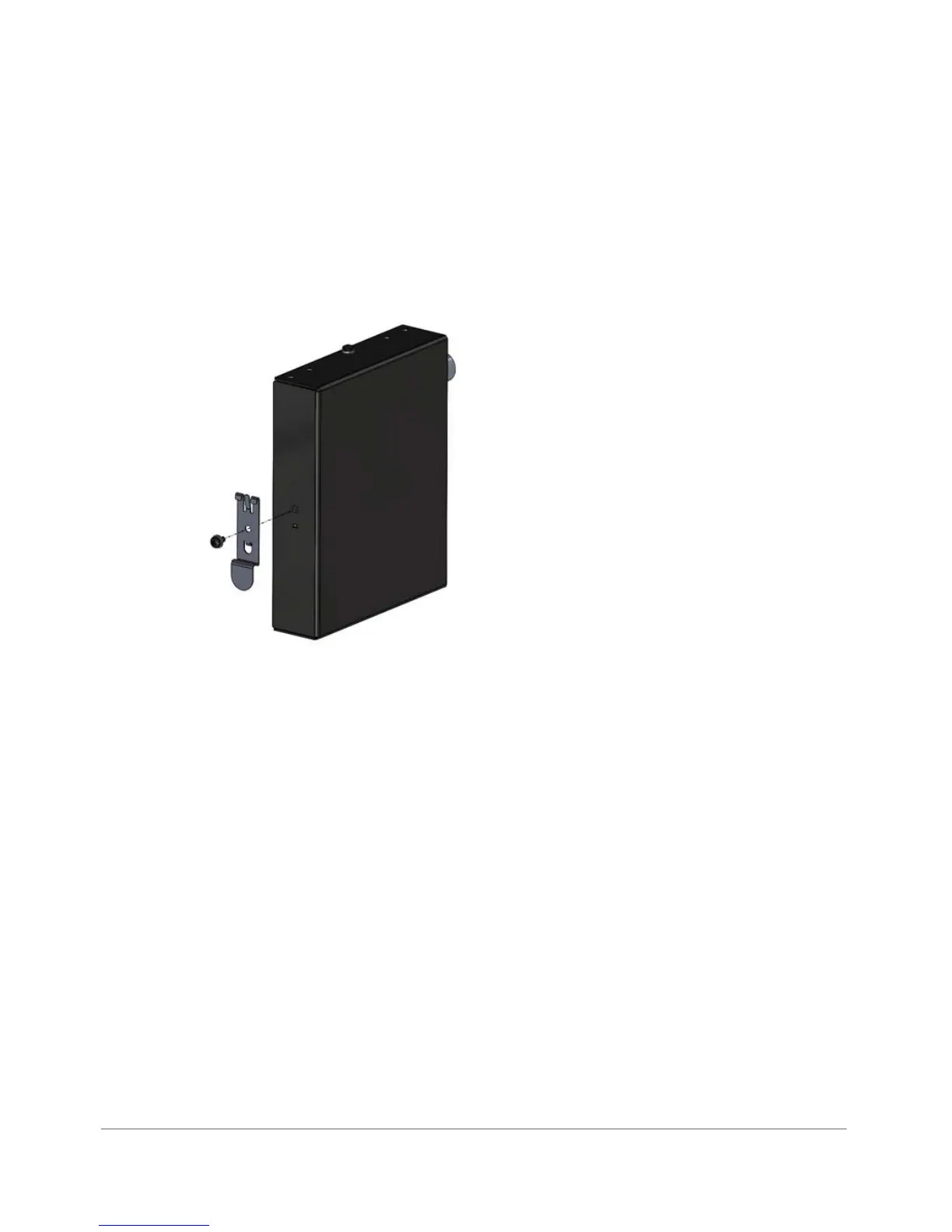
Use the DIN rail clip on the rear of the AP to connect mount to a DIN rail.
1 Remove the screw on the housing back wall and use to attach the DIN rail clip
to the rear of the AP as shown in Figure 53. The clip has a tab to prevent rotation
which fits into the corresponding slot in the housing.
Figure 53. DIN rail clip
2 Mount the AP to the DIN rail as shown in Figure 54.










 To Next Page