Installing the Access Point
ZoneFlex 7025 Physical Installation
ZoneFlex Indoor Access Point 9.8.1 User Guide, 800-70601-001 Rev C 102
• Affix the mounting bracket to the outlet box using the two mounting screws
provided.
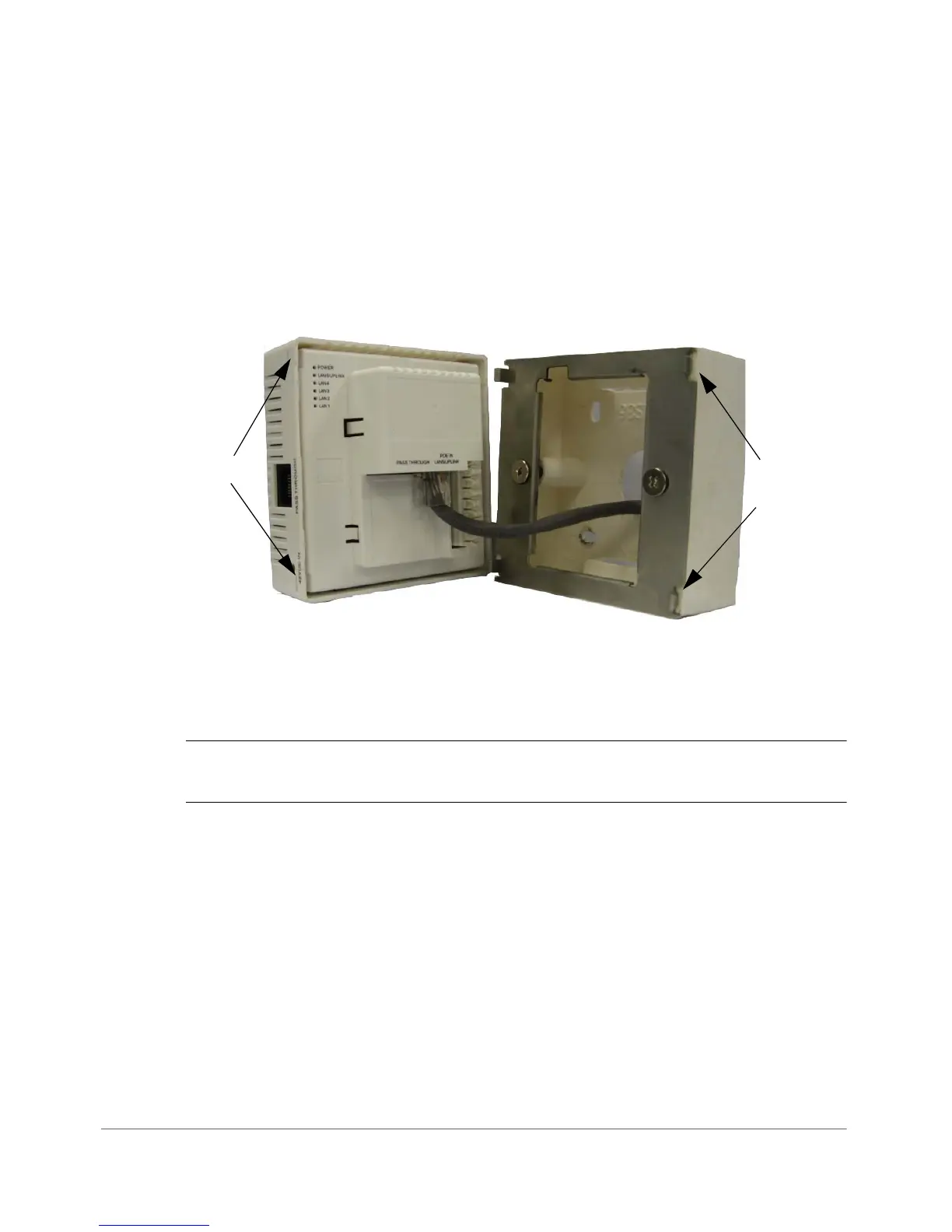
• Snap the AP onto the mounting bracket by hooking the two locking tabs on
one side of the mounting bracket into the two cutouts in the plastic housing
on one side of the AP, then push the other side of the AP in toward the wall
until it snaps in place.
Figure 47. Hook the locking tabs into the housing cutouts
You have completed the physical installation.
Using the 110 Punch down Block
CAUTION! Do not connect both the Punch-down block and the Uplink port to a
network. Only one connection can be used at a time.
If you prefer to use the 110 Punch-down block connector rather than the RJ-45
connector for power and network connectivity, refer to the following diagram for
wiring details.










 To Next Page