Managing the Access Point
Upgrading the Firmware
ZoneFlex Indoor Access Point 9.8.1 User Guide, 800-70601-001 Rev C 176
Upgrading the Firmware
You can use the Web interface to check for software updates/upgrades for the
firmware built into the AP. You can then apply these updates to the device in one
of two ways: manual updating on an as-needed basis, or automating a regularly
scheduled update.
Before starting, decide which option you want to take:
• Automate a regularly scheduled update
• Run a one-time manual update right now
By default, the automatic upgrade option is disabled.
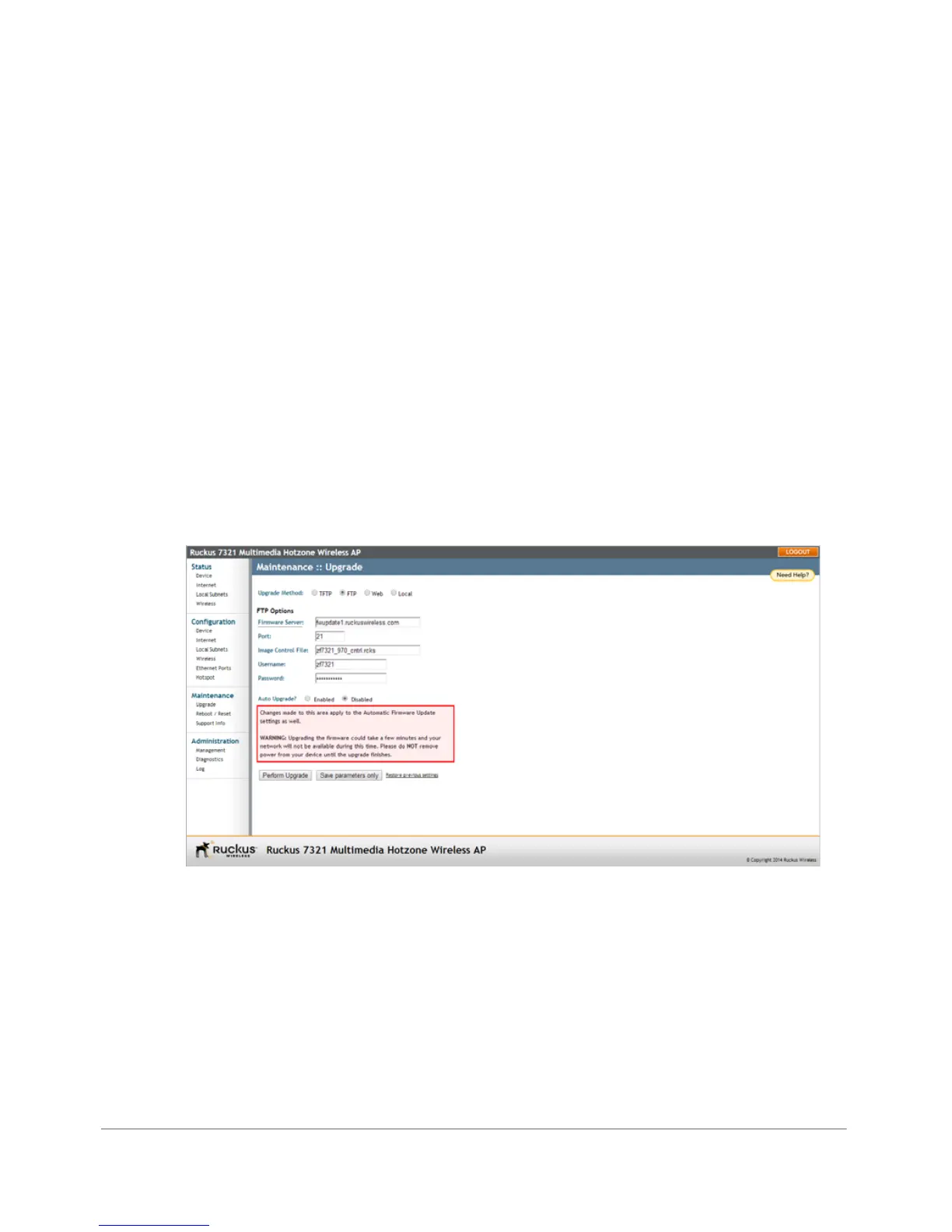
To get started with upgrading the firmware, go to Maintenance > Upgrade. When
the Upgrade Method options appear, decide which upgrade method to use. Each
of the upgrade options listed on the Upgrade page are discussed in the succeeding
sections.
Figure 87. The Maintenance > Upgrade page
Continue with the following:
• Upgrading Manually via FTP or TFTP
• Upgrading Manually via the Web
• Upgrading Manually via Local File
• Scheduling Automatic Upgrades










 To Next Page