Configuring the Access Point
Configuring Wireless Settings
ZoneFlex Indoor Access Point 9.8.1 User Guide, 800-70601-001 Rev C 146
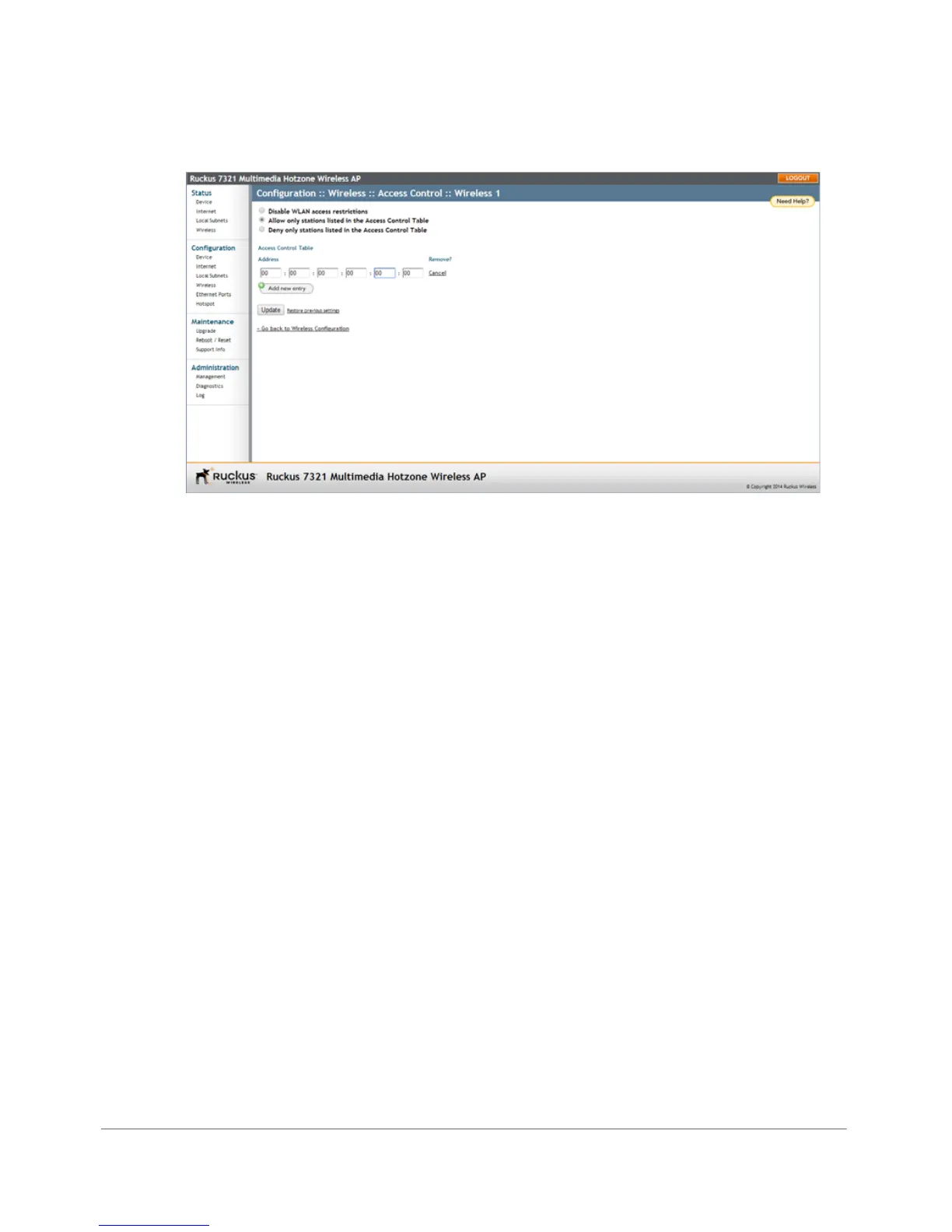
Figure 72. Access control settings
4 To add a MAC address to the Access Control table, click Add new entry.
5 Fill out the following text boxes:
• Address: Six text boxes appear in which you enter the desired MAC address,
in hexadecimal digit form, two characters in each box. Allowable hex-digit
characters are 0-9, a-f, and A-F.
6 Click Update to save your changes. Assuming all parameters you entered are
acceptable, that row is added to the table.
You have completed adding an entry to the MAC address table. If you have additional
MAC addresses you want included, click Add new entry, and then repeat these
steps until you have entered all the stations you want. There is a limit of 128 rows.
Removing a MAC Address
To remove a MAC address from the ACL table, click the Cancel button under the
Remove column, and then click Update. The ACL table refreshes, and the MAC
address that you deleted disappears from the table.










 To Next Page