Installing the Access Point
Step 1: Preconfigure the Access Point
ZoneFlex Indoor Access Point 9.8.1 User Guide, 800-70601-001 Rev C 86
6 Click OK to save your changes and close the TCP/IP Properties dialog box.
7 Click OK again to close the Local Area Connection Properties dialog box.
Windows saves the IP address settings that you have configured.
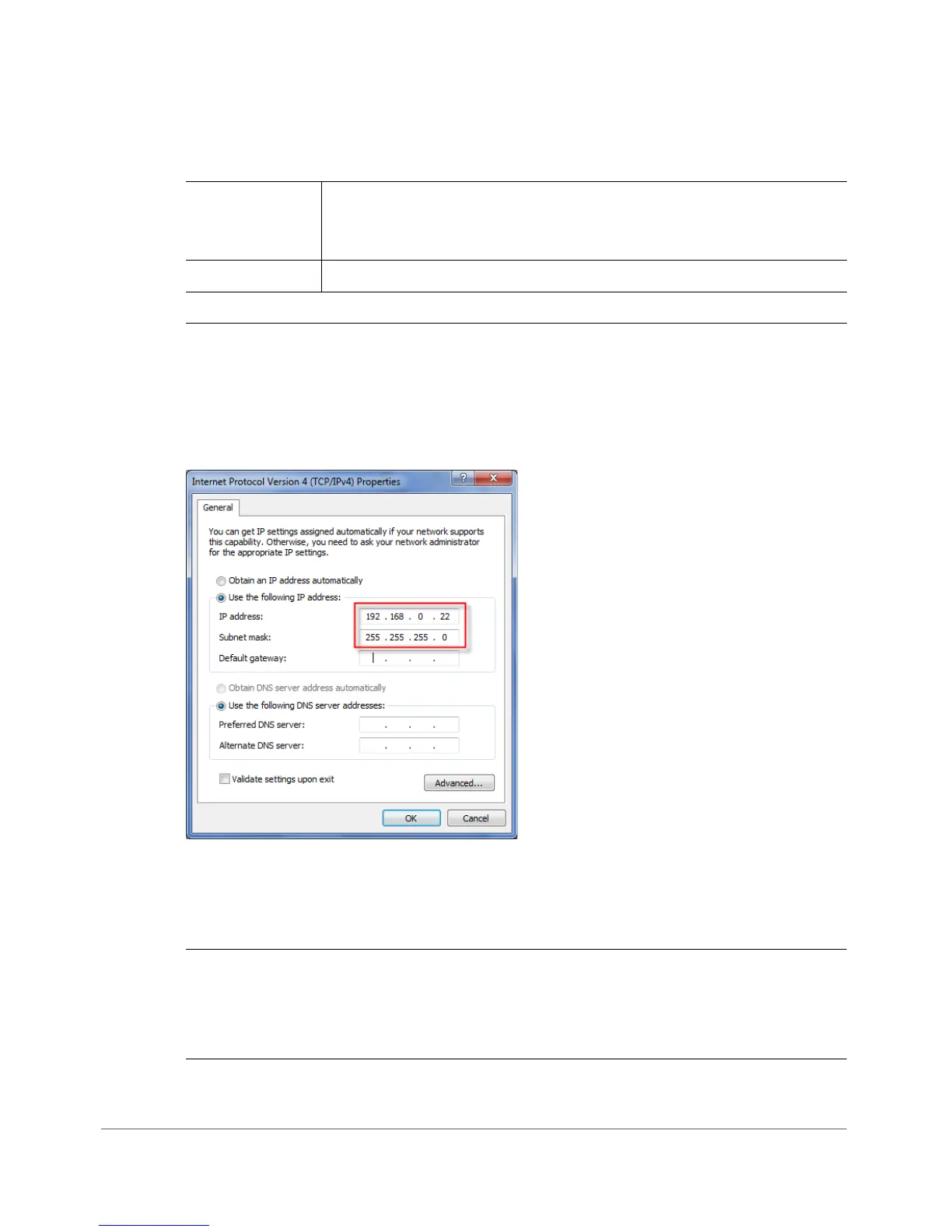
Figure 40. Sample configuration in the Internet Protocol (TCP/IP) Properties dialog box
2. Connect the Access Point to the Administrative
Computer
CAUTION! Do NOT connect the Access Point to your live network at this point. If
you connect it to a live network with an active DHCP server, the AP acquires a new
IP address from DHCP and you are unable to access it via the default IP address
(192.168.0.1).
Table 42. Configure your computer’s IP address settings
IP address 192.168.0.22 (or any address in the 192.168.0.x network—with
the exception of
192.168.0.1, which is the default IP address
assigned to the Access Point)
Subnet mask
255.255.255.0
NOTE:
You can leave the Default Gateway and DNS server fields blank.










 To Next Page