3 – 70 HS40 Service Manual
Storage Server Information
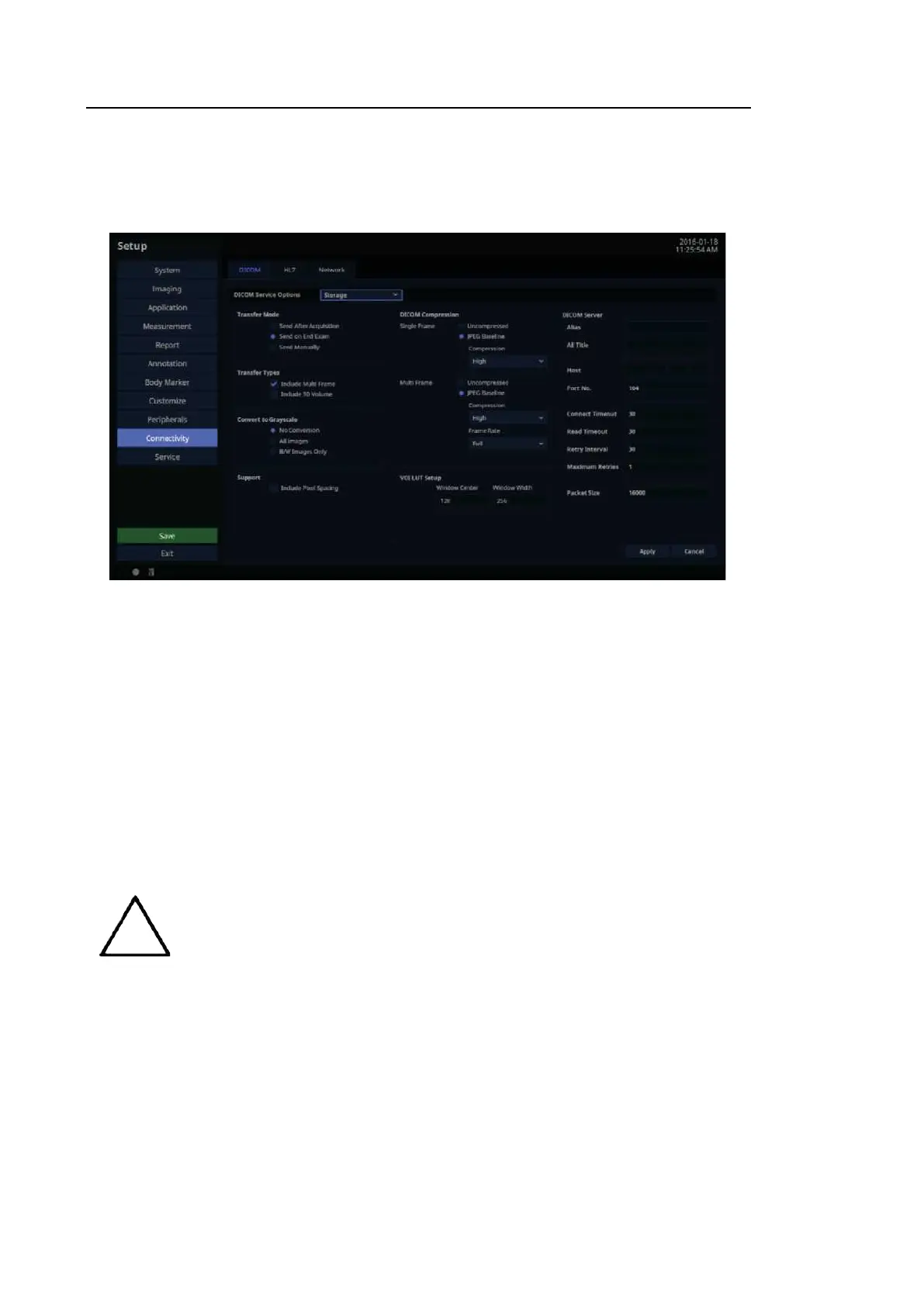
Select ‘STORAGE’ as the DICOM Service Options item. Configure the Image Storage Service
using DICOM.
[Figure 3.40 DICOM Configuration – Storage]
■ Transfer Mode
Select a transfer method:
– Send after acquisition: Send an image whenever you press the Store button to save it.
– Send on end exam: Send all saved images when you press the End Exa m button.
– Send manually: Send an image the user selects from the Exam List or in Review.
■ Transfer Types
– Include Multi Frame: Select this checkbox to transfer Cine Loops.
– Include 3D Volume: Select whether or not to send 3D volume data together with the 3D
images.
Only select this option if you use a storage service that supports the 3D volume
data format used by Samsung Medison.



 To Next Page