Executing a Task: Averaging with Manual Start
D t If you haven’t already done so, go to Application Management.
y The task selection is displayed.
t Select the desired task.
or
t If the desired task is already marked, select Start.
t If you are using a variable number of measurements, enter the desired number.
t If you are weighing live animals, place the container (cage) on the weighing
pan and tare the balance.
t Place the animal in the container.
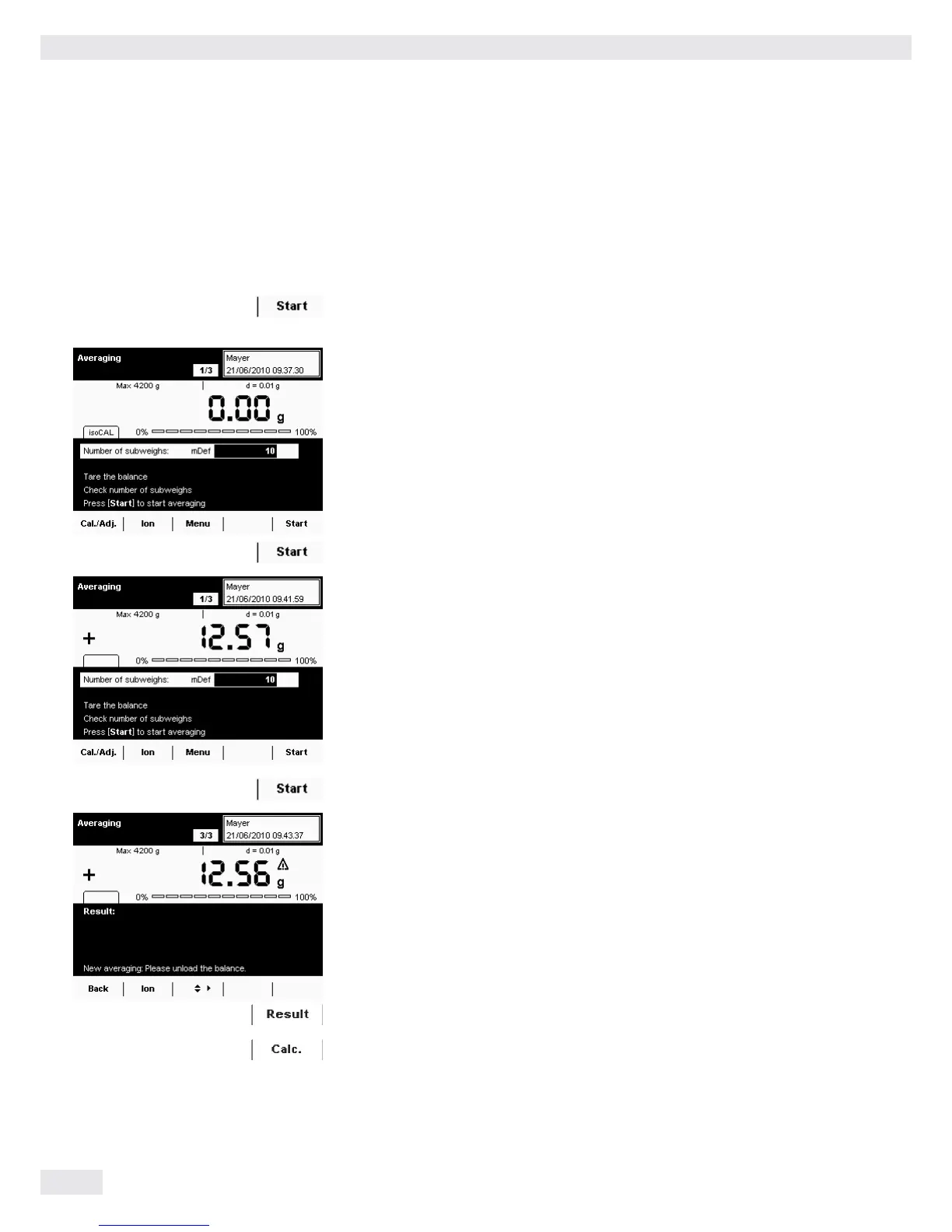
t To begin weighing, select Start.
y The defined number of measurements is carried out and the average
is displayed.
t To start the calculation, select Start.
y The results calculated with the entered factor are displayed.
t To display the average weight value, select Result.
t To view the calculated value on the display again, select Calc.
88 Cubis MSU User Manual
Averaging


 To Next Page
 Loading...




