8-32 Breaker Monitor, Metering, and Load Profile Functions Date Code 20001006
SEL-351 Instruction Manual
(bottom) of the report. Chronological progression through the report is
down the page and in descending row number.
LDP 47 22 If LDP is entered with two numbers following it (47 and 22 in this
example; 47 > 22), all the rows between (and including) rows 47 and 22
are displayed, if they exist. They display with the newest row (row 22) at
the beginning (top) of the report and the oldest row (row 47) at the end
(bottom) of the report. Reverse chronological progression through the
report is down the page and in ascending row number.
LDP 3/30/97 If LDP is entered with one date following it (date 3/30/97 in this
example), all the rows on that date are displayed, if they exist. They
display with the oldest row at the beginning (top) of the report and the
latest row at the end (bottom) of the report, for the given date.
Chronological progression through the report is down the page and in
descending row number.
LDP 2/17/97 3/23/97 If LDP is entered with two dates following it (date 2/17/97
chronologically precedes date 3/23/97 in this example), all the rows
between (and including) dates 2/17/97 and 3/23/97 are displayed, if they
exist. They display with the oldest row (date 2/17/97) at the beginning
(top) of the report and the latest row (date 3/23/97) at the end (bottom) of
the report. Chronological progression through the report is down the page
and in descending row number.
LDP 3/16/97 1/5/97 If LDP is entered with two dates following it (date 3/16/97
chronologically follows date 1/5/97 in this example), all the rows between
(and including) dates 1/5/97 and 3/16/97 are displayed, if they exist.
They display with the latest row (date 3/16/97) at the beginning (top) of
the report and the oldest row (date 1/5/97) at the end (bottom) of the
report. Reverse chronological progression through the report is down the
page and in ascending row number.
The date entries in the above example LDP commands are dependent on the Date Format setting
DATE_F. If setting DATE_F = MDY, then the dates are entered as in the above examples
(Month/Day/Year). If setting DATE_F = YMD, then the dates are entered Year/Month/Day.
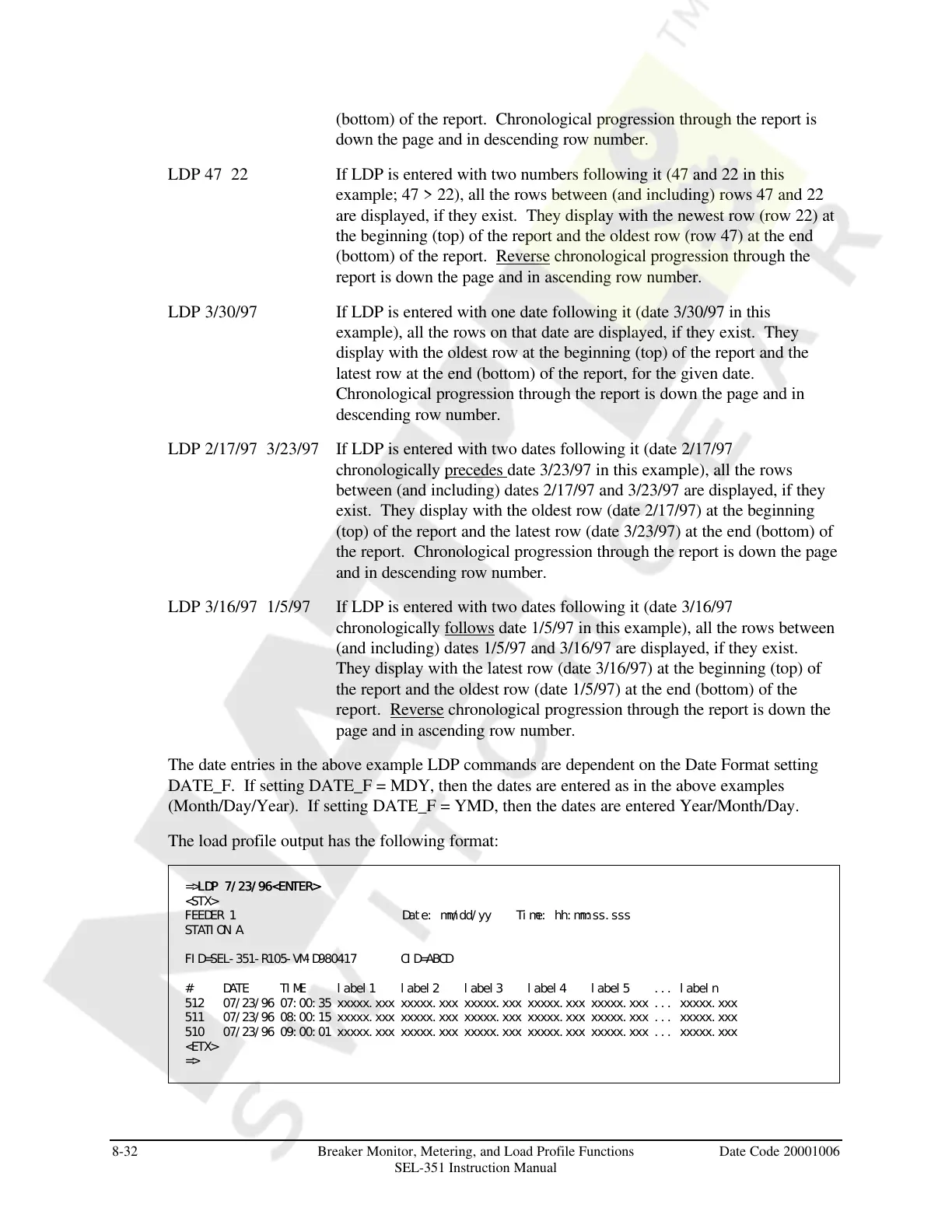
The load profile output has the following format:
=>LDP 7/23/96<ENTER>LDP 7/23/96<ENTER>
<STX>
FEEDER 1 Date: mm/dd/yy Time: hh:mm:ss.sss
STATION A
FID=SEL-351-R105-VM-D980417 CID=ABCD
# DATE TIME label1 label2 label3 label4 label5 ... labeln
512 07/23/96 07:00:35 xxxxx.xxx xxxxx.xxx xxxxx.xxx xxxxx.xxx xxxxx.xxx ... xxxxx.xxx
511 07/23/96 08:00:15 xxxxx.xxx xxxxx.xxx xxxxx.xxx xxxxx.xxx xxxxx.xxx ... xxxxx.xxx
510 07/23/96 09:00:01 xxxxx.xxx xxxxx.xxx xxxxx.xxx xxxxx.xxx xxxxx.xxx ... xxxxx.xxx
<ETX>
=>
Courtesy of NationalSwitchgear.com



 To Next Page