11-2 Front-Panel Interface Date Code 20001006
SEL-351 Instruction Manual
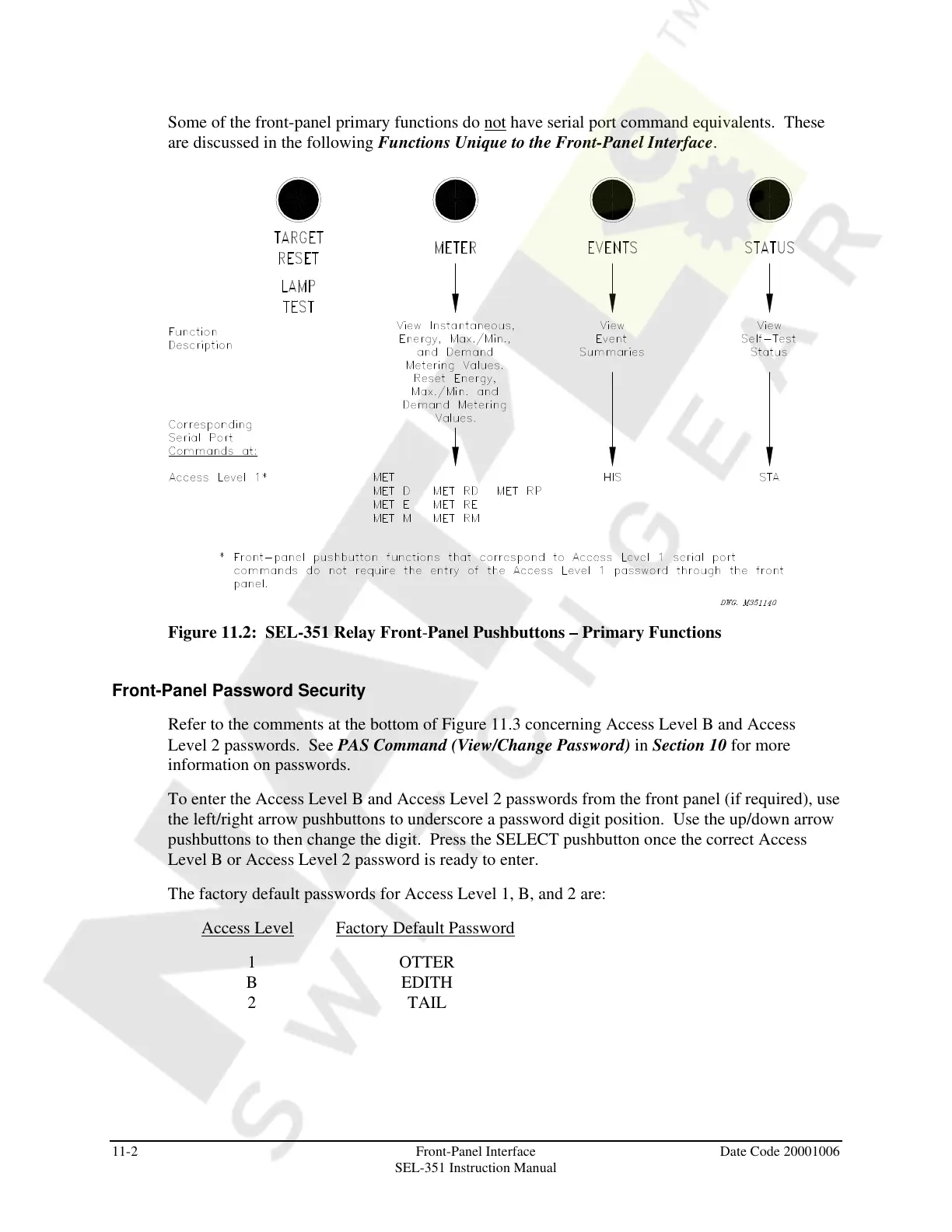
Some of the front-panel primary functions do not have serial port command equivalents. These
are discussed in the following Functions Unique to the Front-Panel Interface.
Figure 11.2: SEL-351 Relay Front-Panel Pushbuttons – Primary Functions
Front-Panel Password Security
Refer to the comments at the bottom of Figure 11.3 concerning Access Level B and Access
Level 2 passwords. See PAS Command (View/Change Password) in Section 10 for more
information on passwords.
To enter the Access Level B and Access Level 2 passwords from the front panel (if required), use
the left/right arrow pushbuttons to underscore a password digit position. Use the up/down arrow
pushbuttons to then change the digit. Press the SELECT pushbutton once the correct Access
Level B or Access Level 2 password is ready to enter.
The factory default passwords for Access Level 1, B, and 2 are:
Access Level Factory Default Password
1 OTTER
B EDITH
2 TAIL
Courtesy of NationalSwitchgear.com



 To Next Page