11-8 Front-Panel Interface Date Code 20001006
SEL-351 Instruction Manual
View Local Control (With Factory Settings)
Access local control via the CNTRL pushbutton. If local control switches exist (i.e., corres-
ponding switch position label settings were made), the following message displays with the
rotating default display messages.
Press CNTRL for
Local Control
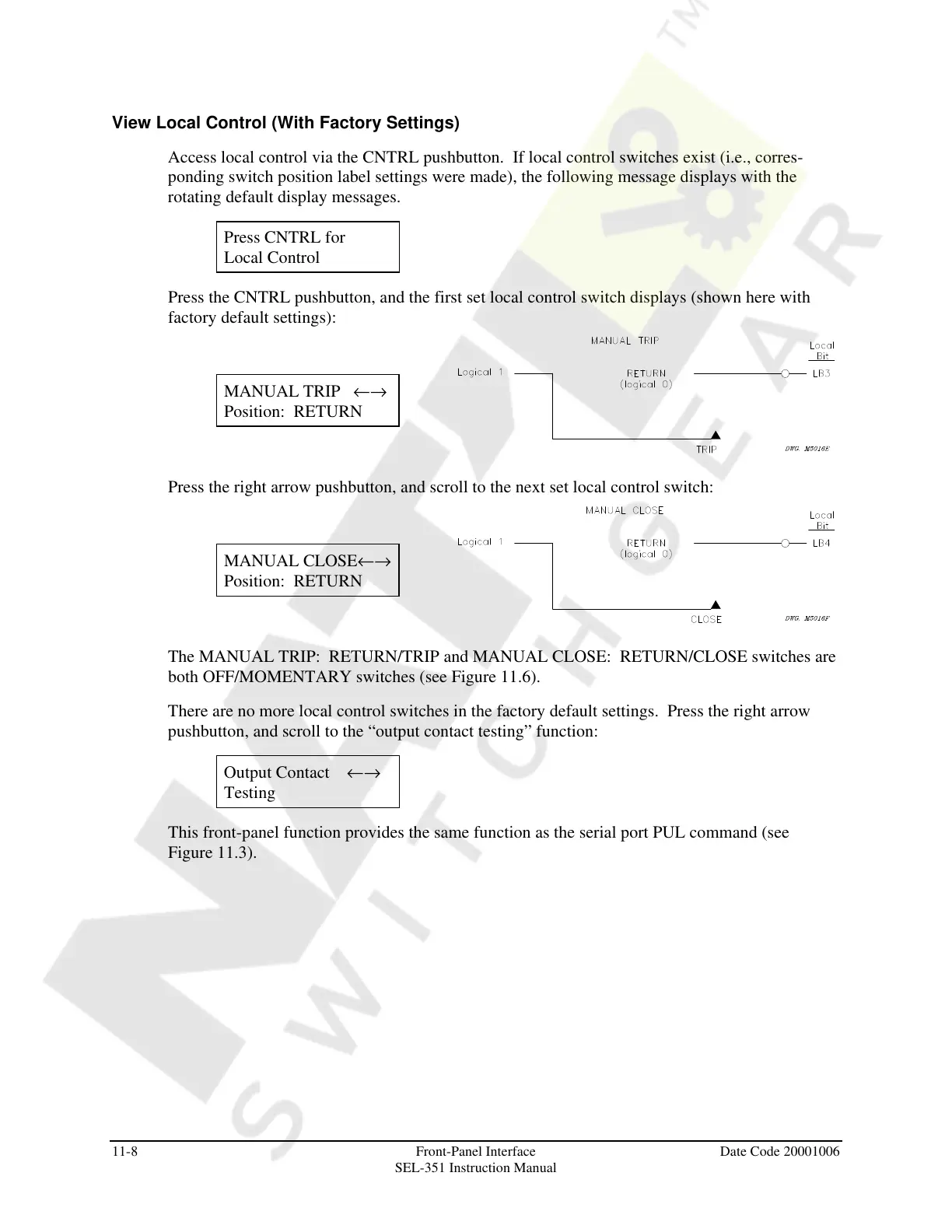
Press the CNTRL pushbutton, and the first set local control switch displays (shown here with
factory default settings):
MANUAL TRIP ←→
Position: RETURN
Press the right arrow pushbutton, and scroll to the next set local control switch:
MANUAL CLOSE←→
Position: RETURN
The MANUAL TRIP: RETURN/TRIP and MANUAL CLOSE: RETURN/CLOSE switches are
both OFF/MOMENTARY switches (see Figure 11.6).
There are no more local control switches in the factory default settings. Press the right arrow
pushbutton, and scroll to the “output contact testing” function:
Output Contact ←→
Testing
This front-panel function provides the same function as the serial port PUL command (see
Figure 11.3).
Courtesy of NationalSwitchgear.com



 To Next Page