Date Code 20001006 Firmware Upgrade Instructions B-3
SEL-351 Instruction Manual
9. The relay will ask if you are sure you want to erase the existing firmware. Type Y to
erase the existing firmware and load new firmware, or just <ENTER> to abort.
10. The relay then prompts you to press a key and begin the transfer. Press a key
(e.g., <ENTER>).
Note: The relay will display one or more “C” characters as it waits for your PC Terminal
Emulation program to send the new firmware. If you do not start the transfer quickly
enough (within about 18 seconds), it may time out and respond “Remote system is not
responding.” If this happens, begin again in step 8, above.
11. Start the file transfer by selecting the “Send File” function in your terminal emulation
software. Use the XMODEM or 1k-XMODEM (fastest) protocol and send the file that
contains the new firmware (e.g., Relay.S19).
Note: The file transfer takes approximately 6 minutes at 38,400 baud using the 1k-
XMODEM protocol. After the transfer completes, the relay will reboot and return to
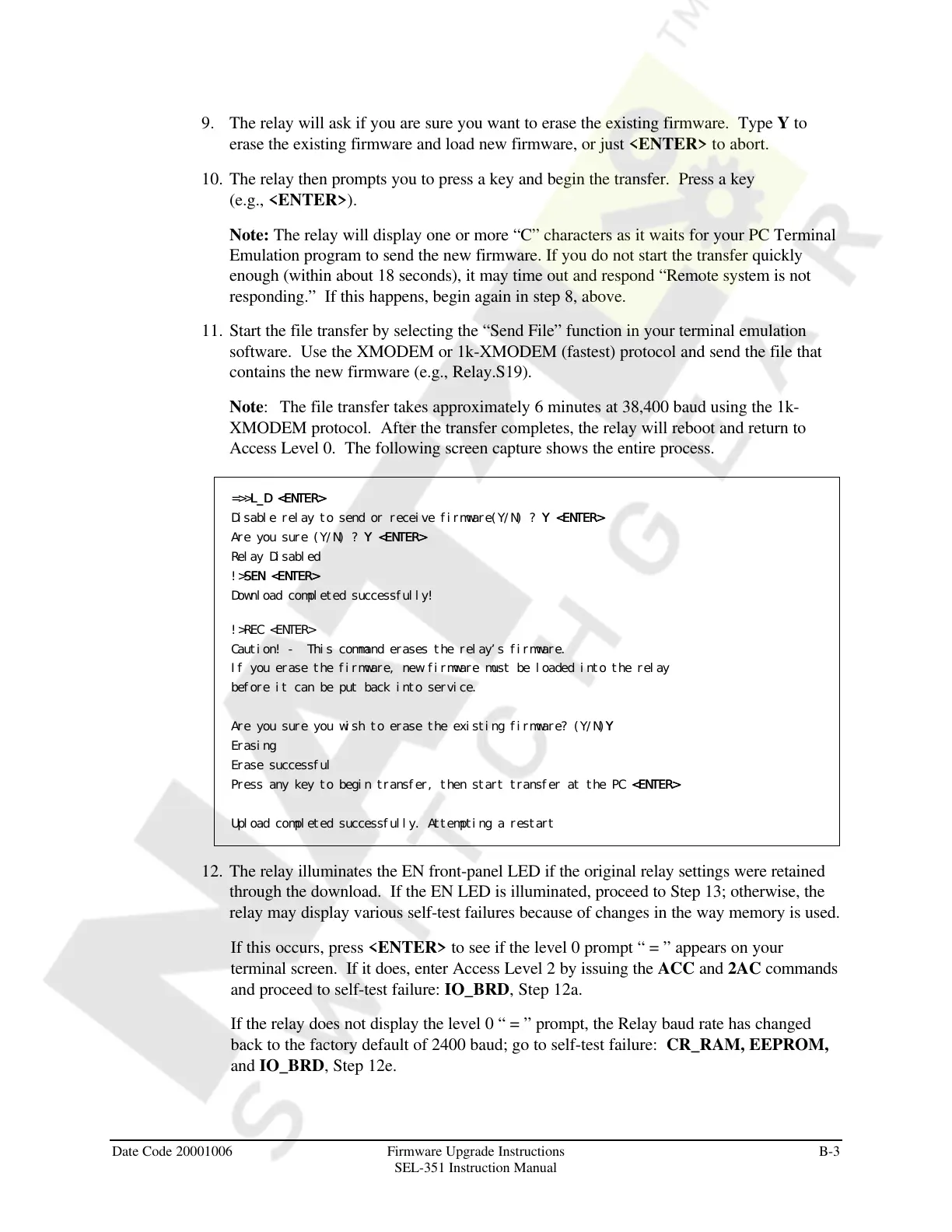
Access Level 0. The following screen capture shows the entire process.
=>>L_D <ENTER>L_D <ENTER>
Disable relay to send or receive firmware(Y/N) ? Y <ENTER>Y <ENTER>
Are you sure (Y/N) ? Y <ENTER>Y <ENTER>
Relay Disabled
!>SEN <ENTER>SEN <ENTER>
Download completed successfully!
!>REC <ENTER>
Caution! - This command erases the relay’s firmware.
If you erase the firmware, new firmware must be loaded into the relay
before it can be put back into service.
Are you sure you wish to erase the existing firmware? (Y/N)YY
Erasing
Erase successful
Press any key to begin transfer, then start transfer at the PC <ENTER> <ENTER>
Upload completed successfully. Attempting a restart
12. The relay illuminates the EN front-panel LED if the original relay settings were retained
through the download. If the EN LED is illuminated, proceed to Step 13; otherwise, the
relay may display various self-test failures because of changes in the way memory is used.
If this occurs, press <ENTER> to see if the level 0 prompt “ = ” appears on your
terminal screen. If it does, enter Access Level 2 by issuing the ACC and 2AC commands
and proceed to self-test failure: IO_BRD, Step 12a.
If the relay does not display the level 0 “ = ” prompt, the Relay baud rate has changed
back to the factory default of 2400 baud; go to self-test failure: CR_RAM, EEPROM,
and IO_BRD, Step 12e.
Courtesy of NationalSwitchgear.com



 To Next Page