HF Series Generators
Installation
IN-1052R0
28
VIRTUAL CONSOLE (PC) USING A POSITIONER WITHOUT TOUCH
SCREEN
Systems using a Virtual Console running on a PC usually must have a PC
Interface Box installed between the PC and Generator.
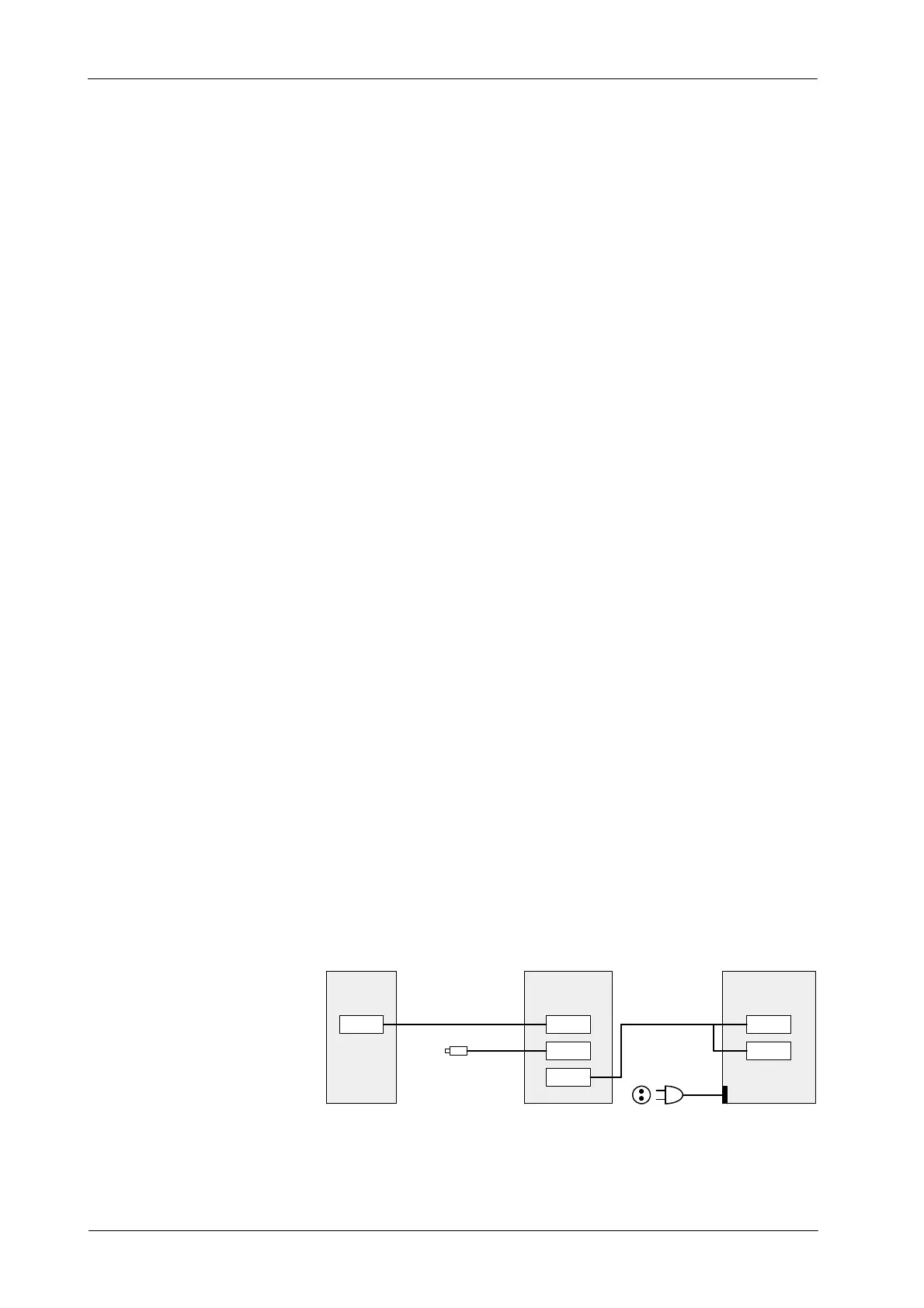
(Refer to Illustration 3-5)
Perform the following connections:
1. Remove the Back Cover of the PC Interface Box.
2. Connect the Serial Interconnection Cable (A3352--01) from J1 of the PC
Interface Box to J5 of the Generator Cabinet.
3. Connect the Handswitch Cable to J2 of the PC Interface Box.
4. Connect the Interface Box--Computer Cable (A3363--01) to J3 of the PC
Interface Box and the other end (2 connectors) to COM1
(Communication) and J1 (Auto ON/OFF) of the Computer connectors.
J1 connector is only available in Computers provided with Auto
ON/OFF Board inside (factory installed).
5. Re-install the Back Cover of the PC Interface Box.
6. Check to set proper Line Voltage on PC. Plug the Power Line cable for
the Computer to a 110 VAC or 230 VAC socket.
For further information, refer to Section 5.2 -- Maps 54301052,
A6188--03 and I/F-036 at the end of this Document.
Illustration 3-5
Connection of the Virtual Console (PC) using a Positioner without Touch Screen
J1
J2
PC INTERFACE
J3
BOX
J1
COM1
PC (COMPUTER)
J5
GENERATOR
CABINET
SERIAL CABLE (A3352--01)
HANDSWITCH
PC BOX / PC CABLE
(A3363--01)
POWER LINE CABLE
TO 110 / 230 VAC SOCKET
Note .
Note .



 To Next Page